



THE NO-CODE AUTOMATION MARKETPLACE
Hire No-Code Automation Experts for Zapier, Make and n8n
The trusted marketplace for no-code and low-code automation specialists. Connect the tools you already run — CRM, forms, spreadsheets, accounting and email — into workflows built with real error handling and documented so you are never locked to one freelancer.
No-Code Automation Services Available
Zapier and Make Workflow Builds
Multi-step Zaps and Make scenarios with filters, routers and formatters, built to fire only on the records that matter.
n8n and Self-Hosted Automation
Workflows deployed on your own server, for when data cannot leave your infrastructure, or where per-task pricing at volume is the deciding factor.
Airtable and Notion Systems
Internal databases, intake forms, approval pipelines and dashboards kept in step with your CRM, storage and accounting tools.
CRM and Sales Pipeline Automation
HubSpot and Pipedrive builds: lead routing, deal-stage triggers, enrichment and task creation.
Document and Invoice Automation
Generate proposals, contracts and invoices from a template and live data, route them for signature and raise the accounting entry.
Webhook and API Integration
Custom webhook receivers, REST calls, authentication and payload mapping for systems with no native connector.
Types of No-Code Automation You Can Buy
Why Buy No-Code Automation from Zinn Hub?
No-Code Automation That Removes Real Hours, Not Just Clicks
Most small teams lose their week to the same tasks: re-typing form submissions into a CRM, chasing approvals by email, rebuilding the same report every Monday, raising invoices from a spreadsheet. No-code automation removes those steps by connecting tools you already pay for, with the filters, retries and alerts that let a workflow survive real data.
Ready to stop copying and pasting? Browse No-Code & Low-Code services, explore Automations & Workflows, or look at the AI automation marketplace if your workflow needs a model in the middle of it.
🔥 Featured No-Code Automation Services
Automation builds listed by Zinns and verified specialists across the marketplace. Filter by platform, price or delivery time.
Top Zinns ⚡
-
 I Will build custom automations, ERP/database integrations, and AI agents using n8n and Python Verified Zinner Level 1I will build custom automations, ERP/database integrations, and AI agents using n8n and Python — with or without deployment
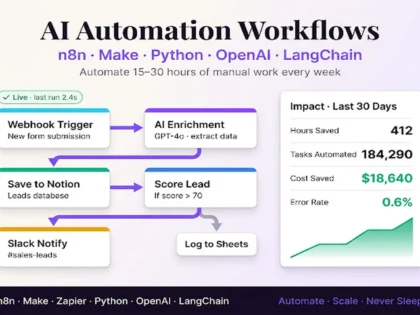
 - I Will build AI automation workflows with n8n, Make, Zapier, Python, OpenAI and LangChain Verified Zinner Level 1Custom AI automation workflows built with n8n, Make, Zapier and Python. Connect your apps, automate lead ops, sync data, run AI agents,…
- I Will create custom Telegram and WhatsApp bots for automation Verified Zinner Level 1Custom Telegram and WhatsApp bots for small businesses. Automation, auto-reply, and group management. Affordable and reliable
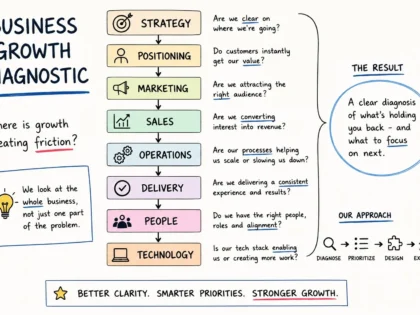
- I Will design your business growth system connecting strategy, sales and automation Verified Zinner Level 1I help growing businesses turn scattered strategy, sales and operations into a connected growth and execution system.
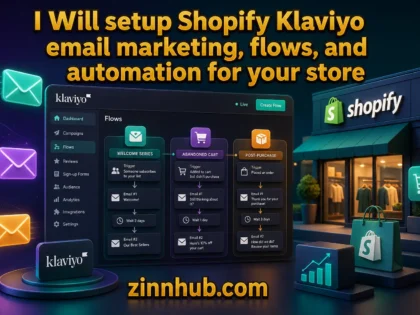
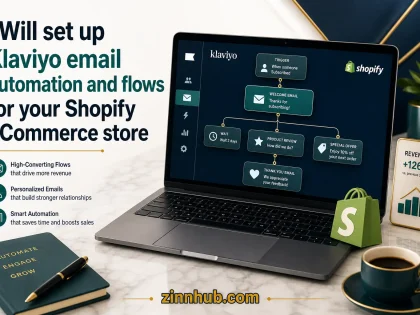
- I Will setup Shopify Klaviyo email marketing, flows, and automation for your store Verified Zinner Level 1Klaviyo specialist building conversion-focused email marketing systems for Shopify stores — welcome series, abandoned cart, post-purchase flows, branded templates, and complete sales…
- I Will set up Klaviyo email automation and flows for your Shopify eCommerce store Verified Zinner Level 1I will set up Klaviyo email automation for your eCommerce brand, including welcome flows, abandoned cart recovery, win-back sequences, post-purchase emails, branded…
- I Will provide enterprise QA engineering, test automation, and project management for banking and fintech software Verified Zinner Level 110+ years of QA engineering expertise across 60+ enterprise projects. I deliver manual testing, test automation frameworks, API testing, QA documentation, and…
- I Will do manual and automation software testing and QA for your web and mobile app Verified Trusted Zinner Hot Zinner Zinner Level 4Senior QA Engineer with 10+ years of experience. I will test your web or mobile app, find critical bugs, and deliver clear…
- I Will Build Custom Web Apps, REST APIs and Automation Systems Using Python, PHP, React and Node.js Verified Zinner Level 1Full-stack developer with 10+ languages. I turn your idea into a custom web app, REST API, or automation system — delivered fast…
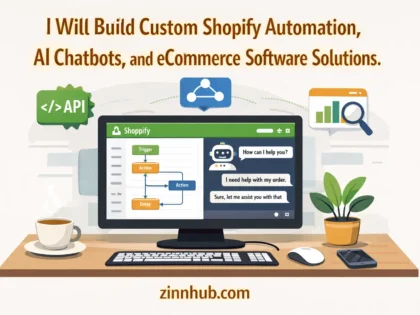
- I Will Build Custom Shopify Automation, AI Chatbots, and eCommerce Software Verified Zinner Level 1Stop juggling disconnected tools and manual processes. I build custom Shopify apps, AI chatbots, automation workflows, and analytics dashboards — backed by…
- I Will Build Python Automation Scripts for Web Scraping, Browser Automation, and Task Bots Verified Rising Zinner Zinner Level 1I build custom Python automation scripts using Selenium, Playwright, and BeautifulSoup to handle your repetitive browser tasks, web scraping, and data extraction…
- I Will Build AI Automation & Business Systems That Save You 10+ Hours a Week Verified Zinner Level 1AI automation and business systems consultant helping small business owners and operations teams save 10–20 hours a week on admin. Chatbots, voice…
- I Will Deploy Docker, VPS Server & n8n Automation Stack Verified Zinner Level 1End-to-end VPS deployment and automation. I install and harden Docker, Docker Compose, and n8n workflows on your Ubuntu or Debian server, configure…
- I Will Set Up Meta Verified Business Account, WhatsApp Business API & Build Custom Chatbot Automation Verified Zinner Level 2I'll set up your Meta verified business account, configure the WhatsApp Business API (Cloud API, Twilio or Gupshup) and build custom chatbot…
- I will build custom automations and AI-integrated workflows using Make and Zapier — per hour Verified Zinner Level 1Custom business automation and AI workflow engineering using Make, Zapier, and API integrations. I eliminate manual processes by building scalable systems that…
- Simple YouTube Video Automation Verified Zinner Level 1I will build you a powerful YouTube automation systems using N8N to save you time and scale your content. I will automate…
- make ghl funnel, website, automation, workflow, all gohighlevel setup Verified Trusted Zinner Hot Zinner Zinner Level 4BASIC HIGH LEVEL Design a 2 step sales funnel on gohighlevel (Landing page + thank you page) | Professional in WordPress, eCommerce,…
- I Will build AI-powered Shopify automation and customer service solutions Verified Zinner Level 1Save hours of manual work and cut support tickets with custom AI chatbots and Shopify workflow automation — tailored to your store's…
- I Will Build UI Vision RPA Browser Automation Scripts for Web Tasks and Data Extraction Verified Rising Zinner Zinner Level 1Web automation and data extraction handled efficiently, with no delays. No more juggling tasks manually – get results using proven automation techniques…
- YouTube Video Automation | N8N Automation Verified Zinner Level 1I will build you a powerful YouTube automation systems using N8N to save you time and scale your content. I will automate…




Micro Zinns ⚡

Explore the Full No-Code Automation Marketplace
Browse automation services, categories, specialist freelancers, live projects and expert guides from across Zinn Hub.
Zinns
- I Will build custom automations, ERP/database integrations, and AI agents using n8n and Python Verified Zinner Level 1I will build custom automations, ERP/database integrations, and AI agents using n8n and Python — with or without deployment
- I Will build AI automation workflows with n8n, Make, Zapier, Python, OpenAI and LangChain Verified Zinner Level 1Custom AI automation workflows built with n8n, Make, Zapier and Python. Connect your apps, automate lead ops, sync data, run AI agents, and eliminate manual work. Live preview…
- I Will create custom Telegram and WhatsApp bots for automation Verified Zinner Level 1Custom Telegram and WhatsApp bots for small businesses. Automation, auto-reply, and group management. Affordable and reliable
- I Will design your business growth system connecting strategy, sales and automation Verified Zinner Level 1I help growing businesses turn scattered strategy, sales and operations into a connected growth and execution system.
Micro Zinns
Zinn Categories
- Automations 7 Zinns
- Automations & Workflows 7 Zinns
- Marketing Automation 47 Zinns
- AI automation and workflows 45 Zinns

Micro Zinn Categories
- Scripts & Automation 5 Micro Zinns
- Marketing Automation 0 Micro Zinns
- AI Automation & Agents 0 Micro Zinns
- Workflow Automation (Zapier, Make, n8n) 1 Micro Zinn
Freelancers
- Zinn Digital ™ LTD Verified Partner Available now Verified Trusted Zinner Hot Zinner Zinner Level 4Full Stack Developer & SEO Strategist | 25+ Years | WordPress, Python, Shopify, Link Building & Paid Ads
- Echo Verified Partner Available now Verified Hot Zinner Zinner Level 2Data Analyst skilled in Excel, Power BI, Canva, and Photoshop for data insights and creative visual content.
- DIGITAL BERRIES Verified Available now Verified Zinner Level 1Building Brands. Driving Growth. Powered by Technology & AI.
- Ary Verified Available now Verified Zinner Level 1Automation & AI Agents | n8n · Python · ERP |




Freelancer Categories
- Automation & Workflows 9 Freelancers
- AI Automation & Workflows 7 Freelancers
- Excel & Spreadsheet Automation 5 Freelancers
Sellers
- De Prudent Studio Verified Zinner Level 1I'm Rasheed Ayomide, founder of De Prudent Studio — a full-stack development and design practice. I build production-ready web applications, SaaS platforms, mobile apps, e-commerce stores, and AI…
- ShopifybrainTeam Verified Zinner Level 1Hi Esteemed client, Your AI system isn't just a bot, it's a 24/7 revenue machine. I build it right the first time. If you've dealt with: ❌ Chatbots…
- Data Fetch Pro Verified Rising Zinner Zinner Level 1Hi, I'm the founder of Data Fetch Pro. I specialise in web scraping, data extraction, web automation, browser automation, and custom Python solutions that help businesses save time…
- SB Business Support Verified Zinner Level 1I blend the power of AI automation tools like Make and ChatGPT/Claude with Excel & Google Sheets to help you streamline daily tasks, scale client delivery, and boost…



Articles
- Sell AI Automation Services Online
- Sell No-Code Automation Services Online
- No-Code Automation Marketplace
- Hire AI Automation Specialists AI Automation Marketplace Hire Verified AI Automation Specialists Automate the work that slows you down. Hire ID-verified, skill-verified specialists to build workflows in n8n, Make and Zapier, wire…
Help
- Creating & Selling Your Digital Services on Zinn Hub …atGPT integration services AI automation workflows Machine learning solutions Data analysis and visualisation Tech consulting sessions Design & Creative Logo design Brand identity packages Social media graphics Video…
- Freelancer Categories on Zinn Hub …velopers, Chatbot Developers, Automation & Workflow Specialists, Browser Extension Developers, Desktop App Developers, Vibe Coding Specialists, SaaS Developers, QA & Software Testing Specialists Or browse all Software Developers…
- Project Categories on Zinn Hub … Learning Chatbot Development Automation & Workflows Browser Extensions Desktop Applications Prompt Engineering Or post to the main Software & AI Development category. 🎯 PPC & Paid Advertising…
Micro Zinns ⚡
Why Buy No-Code Automation on Zinn Hub?
Automation is easy to start and easy to get wrong. Work with specialists who map the process first, handle failures, and hand the system back documented.
Process Mapping Before Building
The best Zinners write down what happens today, in which system, with which exceptions. Automating an undocumented process gives you fast, confident, wrong data.
Real Platform Depth
Routers, iterators, aggregators, data stores, custom webhooks and raw API calls — the parts of Zapier, Make and n8n that separate a working system from a demo.
Error Handling and Alerting
Rate limits, timeouts and malformed records are normal. Builds include retries with backoff, a destination for unprocessable records, and an alert when a run fails.
Operation Cost Awareness
A workflow costing more to run than the labour it replaces is a bad automation. Zinners here design around task and operation billing.
Data Hygiene Between Systems
Matching keys, deduplication, consistent date and currency formats, and one source of truth per field. Most automation problems are data problems wearing an automation costume.
Documentation and Handover
A process map, a scenario inventory, the connections used and a walkthrough recording, so the system can be handed on without a rebuild.
Built by People Who Have Run the Operations Being Automated
Zinn Hub was created by a team that has spent two decades building and running digital businesses, with all the invoicing, reporting, onboarding and CRM admin that involves. We know which automations quietly pay for themselves and which become fragile liabilities, so this marketplace asks providers to document their work.
Browse No-Code Automation Categories & Skills
Find the right specialist by platform, by the systems connected, or by the process you want removed.
Browse Categories
Zinner Skills
🔗 No-Code Automation by Platform
Many more platforms and connectors are covered — search for the tool you use.
Use Zinn Finder
Another way to search: describe the process you want removed and browse the specialists it returns
Try Zinn FinderStart With a Micro Zinn
Small fixed-price jobs such as repairing a broken Zap or documenting an existing scenario
Browse Micro ZinnsOr Post a No-Code Automation Project for Free
Not sure which platform or which builder you need? Post a brief describing the process you want removed, set your own budget, and let verified automation freelancers come to you with proposals. Every freelancer is ID-verified and skill-verified, and your payment is held in escrow until the work is delivered and approved.
Or explore directly: No-Code & Low-Code Projects · API & Integration Projects · AI Automation Projects · All Zinners · All Projects
How to Buy No-Code Automation on Zinn Hub
Five steps that separate an automation which saves hours from one that corrupts your data.
Write Down the Manual Process First
Note every step someone performs today, which system it happens in, and what the exceptions are. This one page lets Zinners quote accurately instead of guessing.
Shortlist by Platform, Not Just Price
Browse No-Code & Low-Code or filter by skill — Zapier, Make, n8n, Airtable — so you compare people who have shipped on your stack.
Ask About Errors and Running Costs
Message the Zinner first. Ask what happens when a step fails, where unprocessable records go, and how many operations your volume will consume each month.
Make Documentation Part of the Order
State in the requirements that delivery includes a process map, a scenario inventory and a walkthrough, and that everything is built inside your own accounts.
Test Against Real Data, Then Approve
Run the workflow on genuine records, including the awkward ones, before you approve. Your payment stays in escrow until you are satisfied, and Zinn Finder is another way to search if you would rather brief a different specialist.
Ready to take the repetitive work off your team for good?
View All ServicesFrequently Asked Questions About No-Code Automation
Platforms, pricing, error handling, running costs and avoiding lock-in.
Still have questions? Browse the marketplace, or describe your process in Zinn Finder and search from there.
The Complete Guide to No-Code Automation for Growing Teams
No-code automation can be one of the higher-return technical investments a small business makes: cheap tools, builds measured in days, and the work removed is the work nobody wants. What decides whether a project succeeds is almost never the platform. It is whether the process was understood first, whether failures were designed for, whether the running cost was calculated, and whether anyone wrote it down.
Map the Manual Process Before You Automate
Before any platform is opened, write down what happens today: the trigger, every step in order, the system each step happens in, who performs it, and the exceptions. Exceptions are where automations break — the order without a purchase order number, the client who pays two invoices with one transfer, the phone number pasted into the email field. The exercise routinely shows that some steps exist only because of a historic system limitation and can be deleted. It also tells you what is worth automating: a step performed four hundred times a month is a strong candidate; one performed twice a month is not.
Choosing Between Zapier, Make and n8n
Zapier is generally the most approachable, with a very large connector library and an interface non-technical staff can maintain, but its limits show on data transformation and at volume, where task-based pricing can add up. Make gives you routers, iterators and aggregators, so branching and array handling are far more natural, and its operation-based billing is often preferred at the same volume — at the cost of a steeper learning curve. n8n matters when data residency or cost at scale dominate, because it can be self-hosted and sensitive records never pass through a third-party processor. Many businesses settle on a hybrid.
Airtable, Notion and the Data Layer
Plenty of automation problems are really missing-database problems: work is tracked in a spreadsheet, an email thread and somebody's head, so there is nothing stable to read from or write to. Airtable and Notion fill that gap with typed fields, views per role, intake forms and relations between records. Once the layer exists, a submission creates a record with a status field the automation can read, approvals become a field change with an audit trail, and reports become a view rather than a monthly export. Decide explicitly which system is the source of truth for each field.
CRM, Document and Invoice Automation
HubSpot and Pipedrive often deliver results quickly because the process is well defined: route enquiries by territory, create deals at the correct stage, enrich contacts, and push closed-won deals into onboarding and invoicing. Two pitfalls recur — creating records without a deduplication check produces a CRM nobody trusts, and firing on every property change rather than a specific stage transition burns tasks generating noise. Document automation takes a template plus live data and produces a finished proposal or invoice, routes it for signature and raises the accounting entry. Centralise invoice numbering and keep a draft state a human reviews.
Webhooks, APIs and AI-Assisted Steps
Sooner or later every automation meets a system with no native connector. A webhook lets that system push an event the moment it happens, which is faster and far cheaper than polling every few minutes to ask whether anything changed; a specialist handles authentication, pagination, rate limits and payload mapping. AI-assisted steps are now normal — classifying a message, extracting fields from a document, summarising a transcript. Two rules keep them safe: treat model output as a suggestion a person or a validation step confirms, and constrain the output format so the workflow can branch to an error route when it does not match. The AI automation marketplace and the chatbot development marketplace cover that area.
Error Handling, Retries and Alerting
An automation without error handling is not finished; it is a demo. Every production workflow meets rate limits, timeouts, unavailable services and API changes shipped without notice. A properly built one retries transient failures after a short delay, ideally with an increasing gap so a struggling service is not hammered. Records that genuinely cannot be processed go to a dedicated errors destination with the reason attached, so they can be reviewed and reprocessed rather than vanishing. And somebody is alerted when a run fails, because the worst failure mode is silence.
Controlling Task and Operation Costs
Design decisions translate directly into a monthly bill. A workflow that triggers on every record and filters at step five has already paid for four steps on every irrelevant record; move the filter to the first position and the cost falls immediately. Batch records instead of one execution per row, replace scheduled polling with webhooks, consolidate near-identical workflows into one with a router, and switch off duplicated test scenarios. Revisit the volume assumptions after a month of live data.
Data Hygiene, Documentation and Handover
Most faults reported as automation problems are data problems: two systems disagree about a customer name, dates arrive in different formats, and a lookup silently matches nothing. Choose a matching key per entity and normalise it, pick one source of truth per field rather than allowing bidirectional writes that fight each other, standardise dates and amounts on entry, and add a deduplication check before any create step. Providers under data processing and data analytics often handle the cleanup that precedes a build.
The risk everyone underestimates is dependency. Specify up front that everything is built inside your own platform accounts, and that delivery includes a process map, an inventory of every scenario with its trigger and dependencies, the integrations and keys involved, notes on known limitations, and a walkthrough recording. On Zinn Hub these go into the order requirements, so escrow covers them. Then start narrow: automate one high-frequency, low-judgement process end to end including the error handling, measure the hours it removes, and use that number to justify the next one.
Browse No-Code & Low-Code services, compare business process automation specialists, or use Zinn Finder to describe your process. If your automation touches a website or store, the WordPress developer marketplace, the Shopify expert marketplace and the Webflow development marketplace cover the front end, while the data entry marketplace and the lead generation marketplace cover the manual work feeding into it.
Ready to hand the repetitive work to a workflow instead of a person?
View All Services