



THE CRM SETUP SERVICES MARKETPLACE
Buy CRM Setup Services from Verified Experts
The marketplace connecting founders, sales leaders and operations teams with verified CRM specialists. Pipeline and field design, data migration and de-duplication, workflow automation, email and calendar sync, third-party integrations and the reporting your team will actually read.
CRM Setup Services Available
CRM Selection and Pipeline Design
A short discovery, then a pipeline that matches how you really sell — stages with exit criteria, required fields, record types and the reports those fields make possible later.
Implementation and Configuration
Users, teams, permissions and territories, custom objects and fields, page layouts, email and calendar sync, templates and sequences, and the sandbox testing that stops a bad rollout.
Data Migration and De-duplication
Export, map, clean and import from a spreadsheet or an old CRM, with de-duplication rules, field-by-field mapping, a staged test import and a rollback plan agreed in writing.
Workflow and Sales Automation
Lead assignment and routing, task and follow-up creation, stage-change triggers, quote and document generation, and the notification rules that keep deals moving without nagging.
Integrations and No-Code Plumbing
Connect the CRM to your website forms, invoicing, help desk, calendar and marketing tools directly or through Zapier, Make or n8n, with error handling and retry logic that surfaces failures.
Dashboards, Reporting and Training
Forecast and activity dashboards, pipeline-health reports, a written admin handbook, and a recorded walkthrough so your team can run the system without calling the consultant back.
Types of CRM Setup Services You Can Buy
Why Buy CRM Setup from Zinn Hub?
A CRM Is Only as Good as the Setup Underneath It
Most CRM projects do not fail on the software. They fail because the pipeline was copied from a template nobody sells that way, because 40% of the imported records were duplicates, or because the reps were never shown why logging an activity benefits them. Buying the setup as defined, separate deliverables lets you fix the weak part rather than re-buying the whole system.
Founders, sales managers and operations leads all get the same thing here: verified Zinners working to a written brief, with a clear handover. Pair the build with the no-code automation marketplace for the integrations around it, the data entry marketplace for high-volume record work, or the lead generation marketplace for the pipeline that fills it.
🔥 Featured CRM Setup Services
Browse CRM Zinns and the Zinners who offer them. Compare the platform, the deliverable and the price listing by listing, and filter Zinners by category, minimum rating or Zinner type.
Top Zinns ⚡
-
 I Will Set Up & Automate Your CRM — HubSpot, Clay, Apollo, GoHighLevel, Zapier & n8n Workflows Verified Zinner Level 1I'll set up, integrate and automate your CRM and sales workflows across HubSpot, Clay, Apollo.io, GoHighLevel, Zapier and n8n — from basic…
 - bubble app developer bubble io web app bubble CRM bubble marketplace VA Verified Trusted Zinner Hot Zinner Zinner Level 4- Bugs Fixing / Consultation Call - basic features or a simple prototype in bubble website | Specialist in Website Design, Onlime…
- I Will build AI automation workflows with n8n, Make, Zapier, Python, OpenAI and LangChain Verified Zinner Level 1Custom AI automation workflows built with n8n, Make, Zapier and Python. Connect your apps, automate lead ops, sync data, run AI agents,…
- I Will Troubleshoot Linux, Windows Server, and Cloud Infrastructure Issues Verified Zinner Level 1IT troubleshooting service resolves issues across diverse server software platforms, including Linux, Unix, and Microsoft Windows Server environments. I diagnose and fix…
- I Will Provide Professional Virtual Assistant and Administrative Support for Your Business Verified Zinner Level 1I provide reliable Virtual Assistant support to help businesses stay organized, responsive, and productive through professional administration, customer service, research, data entry,…
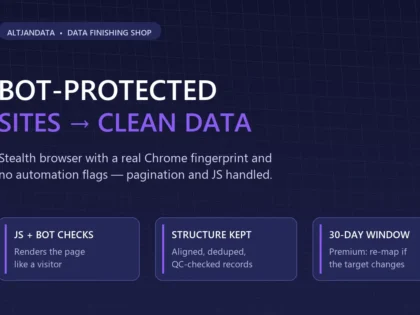
- I Will Extract Data From Bot-Protected Websites Using a Stealth Browser Verified Zinner Level 1Data extracted from bot-protected and JavaScript-heavy websites with a stealth browser — delivered as clean, normalized Excel with a QC report. Free…
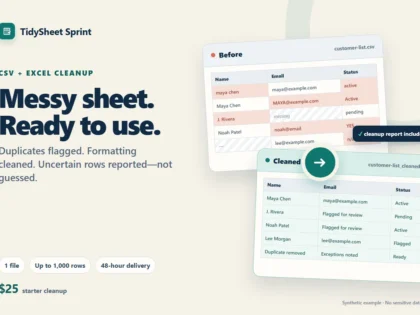
- I Will clean and organize your messy CSV or Excel spreadsheet Verified Zinner Level 1I clean one messy CSV or Excel file into a usable spreadsheet, with duplicates and uncertain rows clearly flagged instead of guessed.
- I Will do fast and accurate data entry, Excel data cleaning, PDF to Excel conversion, and copy paste work Verified Zinner Level 1Professional data entry specialist providing fast, accurate, and reliable Excel, copy paste, PDF conversion, and web research services. 100% accuracy guaranteed with…
- I Will Build an AI-powered business website with SEO and lead capture Verified Zinner Level 1AI Systems Strategist and Web Architect helping businesses replace bloated legacy sites with lightning-fast, high-performance digital solutions. Combining modern stacks like React…
- I Will Be Your Virtual Assistant for Admin, CRM & Data Entry Verified Trusted Zinner Hot Zinner Zinner Level 4Free up your time with a seasoned virtual assistant handling data entry, CRM management, web research, inbox organisation, lead generation, and general…
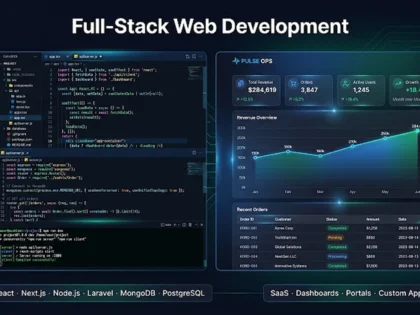
- I Will build your full-stack web app with React, Next.js, TypeScript, Node.js, Laravel or Python Verified Zinner Level 1Full-stack web development with React, Next.js, TypeScript, Node.js, Laravel and Python. SaaS platforms, admin dashboards, custom web apps, and portals. Live preview…
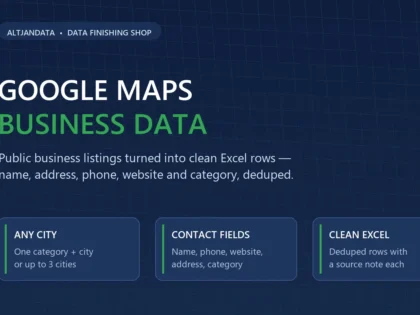
- I Will Extract Google Maps Business Data With Contacts, Phones and Websites Verified Zinner Level 1Public Google Maps listings turned into clean Excel rows — business name, address, phone, website and category, deduped and ready for outreach.
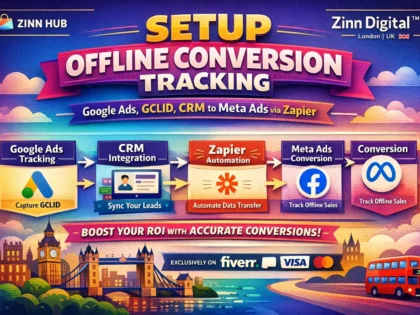
- I Will Set Up Google Ads & Meta Ads Offline Conversion Tracking via CRM Verified Trusted Zinner Hot Zinner Zinner Level 4Connect your CRM to Google Ads and Meta Ads with accurate offline conversion tracking — so your ad spend is optimised by…
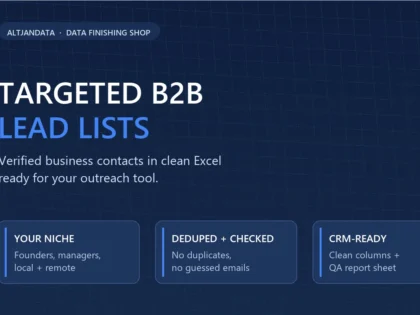
- I Will Build Targeted B2B Lead Lists With Verified Emails Delivered in Excel Verified Zinner Level 1Fresh, targeted B2B lead lists from public sources — delivered as clean Excel, ready for your outreach tool. No stale databases, no…
- I Will Build a Custom AI Voice Agent with VAPI, ElevenLabs & CRM Integration Verified Trusted Zinner Hot Zinner Zinner Level 4Get a human-like AI calling agent that handles inbound and outbound calls, qualifies leads, books appointments, and integrates with your CRM —…
- I Will Be Your Professional Virtual Assistant for Admin, E-Commerce and CRM Support Verified Trusted Zinner Hot Zinner Zinner Level 4Get a dedicated, London-based virtual assistant team handling your admin, e-commerce operations, CRM, social media and more — so you can focus…
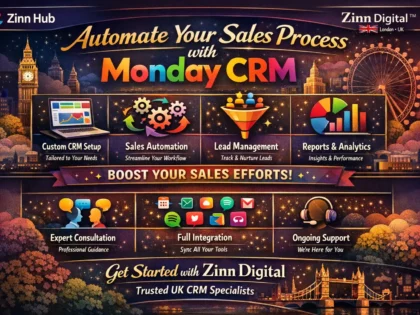
- I Will Set Up and Automate Your Monday CRM Sales Pipeline Verified Trusted Zinner Hot Zinner Zinner Level 4Stop losing leads to manual chaos. Get a fully configured Monday CRM sales pipeline, automated workflows, and a visual dashboard — so…
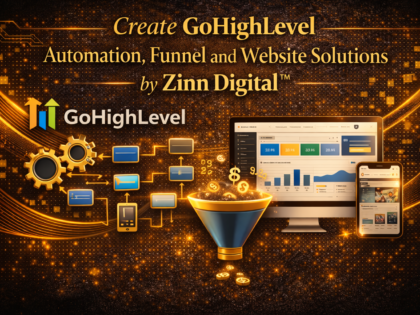
- I Will Build Your GoHighLevel Automation, Funnel and CRM System Verified Trusted Zinner Hot Zinner Zinner Level 4Get your GoHighLevel CRM, automations, funnels and email/SMS campaigns professionally set up by an experienced specialist — so your business runs smarter…
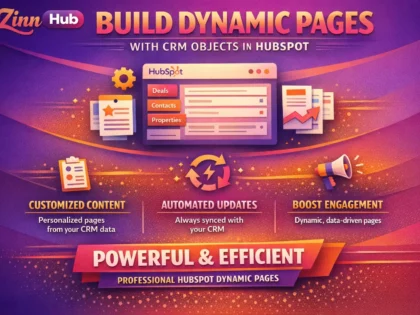
- build dynamic pages using CRM objects in hubspot Verified Trusted Zinner Hot Zinner Zinner Level 4I will fetch custom object records on landing and website pages | HubSpot Developer
- project management monday crm notion dashboard xero airtable zapier automation Verified Trusted Zinner Hot Zinner Zinner Level 4A short call to discuss problems and/or goals | Web Enthusiast, Creative Writer







Explore the Full CRM Setup Marketplace
Browse CRM setup services, categories, specialists, live projects and guides from across Zinn Hub.
Zinns
- I Will Set Up & Automate Your CRM — HubSpot, Clay, Apollo, GoHighLevel, Zapier & n8n Workflows Verified Zinner Level 1I'll set up, integrate and automate your CRM and sales workflows across HubSpot, Clay, Apollo.io, GoHighLevel, Zapier and n8n — from basic CRM configuration to full multi-platform automation…
- bubble app developer bubble io web app bubble CRM bubble marketplace VA Verified Trusted Zinner Hot Zinner Zinner Level 4- Bugs Fixing / Consultation Call - basic features or a simple prototype in bubble website | Specialist in Website Design, Onlime Course
- I Will build AI automation workflows with n8n, Make, Zapier, Python, OpenAI and LangChain Verified Zinner Level 1Custom AI automation workflows built with n8n, Make, Zapier and Python. Connect your apps, automate lead ops, sync data, run AI agents, and eliminate manual work. Live preview…
- I Will Troubleshoot Linux, Windows Server, and Cloud Infrastructure Issues Verified Zinner Level 1IT troubleshooting service resolves issues across diverse server software platforms, including Linux, Unix, and Microsoft Windows Server environments. I diagnose and fix problems related to operating systems, web…
Zinn Categories

Micro Zinn Categories
Freelancers
- Ary Verified Available now Verified Zinner Level 1Automation & AI Agents | n8n · Python · ERP |
- Archon Verified Available now Verified Zinner Level 1Automation engineer: n8n and Make workflows for lead capture, bilingual support, CRM sync and scheduling
- JTAW LLC Verified Available now Verified Zinner Level 1SMB Lead-Leak Fixer | Zapier/Make/n8n → CRM follow-up glue
- Kei Ortega Verified Available now Verified Zinner Level 1Virtual Assistant | Social Media Manager | Web Developer | Recruiter



Sellers
- ShopifybrainTeam Verified Zinner Level 1Hi Esteemed client, Your AI system isn't just a bot, it's a 24/7 revenue machine. I build it right the first time. If you've dealt with: ❌ Chatbots…
- 3 pillars Verified Zinner Level 1You're Not Just Hiring a Developer—You're Gaining a Technical Partner Many developers simply build what they're told. I take the time to understand your business, identify opportunities for…


Articles
- CRM Setup Marketplace
- Hire AI Voice Agent Developers AI Voice Agent Marketplace Hire Verified AI Voice Agent Developers Put a tireless AI on the phones. Hire ID-verified, skill-verified developers to build voice agents for call answering,…
- Hire AI Automation Specialists AI Automation Marketplace Hire Verified AI Automation Specialists Automate the work that slows you down. Hire ID-verified, skill-verified specialists to build workflows in n8n, Make and Zapier, wire…
- Fiverr Alternative for AI Automation & Agents 🔄 Platform Comparison Fiverr Alternative for AI Automation & Agents Fiverr's automation gigs are mostly basic Zapier connections and template workflows. Zinn Hub® connects you with verified developers…
Why Buy CRM Setup Services on Zinn Hub?
A CRM earns its keep when the data is trustworthy, the process matches how your team sells, and the admin happens by itself.
Process Before Software
Specialists who map your real sales process before touching a settings screen — stages with exit criteria, the fields that drive reporting, and the ones nobody will ever fill in.
Migration With a Rollback Plan
Ask for the field mapping sheet, the de-duplication rules and a staged test import before the full load. Agree in writing what happens if the import goes wrong and how it is reversed.
Automation That Removes Admin
Lead routing, task creation, stage triggers and document generation, built so the automation surfaces its own failures instead of quietly dropping records.
Secure Buyer Protection
Choose a Platform Protected Zinner and Zinn Hub holds your payment until the order completes. If the work does not match the brief, dispute resolution steps in and a refund is credited to your Zinn Wallet in full, in USD.
You Keep the Keys
Agree at the outset that the licences, the admin account and any connected app credentials belong to you. Ask for the documentation and a recorded walkthrough as part of the deliverable, not as an extra.
Confirmed-Purchase Reviews
Reviews on Zinn Hub require a confirmed purchase. Read what other buyers found on migration accuracy, documentation quality and post-handover support.
Built by People Who Have Run Sales Operations, Not Just Read About Them
Zinn Hub was created by seasoned digital professionals with over 20 years in the industry. We have migrated CRMs, un-picked duplicate contact records at scale, built routing rules that worked and rules that had to be rebuilt, and written the handbooks that made the difference between adoption and abandonment.
Browse CRM Setup Categories & Skills
Find the exact deliverable your CRM project is missing: configuration, data, automation, integration or reporting.
Browse Categories
🌍 CRM Setup by Market
Many more markets available — just search the territory you operate in.
Start With a Micro Zinn
Buy a fixed-price import audit or single automation before the full build
Browse Micro ZinnsOr Post a CRM Setup Project for Free
Not sure who to choose? Post a brief describing what you need — a Pipedrive-to-HubSpot migration of 18,000 records, a lead-routing build, or a reporting layer your sales manager will actually open — set your budget in USD and let verified Zinners come to you with proposals. Posting a project is free, and Zinners are verified with government-issued photo ID and evidence of their skills and past work.
Or explore directly: AI Automation Projects · Spreadsheet Automation Projects · Automation Freelancers · All Projects
How to Buy Quality CRM Setup Services on Zinn Hub
Follow these steps to commission a CRM build your team adopts rather than works around.
Write Down How You Sell Before You Pick a Platform
List your real stages, who owns a deal at each one, and the three or four numbers you want to see every Monday. Our guide to writing a job post covers the structure that gets accurate proposals back instead of vague ones.
Audit the Data You Are Bringing With You
Count the records, spot the duplicate rules you will need and decide what will not be migrated. Buying an import audit as a fixed-price CRM and admin Micro Zinn first is the cheapest way to find out how bad it is.
Pick the Deliverable, Not the Buzzword
Decide whether you are buying configuration, migration, automation or reporting — the skills differ. Browse CRM management Zinns and automation Zinns, or use Zinn Finder to describe the outcome.
Ask for a Staged Test Import
Insist that a sample of a few hundred records is imported into a sandbox first, and check it yourself against the source. Ask which de-duplication rules were applied, how blank and malformed fields are handled, and how the import is rolled back.
Agree Handover, Then Start Small
Documentation, a recorded walkthrough and admin credentials in your name are part of the deliverable, not an upsell. Compare proposals with our proposal comparison guide, and read how buyer protection works before you commit.
Ready to get a CRM your team actually uses?
View All ServicesFrequently Asked Questions About CRM Setup
Everything you need to know about buying CRM setup, migration and automation.
Still have questions? Search for a specialist with Zinn Finder.
A Practical Guide to Buying CRM Setup Services
A CRM is a filing cabinet that can do arithmetic. It becomes valuable at the point when everyone stops keeping a private version of the truth in a spreadsheet, and that only happens when the system is faster to use than the workaround. Almost every disappointing CRM project traces back to the same three causes: a process that was never written down, data that was never cleaned, and a team that was never shown what was in it for them.
Start With the Process, Not the Platform
Before anyone opens a settings screen, write down how a deal actually moves through your business. Name each stage, and — this is the part usually skipped — define the exit criteria that let a deal move to the next one. "Qualified" is not a stage unless everyone agrees what qualifies. Decide who owns the record at each point, what happens when a deal stalls, and what causes it to be marked lost.
Then list the numbers you want to see every week. Those questions determine your required fields, and nothing else should be mandatory. Every compulsory field that does not feed a report is a small tax on adoption, paid every day by the people you most need on side.
Choosing a Platform Without Regretting It
Platform choice matters less than most buyers expect, and switching later is expensive, so the goal is a defensible decision rather than a perfect one. Weigh team size, how much customisation you genuinely need, which tools must connect, and the administrative effort you can realistically sustain in-house. A powerful system nobody can maintain is worse than a simpler one your operations lead can change on a Tuesday afternoon.
Ask a specialist to justify a recommendation against your process and your integrations. Be wary of anyone who leads with the platform they are certified in before they have asked how you sell.
Migration Is a Data Project
This is where CRM projects quietly go wrong. Contact databases decay steadily as people change jobs and companies restructure, so a list that has not been touched for a couple of years is partly fiction. Duplicates arrive from multiple sources, and merging them badly destroys history.
Insist on the boring artefacts: a field mapping sheet, written de-duplication rules, a staged test import into a sandbox that you check personally, an untouched export of the source system, and a rollback plan. Decide in advance what will not be migrated — dead leads from four years ago do not become useful by moving house. Buying a small, fixed-price import audit before commissioning the full build is one of the highest-return decisions available to you.
Automation That Earns Its Place
Good CRM automation removes admin rather than adding cleverness. Lead assignment and round-robin routing, task creation on a stage change, follow-up reminders, quote and document generation, and notifications that fire on a real trigger rather than a schedule. Each one should replace something a human is doing by hand today.
Insist on error handling. Ask what happens when an automation fails: is it retried, is it logged, does anybody find out? Silent failure is the characteristic failure mode of automated systems, and it is discovered months later when a report does not add up.
Integrations and the Plumbing Around the CRM
Your CRM is rarely the only system involved. Website forms, invoicing, calendars, calling, help desk and marketing tools all hold pieces of the same customer. Native connectors are the first choice; where none exists, Zapier, Make or n8n will usually bridge the gap. Specialists in that work are listed in the no-code automation marketplace and under no-code and low-code Zinns.
Agree the direction of truth for every synced field before anything is built. When two systems can both write to the same field and nobody has decided which wins, you get flapping records and a support ticket nobody can reproduce.
Reporting People Will Actually Open
A dashboard is only useful if it answers a question somebody is already asking. Start from the weekly meeting: what does the sales manager want to know, what does the founder want to know, what does a rep need to see about their own week? Build those three views, then stop. Twelve dashboards nobody reads is the same as none, with more maintenance.
Ask for the reports as part of the build rather than as a later phase. A configuration handed over without reporting is a database, not a CRM.
Handover, Documentation and Ownership
Decide ownership before work begins. The subscription should be in your company name, the primary administrator account should be yours, and every API key or connected-app credential should be handed over at the end. Ask for a short written handbook covering the fields, the automations and how to add a user, plus a recorded walkthrough.
This is the single most common gap in freelance CRM work, and it is entirely avoidable by naming it in the brief. A system only one person understands is a risk you have paid for.
Getting Started on Zinn Hub
Buy in the order the work runs: agree the process, audit and clean the data, configure, automate, integrate, then report and train. Test a specialist with a fixed-price $20 Micro Zinn before committing to a full build, and compare quotes in USD with no buyer-side platform fee. Browse CRM development specialists, post a free brief to the automation and workflow projects board, or hand recurring data upkeep to a virtual assistant.
If you build CRM systems for a living, you can also sell automation and CRM services on Zinn Hub: 0% commission on your first $500, then tiered rates that fall as you sell — as low as 7% on Agency Zinner. First-time buyers get their first order free, with the full amount returned on completion, which is a straightforward way to check a specialist's work before committing to more.
Ready to build a CRM your team trusts?
View All Services