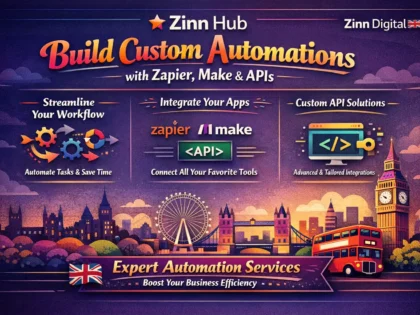
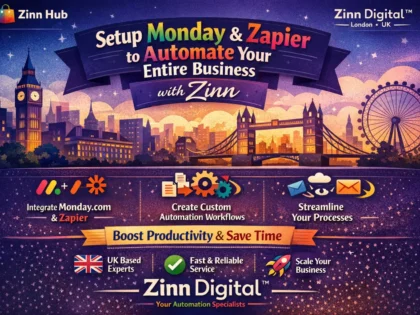
Hire Zapier & Make Automation Specialists
Every hour your team spends on repetitive manual tasks — copying data between apps, sending follow-up emails, updating spreadsheets, routing requests to the right person — is an hour not spent on the work that actually grows your business. Zapier and Make connect your apps and automate these workflows so data flows between tools automatically, actions trigger without human intervention, and your team focuses on decisions and creativity instead of data entry and copy-paste.
On Zinn Hub, experienced automation specialists build Zapier Zaps, Make scenarios, webhook integrations, CRM automations, e-commerce workflows and complete business process automations that eliminate manual tasks across your entire tool stack. These are specialists who understand both the automation platforms and the business logic behind effective workflows — they do not just connect apps, they design systems that run reliably at scale. Pay with crypto on every listing and your first $500 is commission-free.
Why Workflow Automation Matters
Manual workflows break at scale. When your team is small, copying a new lead from a web form into your CRM takes a minute. When you get fifty leads a day across three channels, that manual process becomes a full-time job — and every delay between a lead arriving and entering your CRM is time your competitors are using to respond first. The same pattern applies everywhere. Order processing that takes five minutes per order becomes unsustainable at volume. Data entry across multiple platforms means information is always out of sync somewhere. Follow-up emails that depend on someone remembering to send them get forgotten when workloads peak. Reporting that requires manual spreadsheet exports is always stale by the time it reaches decision-makers. Workflow automation solves these problems at the system level. Instead of relying on individual discipline and memory, the automation ensures every lead enters the CRM instantly, every order triggers the fulfilment process, every follow-up sends on schedule, and every report updates in real time. The cost of automation is a one-time build plus platform subscription fees — the cost of not automating is ongoing salary hours spent on work that a machine handles more reliably and faster.
Zapier & Make Automation Services on Zinn Hub
- Custom Zapier Zap Build — Multi-step automated workflows connecting your apps with triggers, actions, filters, paths and formatters. From simple two-app connections to complex multi-path Zaps with conditional logic and code steps.
- Make Scenario Build — Visually designed automation flows with routers for conditional branching, iterators for array processing, aggregators for combining data, error handlers for graceful failure recovery, and custom HTTP modules for API calls.
- Business Process Automation — End-to-end automation of complete business workflows across sales, marketing, support, HR, finance and operations using Zapier, Make or a combination of both platforms.
- CRM Automation — Automated lead capture from ads, forms and landing pages. Contact enrichment, lead routing, deal stage triggers, follow-up sequences, task creation and pipeline reporting across HubSpot, Salesforce, Pipedrive and other CRMs.
- E-commerce Automation — Order processing, inventory sync, shipping notifications, review requests, abandoned cart recovery and customer segmentation across Shopify, WooCommerce, Stripe and fulfilment platforms.
- Marketing Automation — Lead routing, email list management, social media scheduling, content distribution, campaign tracking and conversion workflows across Mailchimp, ConvertKit, ActiveCampaign and ad platforms.
- Data Sync & Migration — Two-way data synchronisation between platforms with deduplication, field mapping, transformation rules and conflict resolution to keep your data consistent across all tools.
- Webhook & API Integration — Connecting apps without native Zapier or Make connectors using custom webhooks, HTTP modules and API calls with authentication, error handling and payload formatting.
- Error Handling & Monitoring — Robust automation design with retry logic, fallback paths, error notifications, logging and alerting so workflows recover from failures without manual intervention.
- Automation Audit & Optimisation — Review of existing Zaps or Make scenarios to reduce task usage, consolidate redundant steps, improve reliability, add error handling and lower monthly platform costs.
Zapier vs Make — Choosing the Right Platform
Zapier is the easier platform with the larger app library — it is the right choice for straightforward automations where the apps you use are all supported and the logic is linear. Make is the more powerful platform for complex workflows — its visual builder, branching logic, array processing and error handling make it better suited for multi-path automations, high-volume data processing and cost-sensitive deployments. Many businesses use both — Zapier for simple connections where it has a unique integration, and Make for complex workflows where its routing and processing capabilities save time and money. A good automation specialist recommends the right platform for each workflow rather than forcing everything into one tool.
Related Services
Zapier and Make automations connect with other no-code and development services. For database and workflow tools that automations can trigger and update, browse Airtable and internal tools. For admin panels and dashboards that display data flowing through your automations, explore Retool and admin panels. For full website and app builds that generate the events your automations process, browse the no-code and low-code parent category. For custom API development that your automations connect to, explore web development services. For e-commerce platforms that benefit from order and inventory automation, browse e-commerce development. For the full range of programming and tech services, browse the Programming and Tech parent category.
Are you an experienced Zapier developer or Make automation specialist? Start selling automation services on Zinn Hub and connect with businesses worldwide that need expert workflow design, app integration and business process automation. Register as a Zinner for free and start listing today.
How to Hire a Zapier & Make Automation Specialist
Map Your Workflow and App Stack Document the manual process you want to automate — what triggers the workflow, what data moves between which apps, what conditions determine different outcomes, and what actions happen at each step.
Choose an Automation Specialist on Zinn Hub Browse Zapier and Make automation services. Review portfolios for experience with your app stack and workflow type. Check buyer reviews for reliability and documentation quality. Message specialists to discuss your workflow.
Provide App Access and Workflow Details Grant access to your Zapier or Make account and connected apps. Provide API keys or credentials as needed. Share sample data, edge cases and any existing automations the new workflow interacts with.
Test, Launch and Monitor Test the completed automation with real data including edge cases and error conditions. Review documentation covering workflow logic, connected apps and troubleshooting steps. Set up monitoring alerts for failures.
Frequently Asked Questions About Zapier & Make Automations
What Zapier and Make automation services can I buy on Zinn Hub?+
Zinn Hub offers a comprehensive range of Zapier and Make automation services from experienced workflow automation specialists. You can buy custom Zap builds on Zapier — multi-step automated workflows that connect your apps and trigger actions based on events like new form submissions, payments, emails, CRM updates, calendar events and more. Make scenario builds — visually designed automation flows with advanced logic including routers, iterators, aggregators, error handlers and conditional branching for complex multi-path workflows. Business process automation — end-to-end automation of repetitive workflows across sales, marketing, customer support, HR, finance and operations using Zapier, Make or both platforms together. CRM automation — automated lead capture, contact enrichment, deal stage updates, follow-up sequences, task creation and reporting across HubSpot, Salesforce, Pipedrive, Close and other CRM platforms. E-commerce automation — order processing workflows, inventory sync, shipping notifications, review requests, abandoned cart recovery and customer segmentation across Shopify, WooCommerce, Stripe and payment platforms. Marketing automation — lead routing from ads and landing pages, email list management, social media posting schedules, content distribution workflows and campaign tracking across Mailchimp, ConvertKit, ActiveCampaign and advertising platforms. Data sync and migration — keeping data consistent across multiple platforms with two-way syncing, deduplication, field mapping and transformation rules. Webhook and API integration — connecting apps that lack native Zapier or Make integrations using custom webhooks, HTTP modules and API calls with authentication handling. Error handling and monitoring — building robust automations with retry logic, fallback paths, error notifications and logging so workflows recover gracefully from failures. And automation audits and optimisation — reviewing existing Zaps or Make scenarios to reduce task usage, eliminate redundant steps, improve reliability and lower platform costs.
How much do Zapier and Make automation services cost on Zinn Hub?+
Costs depend on the number of apps involved, the complexity of the logic and the volume of data flowing through the automation. A simple two-app Zap or Make scenario — such as sending new form submissions to a Google Sheet or creating a Slack notification when a payment is received — costs $50-150. A multi-step automation connecting three to five apps with filters, formatting and conditional logic costs $150-500. A complete business process automation covering an entire workflow like lead-to-customer onboarding or order-to-fulfilment with five or more connected apps, error handling and documentation costs $400-1,200. CRM automation packages with lead capture, enrichment, routing, follow-up sequences and reporting across multiple tools cost $300-1,000. E-commerce automation suites handling order processing, inventory sync, shipping and customer communications cost $400-1,200. Complex Make scenarios with routers, iterators, aggregators, custom API calls and error handling cost $300-1,000. Two-way data sync between platforms with deduplication and conflict resolution costs $300-800. Custom webhook and API integrations for apps without native connectors cost $200-600. Automation audits and optimisation of existing workflows cost $200-500. Ongoing monthly management and monitoring of automation systems typically ranges from $100-400 per month depending on the number of active workflows and platforms involved.
What is the difference between Zapier and Make?+
Zapier and Make are both automation platforms that connect apps and automate workflows, but they differ significantly in how they handle complexity, pricing and visual design. Zapier uses a linear step-by-step builder — each Zap is a sequence of trigger, then action, then action. It is the simpler platform to learn and faster to set up for straightforward automations. Zapier has the largest app integration library with over 7,000 supported apps, making it the most likely platform to have a native connector for any given tool. Its pricing is based on the number of tasks — each action that runs counts as a task, and plans are tiered by monthly task volume. Make uses a visual flowchart-style builder where you design scenarios as connected modules on a canvas. This visual approach makes complex logic much easier to build and understand — you can see branching paths, parallel routes, loops and error handlers laid out spatially rather than buried in a linear step list. Make supports routers for splitting a workflow into multiple conditional paths, iterators for processing arrays of data, aggregators for combining multiple items back into one, and sophisticated error handling with retry and fallback modules. Make is generally more cost-effective for high-volume automations because its pricing is based on operations rather than tasks, and its plans include more operations per pound or dollar than equivalent Zapier plans. Choose Zapier for simple automations, when you need a specific app connector that Make does not have, or when the person building the automation is non-technical. Choose Make for complex workflows with branching logic, when processing large volumes of data, or when cost efficiency at scale matters.
What business processes can I automate with Zapier or Make?+
Nearly any repetitive process that involves moving data between apps or triggering actions based on events can be automated. Sales and lead management — automatically capture leads from Facebook Ads, Google Ads, landing pages and web forms into your CRM. Enrich contact data by pulling company information from Clearbit or LinkedIn. Route leads to the right sales rep based on geography, deal size or industry. Trigger follow-up email sequences when leads reach specific pipeline stages. Create tasks and reminders for sales activities. Customer onboarding — when a new customer signs up or pays, automatically create their account in your product, send a welcome email sequence, add them to the right email segments, create an onboarding task list in your project management tool, and notify the customer success team. Order processing and fulfilment — when an order comes in through Shopify, WooCommerce or a payment processor, automatically update inventory, generate shipping labels, send confirmation and tracking emails, update your accounting system and flag orders that need manual review. Marketing operations — schedule and distribute social media content across platforms, sync email subscriber lists between tools, track campaign performance metrics in a central dashboard, and trigger follow-up workflows based on email opens, clicks or conversions. Customer support — create support tickets from incoming emails, route tickets to the right team based on content or customer tier, send automated acknowledgement responses, escalate overdue tickets, and sync support data with your CRM. Finance and invoicing — generate invoices when projects are completed or subscriptions renew, sync transactions to your accounting software, send payment reminders for overdue invoices, and reconcile payments across multiple platforms. HR and recruitment — post job listings to multiple boards simultaneously, route applications to the hiring manager, schedule interviews, send automated updates to candidates, and trigger onboarding workflows when offers are accepted.
What are webhooks and when do I need them for automation?+
A webhook is a way for one application to send real-time data to another application when a specific event occurs. Instead of your automation platform repeatedly checking an app for new data — which is called polling and introduces delays — the app sends the data immediately to a URL you specify the moment the event happens. You need webhooks in several common automation scenarios. When an app does not have a native Zapier or Make integration — if your app can send webhooks but is not in the Zapier or Make integration library, you can still automate it by setting up a webhook trigger that receives the data and processes it through your workflow. When you need real-time processing — standard Zapier polling checks for new data every one to fifteen minutes depending on your plan. Webhooks deliver data instantly, which matters for time-sensitive workflows like payment processing, alert systems or live notifications. When you are building custom integrations between your own systems — webhooks let your backend application push events directly into Zapier or Make workflows without building a full integration connector. When connecting to APIs that only support webhook-based communication — payment processors, shipping carriers and many SaaS platforms use webhooks as their primary method of notifying external systems about events. In Zapier, you use the Webhooks by Zapier trigger to receive incoming webhook data, or the Webhooks by Zapier action to send data to external URLs. In Make, the Custom Webhook module receives incoming data and the HTTP module sends requests to external APIs. Both platforms handle authentication, header configuration and JSON payload parsing for webhook connections.
How do I automate my CRM with Zapier or Make?+
CRM automation eliminates manual data entry, ensures follow-ups happen on time and keeps your customer data consistent across all connected tools. The most impactful CRM automations cover four areas. Lead capture and enrichment — when a new lead comes in from a web form, ad platform, chatbot or landing page, the automation creates a contact in your CRM, enriches it with company data from Clearbit or similar services, assigns it to the right sales rep based on your routing rules, and adds the lead to the appropriate email nurture sequence. This replaces manual lead entry and ensures no leads fall through the cracks. Deal stage automation — when a deal moves to a new stage in your pipeline, the automation triggers the appropriate follow-up actions. Moving to the proposal stage might generate a proposal document from a template and email it to the prospect. Moving to closed-won might create an onboarding project in your project management tool, trigger a welcome email sequence and notify the customer success team. Activity and task management — the automation creates follow-up tasks and reminders based on deal activity. If a deal has had no activity for a set number of days, it creates a task for the owner or sends a reminder. When a meeting is booked, it logs the activity in the CRM and prepares a pre-meeting brief. Reporting and sync — CRM data syncs to your reporting tools, spreadsheets or data warehouse on a schedule or in real time. New deals, closed revenue, pipeline changes and activity metrics flow automatically into dashboards without manual exports. The specific implementation depends on your CRM — HubSpot, Salesforce, Pipedrive, Close and others each have different fields, stages and API capabilities that the automation specialist configures for your workflow.
Can Zapier and Make handle complex logic and conditional workflows?+
Yes, both platforms support conditional logic, though Make handles complex branching significantly better than Zapier. In Zapier, you use Filters to stop a Zap from continuing if conditions are not met — for example, only process orders over a certain value. Paths allow a Zap to branch into multiple routes based on conditions — if the order is domestic, follow one path for shipping; if international, follow another. Formatter steps transform data between steps — parsing dates, extracting text, calculating values and formatting numbers. Looping lets you process a list of items one at a time through subsequent steps. These features handle moderate complexity but the linear builder makes deeply nested logic difficult to visualise and maintain. In Make, routers split a scenario into unlimited conditional branches at any point in the flow, and each branch can contain its own sequence of modules, filters and even nested routers. Iterators process arrays of data — an order with multiple line items can be split into individual items, each processed separately, and then aggregated back together. Error handlers attach to any module to catch failures and route them to fallback paths — retry the operation, send an alert, log the error or substitute default values. Variables and data stores allow Make to maintain state across executions, which is essential for workflows that need to track running totals, deduplication history or multi-step processes that span multiple triggers. For simple if-this-then-that automations, both platforms are equally capable. For workflows with multiple conditional paths, array processing, error recovery and stateful logic, Make is the stronger platform.
How do I reduce Zapier or Make costs as my automation scales?+
Automation platform costs grow with usage because both Zapier and Make charge based on the number of tasks or operations consumed. Several strategies reduce costs without sacrificing functionality. Consolidate steps — Zapier counts each action step as a task. A five-step Zap that runs 1,000 times per month consumes 5,000 tasks. Combining steps using Code by Zapier or Webhooks to perform multiple actions in a single step reduces task consumption significantly. In Make, use array operations and batch processing instead of iterating through items individually when possible. Use filters early — place filter steps as early as possible in your workflow so that records that do not meet your criteria are filtered out before they trigger downstream actions that consume tasks or operations. If only 30% of incoming records need processing, filtering first saves 70% of your task usage on subsequent steps. Consider Make for high-volume workflows — Make typically offers more operations per pound or dollar than Zapier, and its pricing tiers are more generous at high volumes. Migrating high-volume Zaps to Make scenarios can reduce costs by 50-70% depending on the workflow. Use scheduled triggers instead of instant — instant triggers check continuously and can generate more task consumption. If your workflow does not need real-time processing, a scheduled trigger that runs every 15 or 30 minutes and processes items in batches uses fewer operations. Implement deduplication — prevent the same record from being processed multiple times by checking for duplicates before executing downstream actions. Zapier and Make both offer deduplication features. Audit regularly — review your active automations quarterly to identify Zaps or scenarios that are running but no longer needed, steps that could be consolidated, and workflows that could be restructured for efficiency. Freelancers on Zinn Hub perform automation audits that typically identify 20-40% cost savings on existing setups.
What is the difference between Zapier, Make and n8n?+
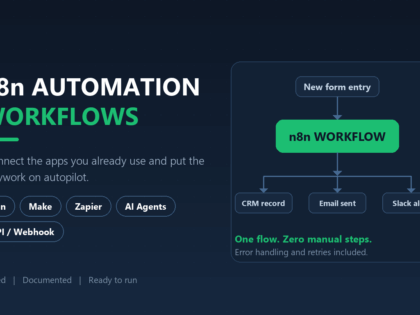
Zapier, Make and n8n are all workflow automation platforms but they target different users and budgets. Zapier is the most accessible — its linear builder is the easiest to learn, it has the largest integration library at over 7,000 apps, and it requires no technical knowledge to build basic automations. It is the best choice for non-technical users who need simple to moderate automations and value the breadth of available app connectors. The trade-off is higher per-task pricing at scale and limited support for complex branching logic. Make sits in the middle — its visual canvas builder supports complex logic including routers, iterators, aggregators and error handlers while remaining accessible to users with moderate technical comfort. It is more cost-effective than Zapier at high volumes and handles complex workflows better. The trade-off is a smaller integration library than Zapier, though it covers most popular business applications. n8n is an open-source automation platform that can be self-hosted at no licensing cost. It appeals to developers and technical teams who want full control over their automation infrastructure, need to process sensitive data on their own servers, or want to avoid per-operation pricing entirely. n8n supports custom JavaScript and Python code nodes, has a growing integration library, and its self-hosted version has no usage limits — you can run unlimited workflows at unlimited volume for the cost of your hosting infrastructure. The trade-off is that n8n requires more technical skill to set up and maintain, has fewer pre-built integrations than Zapier or Make, and self-hosting means you manage your own server, updates, backups and uptime. For most businesses, Zapier or Make is the right choice. n8n is best for developer teams with high-volume automation needs and the technical resources to manage self-hosted infrastructure.
How do I choose a Zapier or Make automation specialist on Zinn Hub?+
When choosing a Zapier or Make automation specialist on Zinn Hub, look for experience with the specific platforms and apps your workflow involves. An automation specialist should know both Zapier and Make well enough to recommend the right platform for your use case — not just default to whichever one they prefer. Review their portfolio for automations similar to yours in complexity and purpose — a CRM automation pipeline requires different expertise than an e-commerce order processing workflow or a data sync between custom APIs. Read buyer reviews for feedback on automation reliability, error handling quality, documentation thoroughness and post-delivery support. A well-built automation should run reliably without daily monitoring — if it breaks frequently or requires constant attention, the error handling is insufficient. Ask about their approach to error handling — what happens when an API call fails, when a record is missing required data, or when a rate limit is hit. Good automations handle these gracefully with retries, fallback paths and alert notifications rather than silently failing. Ask what documentation they provide — you should receive a workflow diagram or description, a list of all connected apps and credentials used, an explanation of the logic and conditions at each step, instructions for common modifications, and troubleshooting guidance for likely failure scenarios. For complex builds, ask about their testing approach — automations should be tested with real data including edge cases and error conditions before going live. Message specialists before ordering to discuss your workflow, app stack and volume requirements.


 ✓🆕 New Seller✨ New
 ✓🆕 New Seller
 ✓
✓ ✓
✓ ✓
✓ ✓
✓ ✓
✓