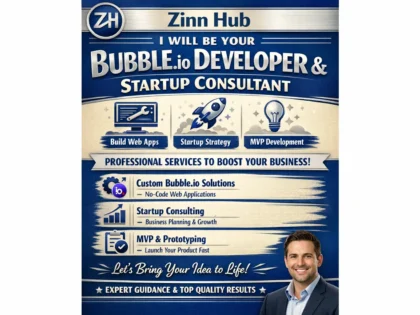
Hire No-Code & Low-Code Developers
No-code and low-code development has fundamentally changed what is possible without a traditional engineering team — full web applications, mobile apps, SaaS products, marketplaces, internal tools, automated workflows and data-driven dashboards can now be built in weeks rather than months, at a fraction of the cost of custom coding, using visual platforms that have matured from simple prototyping tools into production-grade development environments.
On Zinn Hub, experienced no-code and low-code developers build Bubble applications, Webflow sites, FlutterFlow mobile apps, Airtable solutions, Retool internal tools, workflow automations and backend systems that power real businesses. These are specialists who understand the capabilities and constraints of each platform deeply — database architecture, performance optimisation, API integration, responsive design and the platform-specific best practices that separate a working prototype from a production application. Pay with crypto on every listing and your first $500 is commission-free.
Why No-Code Development Matters
The economics of software development have traditionally created a barrier — building custom applications required hiring developers, managing code, provisioning infrastructure, handling deployments and maintaining everything indefinitely. For startups validating an idea, small businesses needing internal tools, or teams that need solutions faster than their engineering queue allows, this barrier meant either waiting, paying premium rates for development, or settling for SaaS tools that never quite fit. No-code platforms eliminate this barrier by providing visual environments where applications are built by configuring components rather than writing code. The underlying code, hosting, security, scaling and infrastructure are handled by the platform. The result is applications that take days to weeks instead of months, cost thousands instead of tens of thousands, and can be modified and iterated without engineering resources. This does not replace custom development for every use case — it replaces it for the majority of use cases where speed, cost and accessibility matter more than absolute technical control. For MVPs that need to reach market quickly, internal tools that need to solve problems now, and products where the business model matters more than the technology stack, no-code is not a compromise — it is the optimal approach.
No-Code & Low-Code Development Services on Zinn Hub
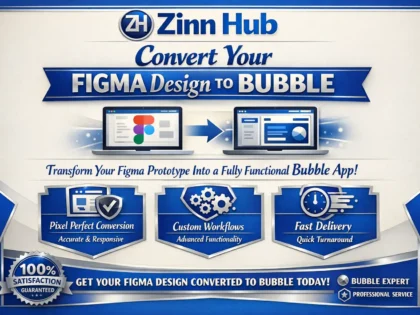
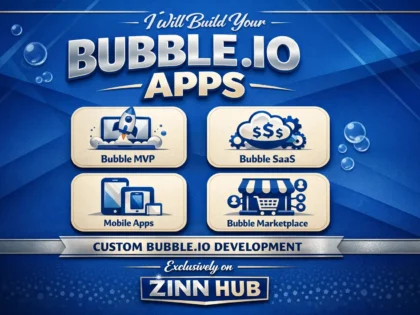
- Bubble Application Development — Full web applications including SaaS platforms, marketplaces, CRMs, directories, portals and MVPs. Database architecture, responsive design, API integrations, user authentication, payment processing and plugin customisation.
- Webflow Website Development — Marketing sites, landing pages, portfolios, blogs and CMS-driven sites with custom animations, interactions, responsive layouts, SEO optimisation and client-editable content management.
- Airtable & Database Solutions — Custom relational databases with linked records, views, automations, interfaces, scripting, integrations and permissions. Replacing spreadsheets with structured, scalable data management for business operations.
- Workflow Automation (Zapier, Make, n8n) — Connecting apps and services with automated workflows, conditional logic, data transformation, error handling and AI-powered processing steps for business process automation.
- Glide, Adalo & Softr App Development — Mobile and web apps built from Airtable or Google Sheets data for internal tools, client portals, data collection, field service apps and customer-facing interfaces.
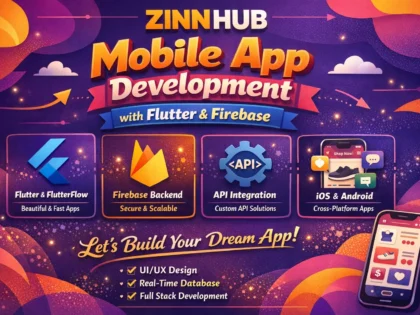
- FlutterFlow Mobile App Development — Native iOS and Android apps built visually with Firebase backend, custom Dart actions, API integrations, push notifications and app store deployment.
- Xano & Supabase Backend Development — Backend-as-a-service platforms providing databases, authentication, APIs, serverless functions and business logic for no-code frontends that need proper backend infrastructure.
- Retool & Appsmith Internal Tools — Custom admin panels, dashboards, data management interfaces and internal applications connecting to your existing databases, APIs and business systems.
- Notion & Coda Workspace Builds — Structured workspaces for project management, documentation, wikis, CRMs, content calendars and team operations with databases, automations and integrations.
- No-Code to Code Migration — Transitioning applications that have outgrown their no-code platform to custom-coded solutions. Functional specification extraction, architecture planning, coded rebuild and data migration.
No-Code Platforms by Use Case
Different platforms excel at different types of applications. Bubble is the most versatile for complex web applications and SaaS products. Webflow delivers the highest design quality for marketing and content sites. FlutterFlow builds native mobile apps for app store distribution. Retool and Appsmith are purpose-built for internal tools and admin panels. Airtable provides flexible database and operations management. Glide and Softr turn spreadsheets into simple apps quickly. And backend platforms like Xano and Supabase provide the server infrastructure that powers no-code frontends. Choosing the right platform is one of the most important decisions in a no-code project — developers on Zinn Hub advise on platform selection as part of the engagement.
Related Services
No-code and low-code development connects with other development and AI services on Zinn Hub. For Bubble application development specifically, browse the dedicated Bubble development subcategory. For AI-powered automation workflows that complement no-code applications, see AI automation and workflow services. For AI systems that add intelligent search and Q&A to no-code applications, explore RAG and knowledge base development. For custom-coded applications when no-code platforms reach their limits, browse Programming and Tech services. For website performance optimisation on Webflow and other platforms, see website performance services. For design assets and UI work that feeds into no-code builds, browse design services.
Are you an experienced no-code or low-code developer? Start selling no-code development services on Zinn Hub and connect with businesses worldwide that need Bubble, Webflow, FlutterFlow, Airtable and other platform expertise. Register as a Zinner for free and start listing today.
How to Hire a No-Code or Low-Code Developer
Define Your Application and Platform Determine what you are building — SaaS product, marketplace, internal tool, marketing site, mobile app or workflow automation. Research which no-code platform fits your requirements. Define core features, user roles, integrations and design expectations.
Choose a No-Code Developer Browse no-code and low-code development services on Zinn Hub and filter by your target platform. Review portfolios for projects similar in type and complexity. Check buyer reviews for quality, performance and documentation. Message developers to discuss your project scope.
Provide Requirements and Design Direction Share wireframes, mockups or reference sites that communicate your vision. Provide a detailed feature list with user flows for each role. Specify integrations and responsive design requirements across desktop, tablet and mobile.
Review, Launch and Iterate Test the completed application across devices and user scenarios. Verify all features, integrations and edge cases. Review documentation covering database structure, workflows and maintenance. Launch to users and iterate based on feedback.
Frequently Asked Questions About No-Code & Low-Code Development
What no-code and low-code development services can I buy on Zinn Hub?+
Zinn Hub offers a full range of no-code and low-code development services from experienced visual developers. You can buy Bubble application development — full web applications including SaaS platforms, marketplaces, CRMs, dashboards, portals and MVPs built entirely in Bubble with responsive design, database architecture, API integrations, user authentication and payment processing. Webflow website development — marketing sites, landing pages, portfolios, blogs and CMS-driven sites with custom animations, responsive layouts and SEO optimisation. Airtable and database solutions — custom relational databases with views, automations, interfaces, scripting and integrations that replace spreadsheets for business operations. Zapier, Make and n8n automation — workflow automation connecting apps and services without code, with conditional logic, data transformation and error handling. Glide, Adalo and Softr app development — mobile and web apps built from spreadsheet data or Airtable bases for internal tools, client portals and data collection apps. FlutterFlow development — native mobile apps built visually with Firebase backend, custom actions, API integrations and app store deployment. Xano and Supabase backend development — backend-as-a-service platforms providing databases, authentication, APIs and serverless functions for no-code frontends. Retool and Appsmith internal tool development — custom admin panels, dashboards and internal applications connecting to your existing databases and APIs. Notion and Coda workspace builds — structured workspaces for project management, documentation, wikis and team operations with automations and integrations. And no-code to code migration — transitioning applications that have outgrown their no-code platform to custom-coded solutions while preserving functionality and data.
How much do no-code and low-code development services cost on Zinn Hub?+
Costs depend on the platform, application complexity and number of features required. A Webflow marketing site with five to ten pages, responsive design, CMS setup and SEO configuration costs $500-2000. A Bubble MVP with user authentication, a core workflow, basic database design and responsive layout costs $1000-4000. A full Bubble SaaS application with multi-user roles, payment integration, API connections, admin dashboard and polished UI costs $3000-10000. An Airtable solution with custom base design, views, automations, interfaces and integrations for a business workflow costs $300-1500. A Glide or Softr app built from Airtable or Google Sheets for internal use or client-facing data display costs $300-1200. A FlutterFlow mobile app with Firebase backend, authentication, API integrations and app store submission costs $1500-6000. A Retool or Appsmith internal tool connecting to your existing databases with custom views, forms and actions costs $500-3000. Workflow automation with Zapier or Make connecting five or more systems with conditional logic and error handling costs $300-1500. A Notion or Coda workspace build with structured databases, templates, automations and team onboarding costs $200-1000. No-code to code migration varies widely based on application complexity, typically $2000-15000. Ongoing monthly maintenance and feature updates for no-code applications typically range from $200-800 per month.
What is no-code development and how is it different from traditional coding?+
No-code development uses visual platforms with drag-and-drop interfaces, pre-built components and configuration panels to build applications without writing programming code. Instead of writing JavaScript, Python or PHP, you design screens visually, configure database tables through a GUI, set up logic with visual workflows, and connect services through pre-built integration modules. Traditional coding gives you complete control over every aspect of the application — the architecture, performance optimisation, custom algorithms, unique interactions and deployment infrastructure. No-code platforms trade some of that control for dramatically faster development speed, lower upfront cost and accessibility to non-programmers. The key differences are development speed — no-code applications can be built in days or weeks rather than months, because the platform handles the underlying code, hosting, security and infrastructure. Cost — no-code projects typically cost 50-80% less than equivalent custom-coded applications because development time is shorter and the skill requirements are different. Flexibility — custom code can do anything that is technically possible, while no-code platforms limit you to what the platform supports, though major platforms like Bubble are remarkably flexible. Scalability — no-code platforms handle scaling infrastructure automatically but may hit performance limitations at very high user volumes that custom code could optimise around. Vendor dependency — no-code applications run on the platform they are built on, so you depend on that platform continuing to operate and not changing pricing prohibitively. No-code is the right choice for MVPs, internal tools, small to medium SaaS products, marketing sites and any application where speed to market matters more than absolute technical control.
What is the difference between no-code and low-code?+
No-code platforms are designed so that someone with zero programming knowledge can build functional applications entirely through visual interfaces. Every feature — database design, page layout, user authentication, workflows, integrations — is configured through drag-and-drop, dropdown menus and visual editors. Bubble, Webflow, Glide, Adalo and Softr are no-code platforms. Low-code platforms provide visual development tools but also allow or require writing code for advanced functionality. They accelerate development for developers rather than replacing development entirely. You build the standard parts visually and write code for custom logic, complex calculations, unusual integrations or performance-critical operations. Retool, Appsmith, OutSystems, Mendix and FlutterFlow are low-code platforms. The practical distinction matters when choosing who to hire. A no-code project on Bubble or Webflow can be built by a specialist who understands visual development, database design and platform-specific best practices but does not necessarily write code. A low-code project on Retool or FlutterFlow requires someone who can also write JavaScript, Dart or SQL for the custom portions. Many projects combine both — a no-code frontend with a low-code or coded backend. For example, a Bubble application that connects to a Xano backend where custom API logic is written, or a Webflow site that calls serverless functions for processing that Webflow cannot handle natively. The line between no-code and low-code continues to blur as no-code platforms add more extensibility features.
Which no-code platform should I use for my project?+
The right platform depends on what you are building. For web applications and SaaS products — Bubble is the most powerful no-code platform for building complex web applications with user authentication, databases, workflows, API integrations and custom logic. It handles multi-page applications, role-based access, payment processing and responsive design. Choose Bubble for MVPs, SaaS products, marketplaces, directories, CRMs, project management tools and any application with complex user interactions and data relationships. For marketing websites and content sites — Webflow provides the highest design fidelity of any no-code platform with precise control over layouts, animations, interactions and CMS content. Choose Webflow for marketing sites, portfolios, blogs, landing pages and any site where visual design quality is the priority. For mobile apps — FlutterFlow builds native mobile apps that deploy to iOS and Android app stores, with visual UI building, Firebase backend integration and custom Dart code for advanced features. Glide and Adalo build simpler mobile apps from spreadsheet data. For internal tools — Retool and Appsmith connect to your existing databases and APIs to build admin panels, dashboards and internal applications quickly. Choose these when you need to create tools for your team rather than external users. For database and operations — Airtable replaces spreadsheets with a proper relational database that non-technical users can manage, with views, automations, interfaces and integrations. For backend and API — Xano and Supabase provide backend infrastructure without code, giving no-code frontends a proper database, authentication and API layer.
Can I build a SaaS product with no-code tools?+
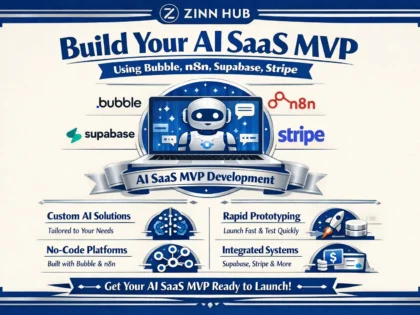
Yes — no-code platforms, particularly Bubble, are capable of building fully functional SaaS products that serve paying customers. Thousands of revenue-generating SaaS businesses run on Bubble, including products with thousands of active users, complex workflows, third-party integrations and subscription billing. A typical no-code SaaS stack uses Bubble for the application frontend and logic, with Stripe for payment processing and subscription management, a combination of Bubble's built-in database and optionally Xano or Supabase for more complex backend requirements, and integrations with email providers, analytics platforms and third-party APIs through Bubble's API connector or plugins. The advantages of building a SaaS product with no-code are significant — you can go from idea to launched product in weeks rather than months, at a fraction of the cost of custom development, and iterate based on customer feedback rapidly because changes are made visually rather than through code deployments. The limitations are real but manageable for most products. Performance under very high concurrency may require optimisation strategies specific to the platform. Complex algorithms or data processing may need external services called via API. And some visual customisation may be constrained by the platform's component library. The practical ceiling for no-code SaaS is higher than most people expect — products generating significant monthly recurring revenue run on Bubble successfully. The strategy many founders use is building the MVP and initial product on no-code to validate the market and acquire customers, then migrating to custom code only if and when the platform limitations actually become a bottleneck — which for many products, never happens.
How do no-code apps handle databases and data?+
No-code platforms include built-in database capabilities that let you design data structures, store records, query data and build relationships between tables without writing SQL or managing database servers. Bubble uses a built-in database where you define data types which function like tables, with fields that store text, numbers, dates, files, images, geographic coordinates, lists and references to other data types. You create, read, update and delete records through visual workflows, and display data using repeating groups with search constraints that function as visual queries. Bubble handles database hosting, backups and scaling automatically. Airtable is fundamentally a database platform — it provides relational data storage with linked records, rollup fields, formula fields, lookup fields, multiple views of the same data, and an interface designer for building user-facing forms and dashboards on top of the data. Webflow has a CMS database for content-driven data like blog posts, products and portfolio items, but it is designed for content management rather than application data with complex relationships. For applications that need more database power than the no-code platform provides natively, external database services like Xano, Supabase or Firebase provide full backend databases with API access. The no-code frontend connects to these external databases through API calls, which gives you the visual frontend development speed of no-code with the database capabilities of a proper backend. This is particularly common for applications with complex queries, large data volumes, real-time requirements or multi-platform access where the same database serves web, mobile and API clients.
What are the limitations of no-code development?+
No-code platforms have real limitations that should be understood before choosing them for a project. Platform dependency — your application runs on the platform provider's infrastructure and is built in their proprietary system. If the provider changes pricing significantly, removes features or shuts down, you cannot easily move your application elsewhere. Bubble mitigates this by allowing data export and providing a dedicated plan option, but the application logic itself is not portable. Performance ceiling — no-code platforms handle the underlying code generation, which means you cannot optimise performance at the code level. For most applications this is not an issue, but applications with very high concurrency, complex real-time features, or computationally intensive processing may hit performance limits that custom code could solve. Customisation boundaries — while platforms like Bubble are highly flexible, there are visual designs, interactions and functional behaviours that fall outside what the platform supports. Plugins and API integrations extend capabilities, but some features may be impossible or impractical to implement. Cost at scale — no-code platforms charge based on usage, and costs can increase significantly as your application grows in users, data volume and workflow executions. At certain scales, the platform subscription exceeds the hosting cost of equivalent custom infrastructure. Code access — most no-code platforms do not give you access to the underlying generated code, which means you cannot take your application to a different hosting environment or modify it at the code level. These limitations are genuine but they do not apply equally to every project. For MVPs, internal tools, small to medium SaaS products and marketing sites, the speed and cost advantages of no-code typically outweigh these constraints significantly.
When should I migrate from no-code to custom code?+
Migration from no-code to custom code should be driven by specific, measurable problems — not by abstract concerns about scalability or professional credibility. You should consider migration when platform costs at your current scale significantly exceed the hosting and maintenance costs of equivalent custom infrastructure. When performance limitations are measurably affecting user experience and cannot be resolved through platform-level optimisation. When you need functionality that the platform fundamentally cannot support and no combination of plugins, API integrations or workarounds can deliver. When your application has proven product-market fit, has stable requirements and is unlikely to need the rapid iteration speed that no-code provides. Or when you need code-level control for regulatory compliance, security auditing or integration requirements that the platform cannot satisfy. You should not migrate simply because the application is successful — success on a no-code platform does not automatically mean you have outgrown it. Many profitable businesses run on no-code platforms indefinitely because the limitations never become relevant to their specific use case. When migration is warranted, the approach is typically to rebuild the application in code while the no-code version continues serving users, then migrate users to the new version in a staged transition. The no-code version serves as a detailed functional specification for the coded rebuild, which reduces requirements ambiguity and development time. Some projects do a partial migration — moving performance-critical backend logic to custom code while keeping the no-code frontend, or replacing specific features while retaining the no-code platform for the rest.
How do I choose a no-code developer on Zinn Hub?+
When choosing a no-code developer on Zinn Hub, start with platform expertise — no-code development is platform-specific and deep knowledge of Bubble does not transfer to Webflow or FlutterFlow. Check that the developer has strong experience with the specific platform your project requires. Review their portfolio for projects similar to yours in type and complexity. If you are building a SaaS product on Bubble, look for SaaS projects in their portfolio — not just landing pages or simple apps. If you need a Webflow site with complex animations and CMS integration, look for those specific capabilities demonstrated in past work. Read buyer reviews for feedback on application quality, performance, responsiveness to revision requests, documentation and post-delivery support. Ask about their approach to database design — on platforms like Bubble, poor database architecture is the most common cause of performance problems and maintenance difficulty. A good developer plans the data model carefully before building. Ask about responsive design — ensure they test across desktop, tablet and mobile breakpoints and do not just build for desktop. Ask about their approach to scalability — platform-specific best practices for performance optimisation, efficient workflows and database query optimisation make a significant difference as your application grows. Ask what documentation and handover they provide — you should receive application documentation explaining the database structure, key workflows, page structure, plugin dependencies and API configurations. For ongoing projects, discuss their availability for maintenance, feature additions and bug fixes after the initial build. Message developers before ordering to discuss your specific project scope and platform requirements.


 ✓
✓ ✓
✓ ✓
✓ ✓
✓ ✓
✓ ✓
✓ ✓
✓