Hire Bubble Developers
Bubble is the most powerful no-code platform for building web applications — and the difference between a Bubble application that feels like a polished product and one that feels like a prototype is the expertise of the developer behind it. Database architecture, workflow design, responsive layout, API integration, performance optimisation and the dozens of platform-specific techniques that separate amateur Bubble builds from production-grade applications all require deep Bubble-specific knowledge that comes from building real products on the platform.
On Zinn Hub, experienced Bubble developers build SaaS products, marketplaces, CRMs, MVPs, booking systems, client portals, directories and business tools that serve real users and generate revenue. These are specialists who understand Bubble's database engine, workflow system, responsive framework, API connector, plugin ecosystem and performance characteristics at a level that lets them build applications that look, feel and perform like custom-coded products — at a fraction of the time and cost. Pay with crypto on every listing and your first $500 is commission-free.
Why Hire a Bubble Specialist
Bubble is accessible enough that anyone can start building, but building a production application that performs well, scales with users, handles edge cases and provides a professional user experience requires deep platform expertise. Database design in Bubble determines everything — a poorly designed database creates performance bottlenecks that become progressively harder to fix as the application grows. An experienced Bubble developer designs the data model for the application's full lifecycle, not just the initial features. Workflow logic in Bubble can become tangled and inefficient without disciplined architecture — backend workflows, custom events, API workflows and scheduled tasks need to be organised for maintainability and performance. Responsive design in Bubble uses a specific layout system that behaves differently from CSS flexbox despite similarities, and most responsive issues come from developers who do not understand these Bubble-specific behaviours. API integration through the API Connector requires understanding of authentication flows, data mapping, error handling and Bubble's specific handling of API responses. And performance optimisation requires knowledge of how Bubble's database queries work under the hood, which patterns cause slowdowns, and which Bubble-specific techniques resolve them. A specialist who has built multiple production Bubble applications brings solutions to problems you have not encountered yet.
Bubble Development Services on Zinn Hub
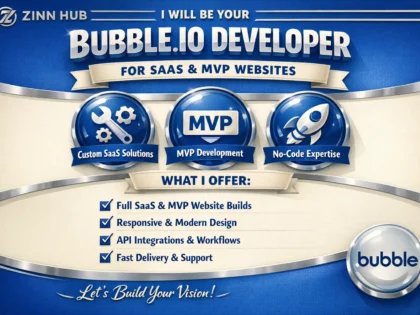
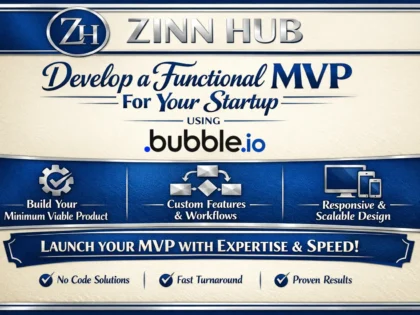
- Bubble MVP Development — Rapidly built minimum viable products to validate your business idea. Core feature implementation, user authentication, database design, responsive layout, deployment configuration and launch-ready applications in weeks rather than months.
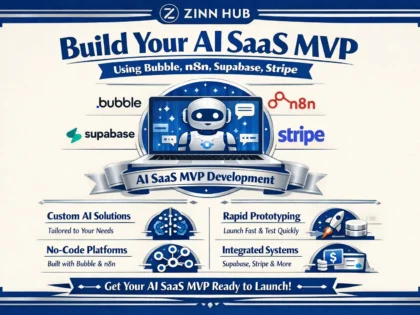
- Bubble SaaS Application Development — Full subscription-based software with multi-tenant architecture, Stripe billing integration, user roles and permissions, admin dashboards, onboarding flows, usage analytics and feature gating by plan tier.
- Bubble Marketplace Development — Two-sided platforms with listing management, search and filtering, buyer-seller messaging, review systems, payment processing with commission handling via Stripe Connect, dispute workflows and responsive design.
- Bubble CRM & Business Tool Development — Custom operational software tailored to your workflows. Contact management, pipeline tracking, task automation, reporting dashboards, team permissions and integrations with your existing tools.
- Bubble API Integration — Connecting Bubble to external services through the API Connector. Payment processors, AI models, email platforms, shipping APIs, social media APIs, analytics services and custom backend endpoints with authentication and error handling.
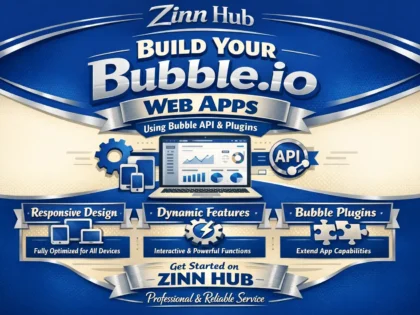
- Bubble Plugin Development — Custom plugins extending Bubble's functionality with JavaScript elements, server-side actions, visual components and third-party library integrations for features the platform does not support natively.
- Bubble Performance Optimisation — Database restructuring, workflow optimisation, search query refinement, page load reduction, data loading pattern improvements and denormalisation strategies for applications experiencing slowdowns.
- Bubble Responsive Design — Ensuring applications display and function correctly across desktop, tablet and mobile with Bubble's responsive engine. Layout restructuring, navigation adaptation, touch-friendly interactions and cross-device testing.
- Bubble to Code Migration Planning — Technical assessment of Bubble applications that have reached platform limits. Functional specification extraction, architecture recommendations, migration roadmap and phased transition planning.
- Bubble Maintenance & Support — Ongoing bug fixes, feature additions, Bubble version updates, plugin compatibility management, performance monitoring, database maintenance and responsive support for production applications.
Bubble for MVPs vs Production Applications
Bubble serves both ends of the application lifecycle. For MVPs, Bubble delivers speed — a testable product in weeks at a fraction of custom development cost, allowing founders to validate ideas with real users before committing significant capital. For production applications, Bubble delivers capability — thousands of businesses run revenue-generating products on Bubble with paying customers, complex workflows, third-party integrations and professional user experiences. The transition from MVP to production on Bubble requires upgrading database architecture for scale, adding comprehensive error handling, implementing proper security and privacy rules, optimising performance for growing data and user volumes, and polishing the UI to production standards. This progression is natural and far more cost-effective than rebuilding on a different platform at every stage.
Related Services
Bubble development connects with other no-code and development services on Zinn Hub. For the broader landscape of no-code platforms beyond Bubble — Webflow, FlutterFlow, Airtable, Retool and more — browse the no-code and low-code parent category. For AI-powered features and automation that integrate with Bubble applications, see AI automation and workflow services. For the prompts that power AI features within Bubble apps, browse prompt engineering services. For AI-powered search and Q&A features that can be integrated into Bubble applications, explore RAG and knowledge base development. For design assets, UI design and branding that feed into Bubble builds, browse design services. For custom-coded applications when Bubble reaches its limits, browse Programming and Tech services.
Are you an experienced Bubble developer? Start selling Bubble development services on Zinn Hub and connect with businesses worldwide that need expert Bubble application builds, marketplace development and SaaS products. Register as a Zinner for free and start listing today.
How to Hire a Bubble Developer
Define Your Application Requirements Document what you are building — SaaS product, marketplace, CRM, portal, booking system or internal tool. List core features, user roles, payment requirements, integrations and design expectations. Gather wireframes, mockups or reference applications.
Choose a Bubble Developer Browse Bubble development services on Zinn Hub and review portfolios for applications similar to yours. Request access to live demos to test responsiveness and performance. Check buyer reviews for quality and support. Message developers to discuss your project.
Provide Design and Functional Specifications Share wireframes, mockups or reference applications. Provide detailed user flows for each role. Specify payment processing, API integrations, responsive design expectations and any specific Bubble plugins or features required.
Test, Launch and Iterate Test across desktop, tablet and mobile. Verify all user flows, payments, integrations and edge cases. Review database and workflow documentation. Launch to users, collect feedback and iterate on improvements and new features with your developer.
Frequently Asked Questions About Bubble Development
What Bubble development services can I buy on Zinn Hub?+
Zinn Hub offers a full range of Bubble development services from experienced Bubble specialists. You can buy Bubble MVP development — minimum viable products built rapidly to validate your business idea with core features, user authentication, database design, responsive layout and a deployment-ready application you can launch to real users. Bubble SaaS application development — full subscription-based software products with multi-tenant architecture, user roles and permissions, Stripe billing integration, admin dashboards, onboarding flows, usage tracking and feature gating by plan tier. Bubble marketplace development — two-sided or multi-sided platforms connecting buyers with sellers or service providers, with listing management, search and filtering, messaging systems, review and rating features, payment processing with commission handling, and dispute workflows. Bubble CRM and business tool development — custom relationship management, project management, inventory tracking, booking systems, client portals and operational tools tailored to your specific business processes. Bubble API integration — connecting your Bubble application to external services through the API Connector, including payment processors, email marketing platforms, AI models, shipping APIs, social media APIs, analytics services and custom backend endpoints. Bubble plugin development — building custom plugins that extend Bubble's functionality with JavaScript elements, server-side actions and visual components for features the platform does not support natively. Bubble performance optimisation — auditing and improving slow applications through database restructuring, workflow optimisation, search query refinement, page load reduction and efficient data loading patterns. Bubble responsive design — ensuring applications display and function correctly across desktop, tablet and mobile screen sizes with platform-specific responsive techniques. Bubble to code migration planning — assessing Bubble applications that have reached platform limitations and creating technical specifications for rebuilding in custom code. And Bubble maintenance and support — ongoing bug fixes, feature additions, security updates, plugin compatibility management and performance monitoring for existing Bubble applications.
How much does Bubble development cost on Zinn Hub?+
Costs depend on application complexity, the number of features and the level of design polish required. A Bubble MVP with user authentication, one core workflow, basic database design, a responsive layout and deployment configuration costs $1000-3000. A Bubble SaaS application with multi-user roles, Stripe subscription billing, an admin dashboard, onboarding flows and five to ten core features costs $3000-8000. A Bubble marketplace with buyer and seller roles, listing management, search and filtering, messaging, reviews, payment processing with commission handling and responsive design costs $4000-12000. A Bubble CRM or business tool with custom data models, workflow automation, reporting dashboards, user permissions and third-party integrations costs $2000-7000. API integration connecting Bubble to three to five external services with authentication, data mapping and error handling costs $300-1500. Custom Bubble plugin development costs $500-3000 depending on complexity and whether it includes server-side actions. A performance audit and optimisation of an existing Bubble application costs $500-2000. Responsive design implementation or overhaul for an existing Bubble application costs $500-2000. A complete Bubble application redesign — new UI with existing functionality preserved — costs $2000-6000. Ongoing monthly maintenance and feature development typically ranges from $300-1500 per month depending on the scope of work and response time requirements.
What is Bubble and what can I build with it?+
Bubble is the most powerful no-code platform for building web applications. It provides a visual editor for designing user interfaces, a built-in database for storing and managing data, a workflow system for defining application logic, an API connector for integrating with external services, a plugin ecosystem for extending functionality, and hosting infrastructure that runs your application without you managing servers. Unlike simpler no-code tools that are designed for basic websites or forms, Bubble is designed for building full applications with complex logic, user interactions and data relationships. You can build SaaS products — subscription-based software with multi-tenant architecture, billing, dashboards and feature gating. Marketplaces — platforms connecting buyers and sellers with listings, search, transactions, reviews and messaging. CRMs and business tools — custom operational software tailored to your specific workflows rather than adapting to generic SaaS tools. Directories and listing sites — searchable databases of businesses, professionals, products or resources with filtering, profiles and user submissions. Social platforms — applications with user profiles, feeds, connections, messaging and content sharing. Booking and scheduling systems — appointment booking, resource scheduling, availability management and calendar integration. Client portals — secure areas where clients access their data, documents, project status and communications. Internal tools — dashboards, data management interfaces and workflow applications for your team. Educational platforms — course delivery, student management, progress tracking and certification systems. And project management tools — task tracking, team collaboration, timeline management and reporting customised to your process.
How does the Bubble database work?+
Bubble uses a built-in relational database where you define data types — equivalent to tables in a traditional database — and each data type has fields that store different kinds of information. For example, a User data type might have fields for name, email, profile image, subscription plan and a list of orders. An Order data type might have fields for total amount, status, creation date and a reference to the User who placed it. These references between data types create relationships — a User has many Orders, an Order belongs to a User. Bubble supports one-to-one, one-to-many and many-to-many relationships through direct references and lists of references. Data is accessed in the visual editor through searches — you define search constraints to find specific records, sort them, filter them and display them in repeating groups which are Bubble's equivalent of data lists and tables. Privacy rules control which users can see and modify which data — essential for multi-user applications where users should only access their own records. The database is powerful for most application needs, but it has characteristics to understand. All data is stored on Bubble's infrastructure and accessed through their proprietary query system, not raw SQL. Complex aggregations, joins across many data types, and operations on very large datasets can be slower than optimised SQL queries. For applications that need database capabilities beyond what Bubble provides natively — complex reporting, real-time sync, massive datasets or multi-platform access — you can connect Bubble to external databases like Xano, Supabase or Firebase through API integrations while still using Bubble for the frontend.
Can Bubble handle payments and subscriptions?+
Yes — Bubble has robust payment integration capabilities, primarily through Stripe. The native Stripe plugin handles one-time payments, subscription billing, plan management, invoicing, refunds and webhook processing. For SaaS applications, the typical setup involves defining subscription plans in Stripe, creating a pricing page in Bubble that displays plan options, integrating the Stripe checkout flow for initial signup, handling webhook events from Stripe to update user subscription status in the Bubble database, implementing feature gating based on the user's current plan, managing plan upgrades and downgrades, and providing billing history and invoice access. Beyond Stripe, Bubble supports PayPal through plugins, and any payment processor with a REST API can be connected through the API Connector — including crypto payment processors for businesses that want to offer cryptocurrency as a payment option. For marketplace applications that need to split payments between the platform and sellers, Stripe Connect integration handles this — buyers pay through the marketplace, the platform takes a commission, and the remainder is automatically routed to the seller's connected Stripe account. The key consideration is that payment integration requires careful workflow design and testing. Webhook handling must account for all possible events — successful payments, failed payments, subscription renewals, cancellations, refunds and disputes. Race conditions between webhook processing and user actions need to be handled. And the user experience around payment failures, card updates and plan changes needs to be smooth and reliable.
How do I make my Bubble app responsive for mobile?+
Bubble uses a responsive engine that controls how elements resize, reposition and restructure across different screen widths. Making a Bubble application properly responsive requires understanding and configuring several systems. The responsive engine in Bubble uses a flexbox-based layout where containers control the arrangement of child elements. Each element has minimum and maximum width settings, alignment properties and visibility conditions based on screen width. Containers can be set to arrange children in rows or columns and can wrap elements to new lines when the screen is too narrow. The approach to responsive design in Bubble is to build for the desktop layout first, then configure how each element and container adapts as the screen narrows. Common responsive patterns include stacking sidebar navigation below or above the main content on mobile, converting horizontal card layouts to vertical stacked layouts, hiding or showing different navigation elements at different breakpoints, resizing text and spacing proportionally, and replacing desktop data tables with mobile-friendly card layouts. Bubble provides a responsive preview mode where you can drag the viewport to different widths and see exactly how your layout responds, making adjustments at each breakpoint. The most common mistakes are setting fixed pixel widths instead of percentage-based widths, not testing at tablet sizes which often expose layout problems that desktop and mobile views hide, overusing absolute positioning which breaks responsive behaviour, and not providing alternative navigation patterns for mobile users. A Bubble application that looks good on desktop but is unusable on mobile will lose a significant percentage of its potential users — responsive design should be part of the initial build, not an afterthought.
How do I integrate APIs and external services with Bubble?+
Bubble connects to external services through the API Connector plugin, which allows you to define API calls to any REST API endpoint and use the responses in your application. The process involves adding the API Connector plugin, defining a new API with its base URL and authentication method — API key, Bearer token, OAuth 2.0 or custom headers — then creating individual API calls specifying the endpoint path, HTTP method, request headers, query parameters and request body. You initialise each call with test data so Bubble can detect the response structure and create data types from the returned fields. Once configured, API calls are used in Bubble workflows and data expressions just like database operations — you can display API response data in repeating groups, use returned values in conditions and trigger API calls from user actions or backend workflows. Common API integrations include OpenAI and Anthropic for AI-powered features, SendGrid or Mailgun for transactional email, Twilio for SMS and voice, Google Maps for location services, social media APIs for posting and authentication, shipping APIs for ecommerce, and analytics services for tracking. For APIs that send data to your Bubble application — webhooks — Bubble provides a Backend Workflow API that creates endpoints your application exposes. Payment processors, form services, CRM platforms and many other tools use webhooks to notify your application of events. Bubble also supports scheduled API workflows that run on a timer for tasks like data syncing, report generation, email sequences and cleanup operations. The key to reliable API integration is error handling — API calls can fail due to rate limits, authentication expiration, service outages or unexpected response formats, and your workflows need to handle these failures gracefully rather than breaking silently.
What are the performance limitations of Bubble and how do I optimise?+
Bubble applications can experience performance issues as they grow in data volume, user count and feature complexity. The most common performance problems and their solutions are as follows. Slow page loads — caused by pages that load too much data on initial display. The solution is to load data on demand rather than all at once, use pagination instead of loading entire lists, defer loading of below-the-fold content, and minimise the number of data sources each page element references. Slow searches — caused by searches across large datasets with multiple constraints, nested searches or searches that reference related data types. The solution is to denormalise frequently searched fields so they are stored directly on the data type being searched rather than requiring Bubble to look up related records. Add fields that pre-calculate values used in search constraints. Use Algolia or other external search services for complex search requirements. Slow workflows — caused by workflows with many sequential actions, recursive workflows processing large datasets, or workflows that trigger other workflows in chains. The solution is to minimise the number of actions per workflow, use bulk operations instead of iterating through records individually, and schedule heavy processing in backend workflows that run asynchronously. Large repeating groups — caused by repeating groups displaying many items with complex cell layouts that reference multiple data sources. The solution is to simplify cell content, reduce the number of visible items with pagination, and use fixed-height cells rather than dynamic-height cells. The general optimisation principles are to minimise the number of database searches per page, avoid nested searches where possible, denormalise data to reduce lookup chains, load data progressively rather than all at once, and use Bubble's built-in performance profiler to identify bottlenecks.
Should I build my MVP on Bubble or with custom code?+
For most MVPs, Bubble is the better choice — and it is not close. The purpose of an MVP is to validate your business idea with real users as quickly and cheaply as possible. Custom code optimises for technical flexibility and long-term scalability. Bubble optimises for speed to market and iteration velocity. At the MVP stage, speed and iteration are what matter. Building an MVP on Bubble takes two to six weeks compared to two to six months for custom code. The cost is typically 50-80% less because development time is dramatically shorter. Iteration based on user feedback takes hours or days rather than development sprints. And if the idea does not work, you have invested thousands rather than tens of thousands. The common objection is scalability — but this puts the cart before the horse. Scalability is a problem of success, and the overwhelming majority of startups fail because they build something nobody wants, not because their technology cannot scale. A Bubble MVP that validates product-market fit and acquires paying customers has achieved something that matters. If and when the application reaches a scale where Bubble becomes a genuine constraint — typically thousands of concurrent users with complex real-time interactions — you can migrate to custom code with a proven product specification, real user data and revenue to fund the rebuild. Many successful products never reach that point because Bubble handles their scale perfectly well. The exception is if your MVP fundamentally requires capabilities Bubble cannot provide — native mobile apps requiring device hardware access, applications with hard real-time requirements, computationally intensive processing, or applications that must run on specific infrastructure for compliance reasons. For everything else, Bubble gets you to market faster with less risk.
How do I choose a Bubble developer on Zinn Hub?+
When choosing a Bubble developer on Zinn Hub, prioritise Bubble-specific depth over general development experience. Bubble has its own paradigm for database design, workflow logic, responsive layout and performance optimisation that differs fundamentally from traditional web development — a skilled React developer is not automatically a skilled Bubble developer and vice versa. Review their portfolio for Bubble applications similar to yours in type and complexity. If you are building a SaaS product, look for SaaS applications in their portfolio with subscription billing, user roles and admin dashboards. If you are building a marketplace, look for marketplace projects with buyer-seller workflows, payment splitting and review systems. Request access to live demo applications rather than just screenshots — this lets you test responsiveness, page load speed, workflow reliability and the overall user experience of their work. Read buyer reviews for feedback on application quality, database design, responsiveness, communication during the project and post-delivery support. Ask about their approach to database architecture — in Bubble, the database design determines long-term performance and maintainability. A developer who designs the database carefully before building produces applications that perform well and are easy to extend. Ask about their responsive design process — many Bubble developers build for desktop only and treat mobile as an afterthought. Ask about their workflow for revisions — how many revision rounds are included, how feedback is communicated, and what happens when scope changes during the project. Ask what documentation they deliver — you should receive database schema documentation, workflow explanations, API integration details, plugin dependencies and instructions for common administrative tasks. For ongoing projects, discuss their availability for maintenance, response times for bug fixes and their approach to feature additions after the initial build. Message developers before ordering to discuss your specific project requirements and timeline.


 ✓
✓ ✓
✓ ✓
✓ ✓
✓ ✓
✓ ✓
✓ ✓
✓