



THE WORDPRESS MAINTENANCE SERVICES MARKETPLACE
Buy WordPress Maintenance Services from Verified Experts
The marketplace connecting site owners, agencies and e-commerce teams with verified WordPress maintenance specialists. Core, theme and plugin updates on a staging site, tested backups, security hardening and malware clean-up, uptime monitoring, performance work and same-week emergency fixes.
WordPress Maintenance Services Available
Monthly Care Plans
Core, theme and plugin updates applied on a staging copy and checked before they touch production, plus a monthly report covering what changed, what broke and what was rolled back.
Backups and Disaster Recovery
Off-site, versioned backups on a schedule that matches how often your site changes — and, more importantly, a documented restore that has actually been tested rather than assumed.
Security Hardening and Monitoring
File permissions, login and XML-RPC protection, two-factor authentication, a web application firewall, malware scanning and removal of the abandoned plugins that quietly carry the risk.
Malware Removal and Recovery
Clean-up of infected files and injected database rows, closing the entry point that let it in, removal from blocklists, and hardening so the same route cannot be used again.
Uptime and Error Monitoring
Monitoring that tells you the site is down before a customer does, plus PHP error and 404 tracking so a broken checkout or a fatal after an update is caught in minutes, not weeks.
Emergency Fixes and Small Jobs
The white screen after an update, a plugin conflict, a broken layout, a failing contact form or a stuck WooCommerce checkout — bought as a one-off fix without a monthly commitment.
Types of WordPress Maintenance Services You Can Buy
Why Buy WordPress Maintenance from Zinn Hub?
Maintenance Is Cheaper Than Recovery, Every Single Time
WordPress powers a very large share of the web precisely because it is extensible, and that same extensibility is the risk. A typical site runs a couple of dozen plugins written by different people to different standards, each updating on its own schedule. Left alone, the site does not degrade gracefully — it works perfectly right up until the morning it does not, usually after an automatic update nobody watched.
Site owners, agencies and shop managers all get the same thing here: verified Zinners working to a written scope, with a tested restore behind them. Pair maintenance with the marketplaces hub for related specialists, the cybersecurity marketplace for a deeper security review, or the WordPress developer marketplace when the job is new build work rather than upkeep.
🔥 Featured WordPress Maintenance Services
Browse WordPress maintenance Zinns and the Zinners who offer them. Compare the scope, the response time and the price listing by listing, and filter Zinners by category, minimum rating or Zinner type.
Top Zinns ⚡
-
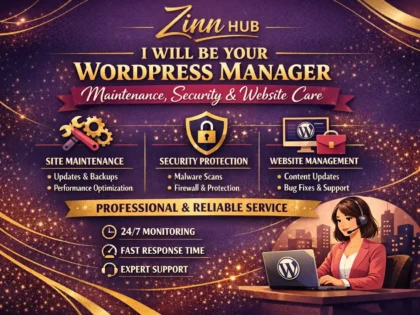
 be your wordpress manager for maintenance, security, and website Verified Trusted Zinner Hot Zinner Zinner Level 4Monthly WordPress updates, security, backups, and bug fixes (up to 3 hrs/month) | Your Software Partner for Web Apps, Forms, and Website…
 - I will design a life insurance lead generation funnel with landing page and Facebook ads Verified Zinner Level 1I build high-converting life insurance funnels using GoHighLevel, WordPress & ClickFunnels, designed specifically for agents and agencies targeting U.S. clients.
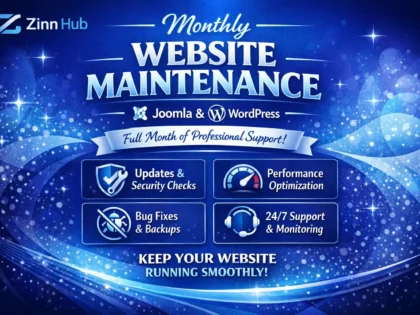
- provide whole month joomla or wordpress website maintenance Verified Trusted Zinner Hot Zinner Zinner Level 41hr Edits - Weekly Updates - Daily Backups - Security & Performance scans - Uptime Monitoring | WORDPRESS, JOOMLA, SHOPIFY Developer and…
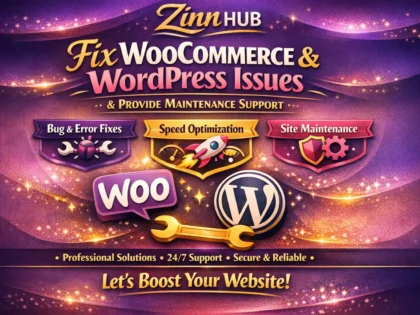
- fix woocommerce issues, wordpress errors and provide maintenance support Verified Trusted Zinner Hot Zinner Zinner Level 4Fix 1 simple WordPress WooCommerce bug | Pro WordPress Developer and WooCommerce Expert
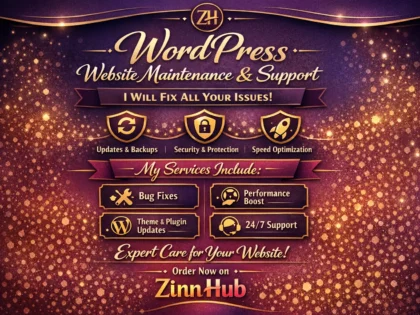
- provide wordpress website maintenance, support, and fix all your issues Verified Trusted Zinner Hot Zinner Zinner Level 4Quick fix, theme, plugin & core updates, daily backups, security & uptime checks | Ready To Take Any Challenges
- quickly troubleshoot or fix website issues bugs and wordpress problems Verified Trusted Zinner Hot Zinner Zinner Level 4Fix small bugs related to design CSS problem. fast delivery | Full stack web developer
- I Will Fix WordPress Errors and Build Responsive Websites Verified Trusted Zinner Hot Zinner Zinner Level 4From a single CSS fix to a full e-commerce store — get expert WordPress development from a London-based team with 8+ years…
- troubleshoot your wordpress website Verified Trusted Zinner Hot Zinner Zinner Level 4Fix bugs related to front website design such as distorted layout (Header/Footer only) | Professional and Hardworking
- I Will Design and Develop a Professional WordPress Website Verified Trusted Zinner Hot Zinner Zinner Level 4Get a clean, modern, fully responsive WordPress website built to reflect your brand, engage your audience, and deliver real results — from…
- create responsive wordpress landing page design, elementor landing page Verified Trusted Zinner Hot Zinner Zinner Level 4✅Coming soon page, Under Maintenance Landing page, Social button, CTA, Fully Responsive | I Believe in Quality Work and Client Satisfaction
- create convert figma, psd, xd, pdf, html or image to wordpress or joomla website Verified Trusted Zinner Hot Zinner Zinner Level 4Simple 1 page website with our predefined template, 2 images, social media integration | Your satisfaction is my achievement
- I Will Design and Develop a Bespoke WordPress Website Verified Trusted Zinner Hot Zinner Zinner Level 4Get a fully custom, mobile-responsive WordPress website built from scratch — with speed optimisation, SEO foundations, payment integration, and 30 days of…
- build wordpress ecommerce website online store woocommerce Verified Trusted Zinner Hot Zinner Zinner Level 4Setup Basic Woocommerce Plugin Setup | Indexing configuration sitemap & Robots.txt | Mobile Apps, Web Development, AI Solutions, Digital Marketing Experts
- I Will Design a Professional Responsive WordPress Website Verified Trusted Zinner Hot Zinner Zinner Level 4Get a fully responsive, mobile-friendly WordPress website built with Elementor Pro — complete with contact form, social icons, plugin setup, and free…
- do bigcommerce site design, development, and maintenance too Verified Trusted Zinner Hot Zinner Zinner Level 4- New BigCommerce Store Development with Stencil. | SEO, PPC, Etsy, Paid Ads Expert, Shopify, WordPress, Digital Marketing
- fix wordpress, shopify, divi, elementor pro issues or bugs, expert website help Verified Trusted Zinner Hot Zinner Zinner Level 4Troubleshot & Fix one small issue. Please contact me first for a custom quote. | WordPress and Shopify Expert: Design, Maintenance, and…
- I Will Build a Professional WordPress Website for Your Business Verified Trusted Zinner Hot Zinner Zinner Level 4Get a clean, responsive, and SEO-friendly WordPress website built to your brief — from a single high-converting landing page to a fully…
- fix wordpress js errors, bugs, SEO, and core web vitals repair Verified Trusted Zinner Hot Zinner Zinner Level 4Fix one issue with backup, diagnosis, safe repair, testing, and changelog. Quick reliable aid today. | We Shape Dreams Into Reality!
- host, carry out work and or maintain your wordpress website Verified Trusted Zinner Hot Zinner Zinner Level 4Updates to plugins, themes and WordPress core. The creation of onsite, offsite and cloud backups | Design that sets you apart, technology…
- ecommerce webshop, bigcommerce, on hostinger, godaddy shopify, wordpress website Verified Trusted Zinner Hot Zinner Zinner Level 4Design landing page + 3 Products upload + slider+ Popup + opt-in form + map.









Explore the Full WordPress Maintenance Marketplace
Browse WordPress maintenance services, categories, specialists, live projects and guides from across Zinn Hub.
Zinns
- be your wordpress manager for maintenance, security, and website Verified Trusted Zinner Hot Zinner Zinner Level 4Monthly WordPress updates, security, backups, and bug fixes (up to 3 hrs/month) | Your Software Partner for Web Apps, Forms, and Website development
- provide whole month joomla or wordpress website maintenance Verified Trusted Zinner Hot Zinner Zinner Level 41hr Edits - Weekly Updates - Daily Backups - Security & Performance scans - Uptime Monitoring | WORDPRESS, JOOMLA, SHOPIFY Developer and Designer
- fix woocommerce issues, wordpress errors and provide maintenance support Verified Trusted Zinner Hot Zinner Zinner Level 4Fix 1 simple WordPress WooCommerce bug | Pro WordPress Developer and WooCommerce Expert
- provide wordpress website maintenance, support, and fix all your issues Verified Trusted Zinner Hot Zinner Zinner Level 4Quick fix, theme, plugin & core updates, daily backups, security & uptime checks | Ready To Take Any Challenges
Sellers

Articles
- WordPress Maintenance Marketplace
- Irish WordPress Developers 🇮🇪 Irish Services Irish WordPress Developers — Verified Ireland-Based Experts Hire verified WordPress developers based in Ireland. Native English speakers, world-class technical talent, EU timezone, and escrow-protected payments.…
- Filipino WordPress Developers 🇵🇭 Filipino Services Filipino WordPress Developers — Verified Philippine Experts Hire verified WordPress developers based in the Philippines. Custom themes, plugins, WooCommerce, competitive rates, and escrow-protected payments. 🌐…
- South African WordPress Developers 🇿🇦 South African Services South African WordPress Developers — Verified SA Experts Hire verified WordPress developers based in South Africa. Custom themes, plugin development, WooCommerce expertise, competitive rates,…
Help
- Creating & Selling Your Digital Services on Zinn Hub What Can You Sell on Zinn Hub? Almost anything digital. Zinn Hub supports an incredibly diverse range of freelancer services across every industry imaginable. Here are just some…
- Freelancer Categories on Zinn Hub Browse freelancers by category in the Zinn Hub Freelancer Directory. Every Zinner has a full profile with skills, portfolio, rates, availability, and reviews — so you can find…
- How to Sell Services by the Hour on Zinn Hub Offering hourly rate services gives you and your customers maximum flexibility. Whether you're a developer, designer, virtual assistant, or consultant, charging by the hour lets you take on…
- Project Categories on Zinn Hub Post your next freelance project on Zinn Hub and receive tailored proposals from freelancers in any category. Posting is free for buyers. Bidding is free for sellers —…
Why Buy WordPress Maintenance Services on Zinn Hub?
Upkeep only works when updates are tested before they go live, backups are proven by restoring them, and somebody is watching when the site falls over.
Updates Tested on Staging
Specialists who apply core, theme and plugin updates to a staging copy, check the pages that matter, then push — rather than clicking update on production and hoping.
Backups You Have Actually Restored
Ask when the restore was last tested, where the backups are stored, how many versions are kept and how long a full recovery takes. An untested backup is a hope, not a plan.
Security Beyond Installing a Plugin
Hardened logins and file permissions, two-factor authentication, a firewall, malware scanning, and the removal of abandoned plugins — which are a far more common entry point than a clever exploit.
Secure Buyer Protection
Choose a Platform Protected Zinner and Zinn Hub holds your payment until the order completes. If the work does not match the brief, dispute resolution steps in and a refund is credited to your Zinn Wallet in full, in USD.
A Scope You Can Point At
Agree in writing what a plan includes, what counts as a small content change, what is billed separately as development, and what happens in an emergency. Vagueness here is the usual source of disputes.
Confirmed-Purchase Reviews
Reviews on Zinn Hub require a confirmed purchase. Read what other site owners found about responsiveness, reporting quality and how a real incident was handled.
Built by People Who Have Restored a Site at Two in the Morning
Zinn Hub was created by seasoned digital professionals with over 20 years in the industry. We have run WordPress at scale, cleaned up after plugin conflicts and infections, tested restores that worked and restores that did not, and learned the hard way that a staging site is the cheapest insurance available.
Browse WordPress Maintenance Categories & Skills
Find the exact deliverable your site needs: routine upkeep, security, recovery, performance or a one-off fix.
Browse Categories
🌍 WordPress Maintenance by Market
Many more markets available — just search the territory you operate in.
Start With a Micro Zinn
Buy a fixed-price backup audit or single plugin fix before a monthly plan
Browse Micro ZinnsOr Post a WordPress Maintenance Project for Free
Not sure who to choose? Post a brief describing what you need — a monthly care plan for three client sites, a malware clean-up and hardening job, or a host migration with no downtime — set your budget in USD and let verified Zinners come to you with proposals. Posting a project is free, and Zinners are verified with government-issued photo ID and evidence of their skills and past work.
Or explore directly: WordPress Development Projects · Security Audit Projects · Maintenance Freelancers · All Projects
How to Buy Quality WordPress Maintenance Services on Zinn Hub
Follow these steps to commission upkeep that prevents incidents rather than just responding to them.
Take Stock of the Site You Have
Note the WordPress version, the theme, how many plugins are installed, which ones have not been updated in a year, where the site is hosted and whether a backup exists. A fixed-price WordPress Micro Zinn audit is the cheapest way to get an honest answer.
Decide Between a Plan and a One-Off
A brochure site that rarely changes needs less than a WooCommerce shop taking orders every hour. Browse website maintenance Zinns for ongoing care, or search for a single fix if you only have one problem today.
Ask the Backup and Staging Questions
Where are backups stored, how many versions are kept, when was a restore last tested, and how long does a full recovery take? Ask whether updates are applied on staging first, and what the rollback procedure is. These four answers separate a professional from an optimist.
Pin Down the Scope in Writing
Agree what is included, what counts as a small content change, what is billed as development, and how you raise an emergency. Our guide to avoiding scope creep and the proposal comparison guide both help here.
Start Small, Then Extend
Buy one month, or one fix, and see how the specialist communicates before you commit further. Read how buyer protection works, and keep your own copy of every credential you hand over.
Ready to stop worrying about your WordPress site?
View All ServicesFrequently Asked Questions About WordPress Maintenance
Everything you need to know about buying WordPress maintenance, security and emergency support.
Still have questions? Search for a specialist with Zinn Finder.
A Practical Guide to Buying WordPress Maintenance
WordPress is popular because anyone can extend it, and fragile for exactly the same reason. A typical business site runs a theme and twenty-odd plugins written by different people, on different release cycles, to different standards. Nothing degrades gently. The site works, and works, and then one Tuesday an update lands and the checkout stops taking money.
What Maintenance Actually Buys You
Strip away the packaging and a maintenance plan is four things: updates applied carefully, backups you can genuinely restore from, security hardening kept current, and someone watching. Everything else — reports, small content edits, uptime dashboards — is useful, but those four are the substance.
The value is asymmetric, which is why it is easy to under-buy. Upkeep costs a predictable amount each month. An unplanned outage costs whatever it costs, at the worst possible moment, usually while you are doing something else.
Updates, Staging and the Rollback Plan
The single question that most reliably separates a professional from an amateur is what happens on staging. A staging site is a copy of your live site where updates are applied and checked before anything reaches customers. It takes minutes to use and prevents the most common category of WordPress disaster.
Ask how updates are grouped, which pages and functions get checked afterwards, and what the rollback procedure is when a plugin update breaks a template. Ask specifically about WooCommerce if you sell: checkout, tax, shipping and payment gateways are where an update does the most damage.
Backups Are Only Real Once Restored
Almost every site has "backups". Far fewer have a restore that has been tested. The questions that matter are where the copies live (off-site, not only on the same server), how many versions are kept, how far back they go, whether the database and the files are both covered, and when a full restore was last actually performed end to end.
Ask for the recovery time too. "We have backups" and "we can have you live again within the hour" are very different promises, and only one of them helps on the day.
Security Is Mostly Housekeeping
Dramatic exploits get the attention; abandoned plugins cause the incidents. A plugin whose author stopped updating it two years ago sits there working perfectly until a vulnerability is published, and then it is a known, indexed, automated target. Good maintenance keeps an inventory, removes what is unused, and replaces what is unmaintained.
Beyond that: hardened logins with two-factor authentication, sensible file permissions, a firewall, regular malware scanning, and prompt security updates. For a deeper review — penetration testing, code auditing or compliance work — buy it separately from the cybersecurity marketplace or post it to security audit projects.
Monitoring, and Finding Out Before Your Customers Do
Uptime monitoring is inexpensive and disproportionately valuable. It checks the site at intervals and alerts someone when it stops responding. Better setups also watch PHP errors, 404 spikes and, for shops, whether the checkout still completes — because a site can return a perfectly healthy status code while the payment step is quietly broken.
Agree who receives the alert and what they do about it. An alert that arrives in an unmonitored inbox is not monitoring.
Plans Versus One-Off Fixes
You do not need a retainer to solve today's problem. Marketplace work suits both models: a single emergency fix for a white screen, a fatal error after an update or a broken form; or an ongoing plan for a site that matters commercially. Many buyers start with a one-off job, see how the specialist communicates, and convert to a plan afterwards. That is a sensible order, and a fixed-price WordPress Micro Zinn makes the trial cheap.
Where the job is genuinely new development rather than upkeep — a custom feature, a redesign, a plugin built from scratch — that is different work with a different brief. Post it to WordPress development projects or browse the WordPress developer marketplace.
Scope: Where Maintenance Relationships Go Wrong
Almost every dispute about maintenance is a scope dispute. Is changing a headline included? Is a new landing page? Is an emergency at the weekend? Is investigating a conflict caused by a plugin you installed yourself?
Write the answers down before you start. Name what is included, what is billed as development and at what rate, how you raise an urgent issue, and what a reasonable response looks like. Both sides benefit: the specialist can price honestly, and you can hold them to something specific.
Getting Started on Zinn Hub
Start with an audit, then decide between a plan and a one-off. Ask the backup, staging, security and monitoring questions above and compare the answers rather than the prices. Browse website maintenance Zinns, look at WordPress development specialists, or post a free brief to the website maintenance and fixes board. If speed is the real complaint, buy it as its own job — the performance category is the right starting point.
If you keep WordPress sites running for a living, you can also sell WordPress services on Zinn Hub: 0% commission on your first $500, then tiered rates that fall as you sell — as low as 7% on Agency Zinner. First-time buyers get their first order free, with the full amount returned on completion, so trying a specialist costs nothing.
Ready to hand your WordPress upkeep to a specialist?
View All Services