Buy IT Support & Technical Assistance Services
IT support is the backbone of every modern business. When email stops working, servers go down, networks drop, or employees cannot access the tools they need, everything grinds to a halt. Whether you need a one-off technical fix to resolve an urgent issue, a structured project like an email migration or help desk setup, or ongoing managed IT support to keep your entire technology environment running smoothly, professional IT services ensure your team stays productive and your systems stay secure.
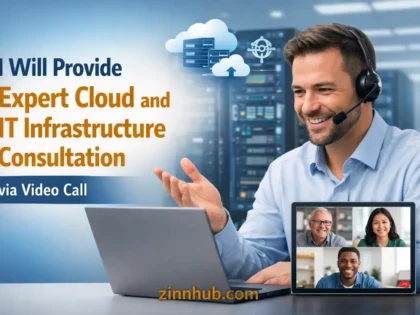
On Zinn Hub, verified IT support professionals offer remote technical assistance covering everything from desktop troubleshooting to server administration, network configuration, cloud platform management, and disaster recovery planning. No waiting days for an on-site technician — Zinn Hub providers connect remotely and start resolving issues immediately, with clear communication, proper documentation, and the expertise to fix problems at the root rather than applying temporary workarounds.
Why Outsourced IT Support Makes Business Sense
Hiring a full-time IT employee is expensive — salary, benefits, training, and the tools they need can easily exceed $60,000-100,000 per year. For small to medium businesses, that cost is often difficult to justify when IT issues are intermittent. Outsourced IT support gives you access to experienced professionals across multiple specialities — networking, server administration, cloud platforms, security, and email — without the overhead of a full-time hire. You pay for what you use, scale up when you need more coverage, and always have access to specialists rather than relying on one generalist.
For growing businesses, outsourced IT support also provides continuity and documentation. When your sole IT person leaves, all their knowledge leaves with them. A managed IT support provider maintains documentation, follows standardised procedures, and ensures your systems are not dependent on any single individual's memory. That structural resilience is worth far more than most businesses realise — usually discovered only after it is too late.
Types of IT Support Services on Zinn Hub
- Remote Desktop & Server Support — On-demand technical assistance for workstation issues, software installation, configuration problems, performance issues, and day-to-day IT problems your team encounters. Providers connect remotely to diagnose and resolve issues in real time, minimising downtime and getting your team back to work quickly.
- Help Desk & Ticketing System Setup — Implementation and configuration of support ticket platforms including Freshdesk, Zendesk, Jira Service Management, and osTicket. Covers ticket routing, SLA configuration, escalation rules, knowledge base setup, and reporting dashboards. Transforms chaotic email-based IT requests into a structured, trackable support process.
- Network Troubleshooting & Configuration — Diagnosis and resolution of network connectivity, speed, reliability, and security issues. Covers router and switch configuration, Wi-Fi optimisation, VPN setup and troubleshooting, DNS management, firewall rules, and network segmentation. Systematic root cause analysis rather than guesswork.
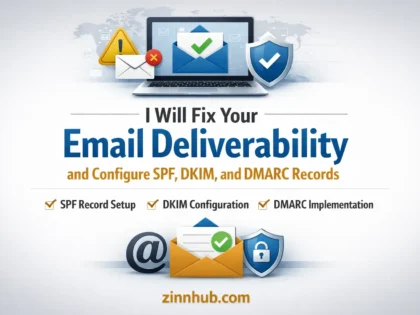
- Email Migration & Setup — Migration between email platforms including Microsoft 365, Google Workspace, and legacy systems. Covers DNS configuration, mailbox migration, calendar and contact transfer, security settings, and post-migration verification. Zero-downtime migrations with complete data preservation.
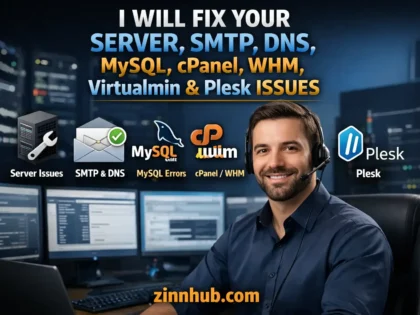
- Server Administration — Ongoing management of Windows and Linux servers including patching, monitoring, user management, backup verification, performance optimisation, security hardening, and application management. Available as one-off configuration or ongoing monthly retainers.
- Backup & Disaster Recovery — Design and implementation of backup strategies covering files, databases, servers, and cloud services. Includes automated backup configuration, off-site replication, recovery testing, and documented disaster recovery procedures. The difference between recovering from a crisis and losing everything.
- VPN & Remote Access Setup — Configuration of secure remote access solutions for distributed teams. Covers VPN server setup, client deployment, split tunnelling, multi-factor authentication, and performance optimisation. Essential for businesses with remote or hybrid workforces.
- IT Documentation & Procedures — Comprehensive documentation of your technology environment including network diagrams, server configurations, account inventories, password management, backup schedules, and standard operating procedures. Protects your business from knowledge loss and enables faster troubleshooting.
Choosing the Right IT Support Provider
When evaluating IT support providers on Zinn Hub, look for professionals who communicate clearly in non-technical language, document their work so you have a record of every change, and explain root causes rather than just applying quick fixes. Read buyer reviews for feedback on response speed, problem resolution rate, and whether the provider was proactive about identifying potential issues beyond the immediate request. The best IT support providers do not just fix what is broken — they tell you what is about to break and help you prevent it.
Related Technical Services
IT support works alongside other technical services to keep your business running. For security-specific services including penetration testing and vulnerability assessment, explore cybersecurity services. For cloud infrastructure and deployment automation, browse DevOps engineering services. For website and application development, see website development services. For WordPress-specific support and development, visit WordPress services.
Are you an IT support professional with experience in remote troubleshooting, server administration, or managed services? Start selling IT support services on Zinn Hub and connect with businesses worldwide who need reliable technical assistance. Register as a Zinner for free and start listing today.
How to Buy IT Support & Technical Assistance Services
Identify Your IT Support Needs Determine whether you need a one-off fix, a project like email migration or help desk setup, or ongoing managed support. Document the issue clearly including systems involved, error messages, and business impact.
Browse IT Support Providers Review provider profiles, specialisations, and buyer reviews on Zinn Hub. Look for experience with your platforms — Windows or Linux, Microsoft 365 or Google Workspace. Compare on response times and communication quality.
Provide Access and Collaborate Share necessary credentials securely, provide environment context, and be available for questions. For ongoing support, establish communication channels, escalation procedures, and response time expectations upfront.
Verify and Establish Ongoing Support Confirm the issue is resolved and test affected systems. Request documentation of changes made. For recurring needs, discuss a managed support retainer or scheduled maintenance to prevent future issues.
Frequently Asked Questions About IT Support Services
What IT support services can I buy on Zinn Hub?+
Zinn Hub offers a comprehensive range of IT support and technical assistance services from verified professionals worldwide. You can buy remote desktop and server support, help desk and ticketing system setup, network troubleshooting and configuration, email setup and migration including Microsoft 365 and Google Workspace, hardware and software troubleshooting, IT infrastructure planning and documentation, system administration for Windows and Linux servers, backup and disaster recovery setup, VPN and remote access configuration, printer and peripheral setup, IT policy and procedure documentation, and ongoing managed IT support retainers. Services range from one-off fixes to structured support packages covering your entire IT environment.
How much do IT support services cost on Zinn Hub?+
IT support prices on Zinn Hub vary based on the type of issue, complexity, and whether you need a one-off fix or ongoing support. A single remote troubleshooting session for a specific issue typically costs $30-100. Email migration from one platform to another costs $50-200 depending on the number of mailboxes and complexity. Help desk and ticketing system setup ranges from $100-500. Network configuration and troubleshooting costs $75-300 per session. Ongoing managed IT support retainers range from $200-1,000 per month depending on the number of users and systems covered. Server administration and maintenance packages cost $150-600 per month. Prices reflect the provider experience level, response time guarantees, and scope of coverage — always discuss requirements before ordering.
What is the difference between break-fix IT support and managed IT services?+
Break-fix IT support means you contact a technician when something breaks and pay for that specific fix. There is no ongoing relationship or monitoring — you pay per incident. This works for businesses with simple IT needs and infrequent issues. Managed IT services provide ongoing proactive support — monitoring, maintenance, updates, backups, and security management on a continuous basis for a fixed monthly fee. The provider actively prevents problems rather than waiting for them to occur. Managed services include regular patching and updates, proactive monitoring and alerting, scheduled maintenance, help desk access for your team, and strategic IT planning. Managed services cost more per month but typically save money over time by preventing the expensive emergency fixes, downtime, and data loss that break-fix models cannot avoid.
Can I get help migrating to Microsoft 365 or Google Workspace?+
Yes. IT support providers on Zinn Hub regularly handle email and productivity platform migrations. A typical migration includes planning and audit of your current email setup, DNS record configuration including MX SPF DKIM and DMARC, mailbox creation and licence assignment, historical email data migration preserving folders and contacts, calendar and shared resource migration, file migration to OneDrive SharePoint or Google Drive, client configuration on desktop and mobile devices, user training and documentation, and post-migration monitoring and troubleshooting. Providers can migrate from legacy email systems, other cloud platforms, or between Microsoft 365 and Google Workspace. The key to a smooth migration is thorough planning — an experienced provider ensures zero email downtime and no data loss during the transition.
What is help desk setup and why does my business need one?+
Help desk setup involves implementing a ticketing system that organises, tracks, and manages IT support requests from your team or customers. Popular platforms include Freshdesk, Zendesk, Jira Service Management, and osTicket. A properly configured help desk provides a single point of contact for all IT issues, automatic ticket assignment and escalation rules, priority-based response time tracking, a knowledge base for common issues so users can self-serve, reporting and analytics on ticket volume and resolution times, and audit trails for compliance and accountability. Your business needs a help desk when IT requests are being lost in email threads, response times are inconsistent, you have no visibility into recurring issues, or when you need to demonstrate support SLAs to clients or auditors. Even small businesses with 10 or more employees benefit from structured ticket management.
How do I choose between on-site and remote IT support?+
Remote IT support handles the vast majority of modern IT issues — software installation, configuration changes, email problems, account management, troubleshooting, monitoring, and most server administration can all be done remotely. Remote support is faster, more cost-effective, and does not require waiting for a technician to physically arrive. On-site support is necessary for hardware failures, network cabling, physical server installation, office setup and moves, hardware procurement and deployment, and situations where hands-on access to equipment is required. Most businesses use a combination — remote support as the default for speed and cost efficiency, with on-site support reserved for physical infrastructure work. Zinn Hub providers primarily offer remote IT support which covers the majority of business IT needs.
What does server administration include?+
Server administration covers the ongoing management, maintenance, and optimisation of your Windows or Linux servers — whether physical, virtual, or cloud-hosted. Services typically include operating system installation and configuration, security patching and updates, user and access management, performance monitoring and optimisation, backup configuration and verification, log monitoring and analysis, storage management, service and application management including web servers database servers and mail servers, SSL certificate installation and renewal, firewall and security configuration, and troubleshooting when issues arise. For businesses running their own servers or VPS instances, professional server administration ensures your systems are secure, performant, and properly maintained without requiring in-house expertise.
Can IT support help with backup and disaster recovery?+
Yes. Backup and disaster recovery is one of the most critical IT support services. A provider will assess your data and systems, design a backup strategy that meets your recovery time and recovery point objectives, implement automated backup solutions covering files servers databases and cloud services, configure off-site and cloud backup for geographic redundancy, test backups regularly to verify they actually work when needed, document recovery procedures so your team knows exactly what to do in an emergency, and set up monitoring and alerting so backup failures are caught immediately. The most common disaster recovery mistake businesses make is assuming their backups work without ever testing a restore. A professional IT support provider builds and tests your entire recovery process so you know exactly how long recovery takes and confirms that no data is lost.
What is network troubleshooting and when do I need it?+
Network troubleshooting is the process of diagnosing and resolving problems with your computer network — slow internet speeds, connectivity drops, devices unable to communicate, VPN failures, DNS resolution issues, Wi-Fi dead zones, and network security problems. You need network troubleshooting when employees report slow or unreliable internet connections, specific devices or services cannot connect to the network, your VPN is unreliable or slow for remote workers, network performance has degraded over time, you are experiencing intermittent connectivity issues that are difficult to reproduce, or after changes to your network equipment or ISP. A network specialist diagnoses the root cause using packet analysis, network monitoring tools, and systematic testing rather than guessing — then implements a targeted fix rather than a temporary workaround.
Do I need IT support if my business uses only cloud services?+
Yes. Cloud-only businesses still need IT support for user account management and onboarding and offboarding, cloud platform configuration and security settings, email administration and deliverability issues, identity and access management including SSO and MFA setup, integration troubleshooting between cloud services, data backup for cloud platforms since most cloud providers do not back up your data by default, device management and security for employee laptops and phones, software deployment and update management, help desk support for employee IT issues, and compliance and security monitoring. Moving to the cloud reduces infrastructure management but does not eliminate IT support needs — it shifts them from hardware management to configuration management, security, and user support. Many businesses find they need more specialised IT knowledge in a cloud environment, not less.
What is IT documentation and why is it important?+
IT documentation is the written record of your technology environment — network diagrams, server configurations, account inventories, password management procedures, backup schedules, disaster recovery plans, vendor contacts, licence information, and standard operating procedures for common IT tasks. Documentation is important because without it, all knowledge about your IT systems lives in the heads of individuals. When those individuals leave, go on holiday, or are unavailable during an emergency, nobody knows how things work, where things are configured, or how to fix problems. Good IT documentation enables faster troubleshooting, smoother staff transitions, consistent procedures, easier compliance audits, and effective disaster recovery. An IT support provider on Zinn Hub can audit your current environment and produce comprehensive documentation that protects your business from knowledge loss.



 ✓🆕 New Seller✨ New
 ✓🆕 New Seller
 ✓🆕 New Seller
 ✓
✓ ✓
✓ ✓
✓ ✓
✓