



THE WEBFLOW DEVELOPMENT MARKETPLACE
Hire Webflow Developers from Verified Experts
The trusted marketplace for specialist Webflow developers, Figma to Webflow builders and CMS architects. Brief the build you want — pixel-accurate conversion, a clean class system, working CMS Collections and a documented handover — and order it from identity- and skill-verified professionals.
Webflow Development Services Available
Figma to Webflow Builds
Pixel-accurate conversion of a finished Figma file into a live, responsive site, with structured class naming and every breakpoint checked rather than left to scale.
CMS Collections and Dynamic Content
Blog, case study, team and product Collections with sensible field types, reference fields, filtered lists and Collection Pages your editors update without the Designer.
WordPress to Webflow Migration
Content remapped into Collections, images rehosted, templates rebuilt as Collection Pages, metadata carried across, and a full 301 redirect map applied before the DNS switch.
Custom Interactions and Animation
Scroll reveals, sticky sections, page transitions and hover states built with native Interactions, plus custom GSAP work where native timelines fall short.
Webflow Ecommerce, Logic and Memberships
Product Collections with variants, a fully designed cart and checkout, gated member areas, and Logic flows that route form submissions in-platform.
SEO Setup, Integrations and Handover
Per-page and Collection-level title and meta fields, Open Graph images, sitemap and robots settings, analytics and CRM integrations, and a documented workspace transfer.
Types of Webflow Work You Can Buy
Why Hire Webflow Developers on Zinn Hub?
Webflow Development That Someone Else Can Still Edit in Two Years
Webflow closed the gap between design and production, but not the need for discipline. Classes are global, so an unstructured build spreads one-off styles across every page and becomes unsafe to change. Ask the developers you shortlist here to work to a documented convention such as Client-First or BEM, to define spacing and typography as reusable utilities, and to keep editable content in CMS Collections rather than baked onto the canvas — and confirm it in writing before you order.
Whether you need one landing page converted from Figma, a marketing site with CMS Collections, a WordPress migration with a full redirect map, or Ecommerce and Memberships configured, you can compare Zinners side by side and order with payment held in escrow.
Explore the web design marketplace for design-led work, or the UX and UI design marketplace if the Figma file does not exist yet.
🔥 Featured Webflow Services
A selection of Webflow builds from reviewed specialists — open any Zinn to read its scope in full.
Top Zinns ⚡
-
 I will build a modern Webflow or Wix website for healthcare, landing pages, and ecommerce Verified Zinner Level 1I'm a Web Designer in Webflow & Wix Website. I can build a modern & unique Website for your online presence that…
 - design a stunning website using webflow Verified Trusted Zinner Hot Zinner Zinner Level 4Sleek, modern landing page built for impact, performance, and conversion. | I Believe In High Quality Work
- design an interactive and 3d animated webflow website Verified Trusted Zinner Hot Zinner Zinner Level 4✅Moodboards and style guide for creative & branding direction ✅Strategic Figma prototype | Uncommon by Nature
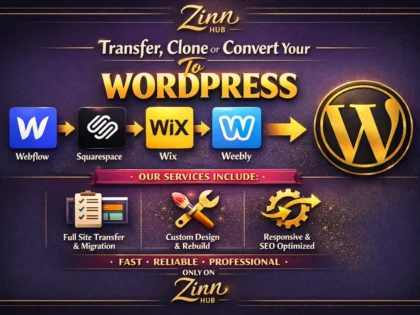
- convert , design squarespace ,weebly, webflow, migrate wix to wordpress website Verified Trusted Zinner Hot Zinner Zinner Level 4I will convert home/landing pages of Wix, Weebly, Webflow to a Responsive WordPress | Professional Full Stack WordPress Developer
- precisely convert figma to webflow , adobe xd to webflow website in 24 hours Verified Trusted Zinner Hot Zinner Zinner Level 4I will convert Figma or Adobe XD to a responsive 1-page Webflow website. | Premium Webflow Partner with Over 8 Years of…
- I Will Design and Build a Custom Webflow Website for Your Business Verified Trusted Zinner Hot Zinner Zinner Level 4Get a fully responsive, SEO-ready Webflow website with classy animations, e-commerce functionality, and a design built to convert visitors into customers —…
- design a stunning webflow or framer website Verified Trusted Zinner Hot Zinner Zinner Level 4Coming Soon Page with Signup Newsletter Form | We Build the Most Trustful Websites !!
- transfer clone or convert webflow, squarespace, wix, weebly to wordpress website Verified Trusted Zinner Hot Zinner Zinner Level 4Convert your single page of Webflow, Wix, Squarespace Website to Responsive WordPress Website | Professional WordPress and Webflow Website Designer
- I Will Design and Develop Your Webflow Website Verified Trusted Zinner Hot Zinner Zinner Level 4Get a pixel-perfect, fully responsive Webflow website built from scratch or converted from Figma — with advanced animations, e-commerce, and unlimited revisions…
- I Will Design and Develop Your Webflow Website or Landing Page Verified Trusted Zinner Hot Zinner Zinner Level 4Get a stunning, fully responsive Webflow website built from scratch or converted from Figma — complete with CMS, animations, e-commerce, and SEO-friendly…
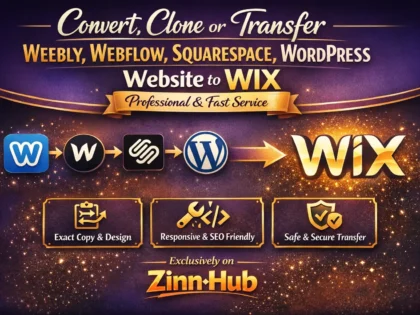
- convert clone or transfer weebly, webflow, squarespace, wordpress website to wix Verified Trusted Zinner Hot Zinner Zinner Level 4I will convert home/landing one page, Squarespace, Weebly, Webflow, WordPress to Wix | Customer Satisfaction is My Rating
- I Will Optimise Your Shopify, Wix, Squarespace or Webflow SEO Verified Trusted Zinner Hot Zinner Zinner Level 4Get a professional on-page SEO audit with tailored recommendations and real implementation — covering titles, meta tags, headers, image alt tags, keywords,…
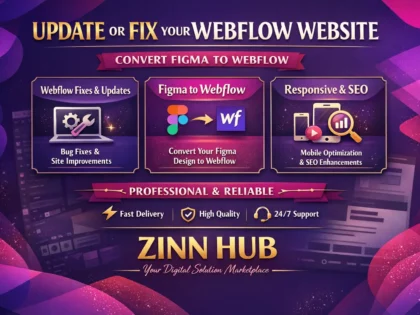
- update or fix webflow website, convert figma to webflow Verified Trusted Zinner Hot Zinner Zinner Level 4Basic Bug fixes or adding or removing content and sections. | Professional Webflow Developer
- I Will Design and Build Your Webflow or Framer Website Verified Trusted Zinner Hot Zinner Zinner Level 4Get a modern, pixel-perfect, fully responsive website built in Webflow or Framer — complete with animations, CMS setup, SEO optimisation, and social…
- develop a stunning responsive website with webflow Verified Trusted Zinner Hot Zinner Zinner Level 41 Page up to 3 sections (No Interaction) | Expert Webflow Website Developer
- clone or convert any wix, weebly, webflow, squarespace to wordpress website Verified Trusted Zinner Hot Zinner Zinner Level 4I will convert 1 home page or a landing page from Wix, Weebly, or Webflow into a responsive, clean, | I can…
- I Will Optimise Your WordPress, Shopify, Webflow or Wix On-Page SEO Verified Trusted Zinner Hot Zinner Zinner Level 4Get your website found on Google with expert on-page SEO — keyword research, meta tags, heading structure, schema markup and image optimisation,…
- be your webflow certified developer Verified Trusted Zinner Hot Zinner Zinner Level 4I will develop your designs and include 5 hours of animations/interaction work. | UIUX Webflow 3D
- I Will Design and Develop Your Webflow Website Verified Trusted Zinner Hot Zinner Zinner Level 4Get a responsive, SEO-friendly Webflow website built by an expert developer — from single landing pages and portfolio sites to full multi-page…
- do monthly seo service for wordpress, wix, squarespace, webflow, shopify website Verified Trusted Zinner Hot Zinner Zinner Level 41 Page Optimized + 1 Blog Post + 1 Guest Post + 1 GBP Post + Keyword Tracking + Report + Meeting…









Explore the Full Webflow Marketplace
Browse Webflow services, categories, specialist freelancers and live projects from across Zinn Hub.
Zinns
- I will build a modern Webflow or Wix website for healthcare, landing pages, and ecommerce Verified Zinner Level 1I'm a Web Designer in Webflow & Wix Website. I can build a modern & unique Website for your online presence that helps to grow your business.
- design a stunning website using webflow Verified Trusted Zinner Hot Zinner Zinner Level 4Sleek, modern landing page built for impact, performance, and conversion. | I Believe In High Quality Work
- design an interactive and 3d animated webflow website Verified Trusted Zinner Hot Zinner Zinner Level 4✅Moodboards and style guide for creative & branding direction ✅Strategic Figma prototype | Uncommon by Nature
- convert , design squarespace ,weebly, webflow, migrate wix to wordpress website Verified Trusted Zinner Hot Zinner Zinner Level 4I will convert home/landing pages of Wix, Weebly, Webflow to a Responsive WordPress | Professional Full Stack WordPress Developer
Zinn Categories

Micro Zinn Categories
Freelancer Categories
Sellers

Articles
- Sell Webflow Development Services Online
- Webflow Development Marketplace
- Landing Page Marketplace 🎯 Landing Page Marketplace Hire Landing Page Designers The trusted marketplace connecting you with verified landing page designers and developers. Get high-converting pages in Webflow, WordPress and more…
- Freelancer vs Agency: Which Is Right for Your Small Business? Home › Buyer Guides › Freelancer vs Agency Buyer Guides Freelancer vs Agency: Which Is Right for Your Small Business? 12-min read By Neil Lock — Zinn Hub…
Help
Why Hire Webflow Developers on Zinn Hub?
Webflow rewards structure. Work with builders who name their classes, use the CMS properly, and hand over a site you can maintain.
Faithful Figma to Webflow Conversion
Text styles mapped to real typography classes, the spacing scale kept intact, auto-layout translated into flex and grid, every breakpoint reviewed by hand.
Clean, Documented Class Systems
Client-First or BEM applied consistently, with reusable utilities instead of one-off combo classes, so the next person can change a section safely.
CMS Built for Editors
Collections with sensible field types, reference relationships and filtered lists, so your team publishes without opening the Designer.
Secure Buyer Protection
Payment is held in escrow until the build is delivered and approved, with dispute resolution if it does not match the agreed scope.
Migrations Built to Protect Rankings
Content remapped to Collections, images rehosted, metadata carried across, and a full 301 redirect map applied before DNS switches.
Verified Buyer Reviews
Every review comes from a confirmed purchase, so you see how each developer handled revisions, deadlines and handover before committing budget.
Built by People Who Ship Websites for a Living
Zinn Hub was created by a team with more than 20 years in search and web production. We have inherited enough unmaintainable builds to know the class system, the CMS structure and the handover matter as much as the look.
Browse Webflow Categories & Skills
Find the right Webflow service by platform area, project type or skill.
Browse Categories
🌍 Webflow Developers by Country
More markets are searchable, or browse Indonesia web design and Filipino web design.
Use Zinn Finder
Another way to search the marketplace — type what your build needs and see the listings that come back
Try Zinn FinderOr Post a Webflow Project for Free
Not sure who to choose? Post a brief — a Figma file converted, a CMS structure designed, a WordPress site migrated — set your own budget, and let verified Webflow developers come to you with proposals. Every freelancer is ID-verified and skill-verified, and payment is held in escrow until the work is approved.
Or explore directly: Website Development Projects · Frontend Development Projects · Landing Page Projects · All Zinners · All Projects
How to Hire a Webflow Developer on Zinn Hub
Five steps that turn a vague idea into a scoped, escrow-protected order with the right developer.
Define the Build Before You Shop
Note the page count, which sections must stay editable, whether the Figma file is finished at every breakpoint, and who owns the hosting plan. A ten-line brief removes most over-budget revision rounds.
Browse Webflow Services and Skills
Start in Webflow Development, then narrow by skill — Webflow CMS, Webflow E-Commerce or responsive Webflow — until the shortlist matches your project.
Check Real Builds, Not Just Screenshots
Ask for a read-only Designer link from a past project and open the Style panel. Structured utilities mean a maintainable build; unnamed combo classes mean the next change is expensive.
Agree Scope, Revisions and Handover in Writing
Confirm the naming convention, breakpoint coverage, number of CMS Collections, revision rounds included, and what arrives at handover — including the workspace transfer.
Order with Escrow Protection
Your payment is held until the build is delivered and approved. Prefer proposals? Post a free brief in Projects and compare quotes first.
Ready to get your Webflow build moving with verified developers?
View All ServicesFrequently Asked Questions About Webflow Development
Costs, timelines, migrations, class systems, hosting and handover — answered plainly.
Still have questions? Browse the marketplace or get in touch.
The Complete Guide to Hiring Webflow Developers
Two developers can deliver Webflow sites that look identical on launch day and are worlds apart six months later, when someone needs to add a section or hand the project to a new agency. The difference is rarely visual — it is structural: how classes were named, whether content lives in the CMS, and what was documented at handover.
From Figma to Webflow Without Losing the Design
A common project here is a Figma to Webflow conversion. Done well it is not tracing: a good developer maps Figma text styles onto a small set of typography classes, translates auto-layout into flex and grid rather than absolute positioning, keeps the spacing scale as reusable utilities, and rebuilds repeated cards as one component reused everywhere.
Most problems start in the design file. A desktop-only frame means the developer is guessing at tablet and mobile; undefined hover, loading and empty states get invented and then reworked. Cover all three breakpoints, define interactive states and use real copy before briefing anyone — it is the cheapest way to cut revision rounds.
Why the Class System Decides Your Maintenance Cost
Webflow classes are global: style one and every element carrying it changes site-wide. That is a superpower when classes are planned and a trap when they are not, because the fastest way to build is a fresh combo class per element with nothing reused. A year later, a colour change means editing dozens of near-identical classes and nobody is sure what will break.
Client-First, maintained by Finsweet, is a widely adopted convention; BEM is the older alternative. Consistency matters more than the choice. A structured build gives you a global spacing scale, a defined typography set, named components and single-purpose utilities, so the next developer prices a change instead of quoting a rebuild. Put the convention in the brief and ask to see it in a past project.
CMS Collections: What Should Be Editable
A Collection is a content type — blog posts, case studies, team members, locations — with defined fields, rendered by a single Collection Page template. Set up properly, adding the fortieth case study is a form submission by a non-technical editor rather than a developer ticket.
Use plain text for reusable headings, rich text only for genuine long-form formatting, option fields wherever values repeat, and reference or multi-reference fields so filtering and related-item lists work without custom code. The failure mode is content hard-coded onto the canvas: a team grid built by duplicating cards, or a blog where every post is a static page. List which areas must stay editable and count the Collections, so scope is explicit.
Migrating from WordPress to Webflow
The build is the easy half; the risk sits in content mapping and URLs. A sound sequence exports every existing URL, maps post types and taxonomies to Collections, reimports content as CSV with images rehosted, rebuilds templates as Collection Pages, carries across titles and meta descriptions, and only then applies a complete 301 redirect list before the DNS switch.
Ask for the redirect map as a deliverable, not a promise — unmapped URLs are the usual reason a migrated site loses organic traffic. And be honest about whether to migrate at all: if the site leans on complex plugin functionality or membership billing, staying put may be cheaper. Compare quotes in the WordPress developer marketplace before deciding.
Interactions, GSAP and Knowing When to Stop
Native Webflow Interactions cover most motion work — scroll reveals, parallax, sticky sections, hover states, load sequences — without code, and stay editable in the Designer, which matters at handover. Custom JavaScript earns its place for chained timelines or scrubbed scroll animation, usually GSAP with ScrollTrigger via an embed, but that code is invisible in the Designer, so it must be documented. Budget for restraint too: heavy animation costs Core Web Vitals.
Ecommerce, Memberships and Logic
Webflow Ecommerce gives complete design control over product pages, cart and checkout, and because its item limits vary by plan it fits smaller catalogues better than very large ones. For complex tax handling, subscription billing or thousands of SKUs, compare specialists in the Shopify expert marketplace first. Memberships covers gated content and accounts for courses, resource libraries and client portals, while Logic branches form submissions in-platform — anything more elaborate belongs in the no-code automation marketplace.
SEO, Hosting and Who Owns What
Webflow gives you the SEO controls but does not use them for you. A configured build sets per-page titles and meta descriptions, binds those fields dynamically on Collection Pages, populates Open Graph data, applies alt text, keeps one H1 per page, and checks sitemap, robots and canonical settings. If organic search is the point, treat this as scope and consider a pass from the SEO services marketplace after launch.
Billing confuses more clients than anything else. Hosting is charged by Webflow, not your developer: their published pricing describes a per-site plan to publish on a custom domain, a higher tier once Collections are used, and workspace seats charged separately again, so confirm the current figures with Webflow. Have the developer build in their own workspace and transfer the project to yours, so the plan, domain and billing sit under your account — and confirm you hold the registrar login and DNS access.
What a Real Handover Contains, and How to Start
Agree handover as a checklist in the brief: project transferred to your workspace, domain and DNS access confirmed, a written note of the class system, every custom code embed listed with its location, the CMS structure with a line per field, the redirect list if the site was migrated, and a screen recording showing how to edit each page type. Most post-launch support requests are not bugs — just someone unsure which element is safe to change.
Start narrow. If one page needs converting, order a fixed-scope Zinn and judge the relationship on a small job. If the design does not exist yet, sort that in the UX and UI design marketplace or the landing page marketplace. For one broken interaction, a Micro Zinn between $5 and $20 is the right size of job. When you are ready for the full build, search the marketplace with Zinn Finder and compare the listings it returns: every Zinner is identity- and skill-verified, reviews come only from confirmed purchases, buyers pay no platform fee, and payment stays in escrow until you approve. New buyers can take their first order free, with the full amount returned on completion.
Ready to hire a verified Webflow developer for your build?
View All Services