

Abdul Moeez
AI Workflow Architect | Autonomous Enterprise Automation | Make.com + Multi-Agent Systems
Explore their links and the rest of this profile to get to know who they are. Zinn Hub keeps every Zinner's profile open and transparent — so you can build trust and hire with confidence.
Skills Verified by Zinn Hub
Verified ZinnerAbdul Moeez has proven their skill set to Zinn Hub and provided evidence of their work. Every Verified Zinner passes a hands-on quality assurance review — so you can hire with confidence.
🛡️ Verified since August 2026
About
I build autonomous AI workflows that save businesses 20+ hours weekly using and multi-agent systems.
I help companies automate their lead qualification, client onboarding, and CRM processes without manual intervention.
My core expertise:
- Multi-Agent Architecture: Supervisor AI plus worker agents for complex business logic
- Integration Engineering: API, Webhook, REST, JSON
- AI Orchestration: Gemini, OpenAI, structured JSON output
- Reliability Engineering: Error handling, retry, and fallback systems
I designed PHANTOM GRID, an autonomous lead qualification system that analyzes incoming leads across 8 dimensions, including intent, sentiment, urgency, risk score, and confidence, and routes high-priority leads to sales teams in under 10 seconds.
I also built an Autonomous Client Onboarding Automation that captures client data, drafts personalized contracts with AI, stores documents in Google Drive, and logs everything to Google Sheets.
If your team is drowning in manual tasks, send me a message. I will show you exactly how an autonomous workflow can save your team 20+ hours every week.
Skills
Technologies and expertise this freelancer specialises in.
Categories
Service areas this freelancer is available for.
Portfolio
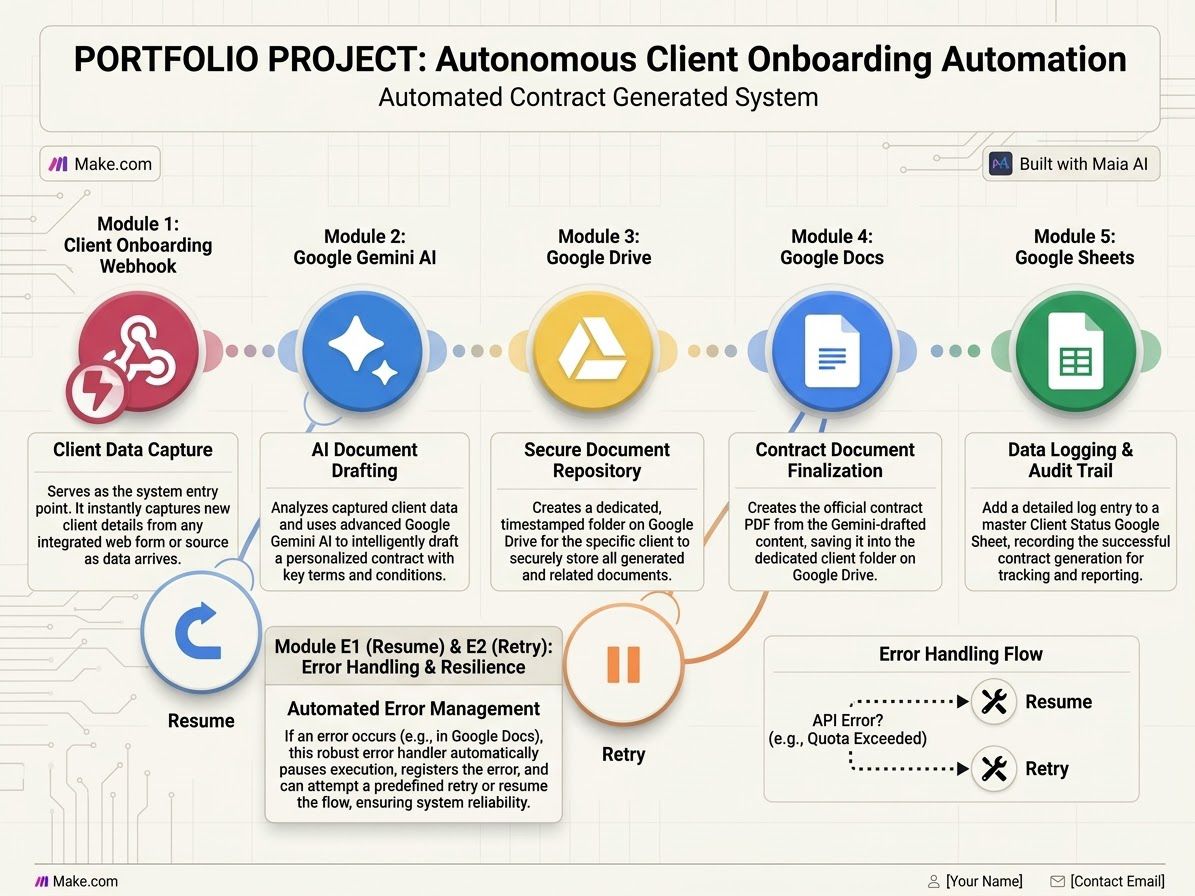
Autonomous Client Onboarding Automation
Built a fully autonomous client onboarding system on Make.com. It captures client data via webhook, uses Google Gemini AI to draft a personalized contract, stores documents in Google Drive, finalizes through Google Docs, and logs everything to Google Sheets. Includes automated error management with Retry and Resume handlers for maximum reliability.
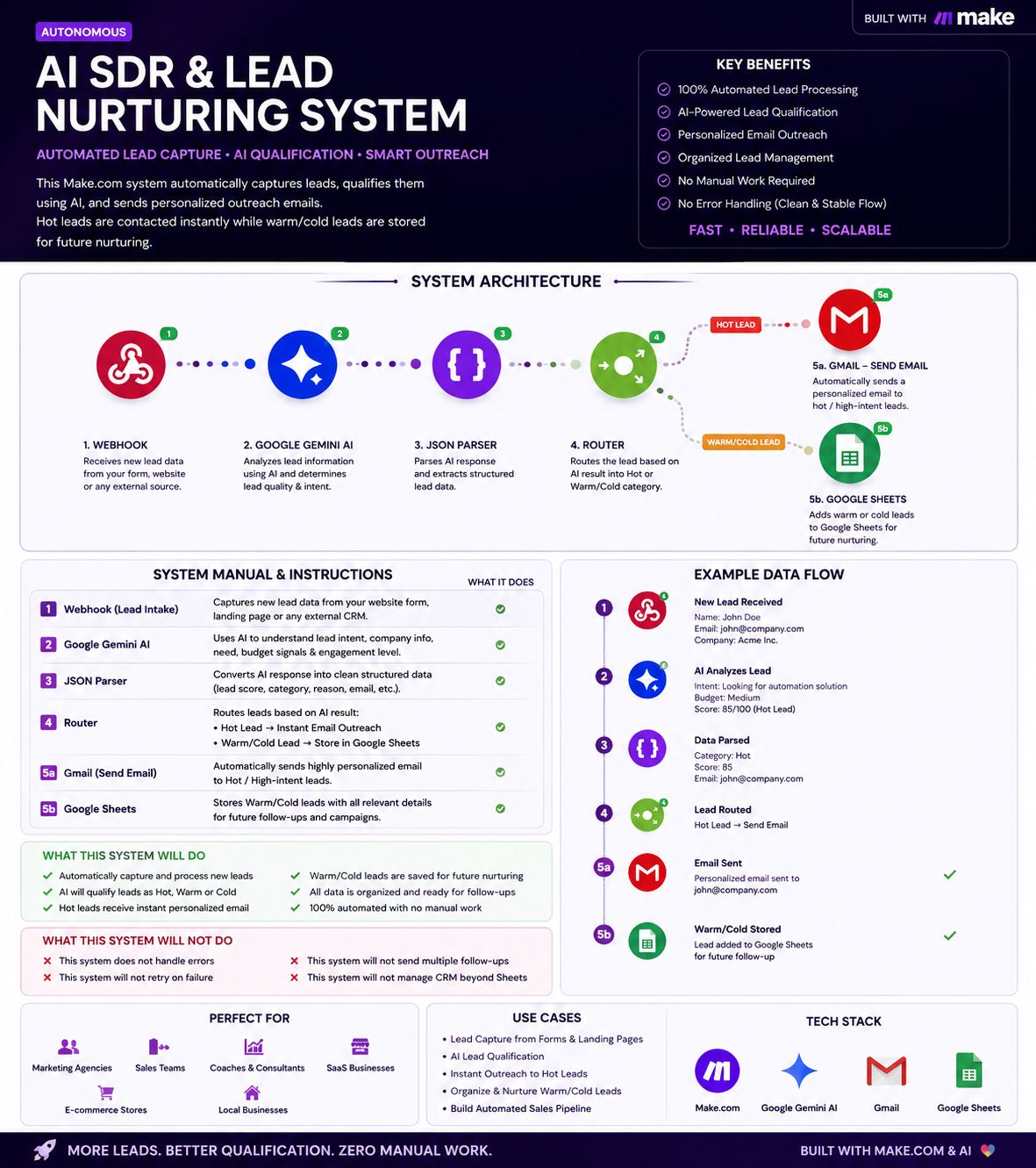
AI SDR & Lead Nurturing System
Automated lead capture, AI qualification, and personalized outreach on Make.com. Webhook captures new leads, Gemini AI analyzes intent and determines lead quality, JSON Parser structures the data, and Router splits based on score. Hot leads get instant personalized emails via Gmail, while warm/cold leads are saved to Google Sheets for future nurturing.
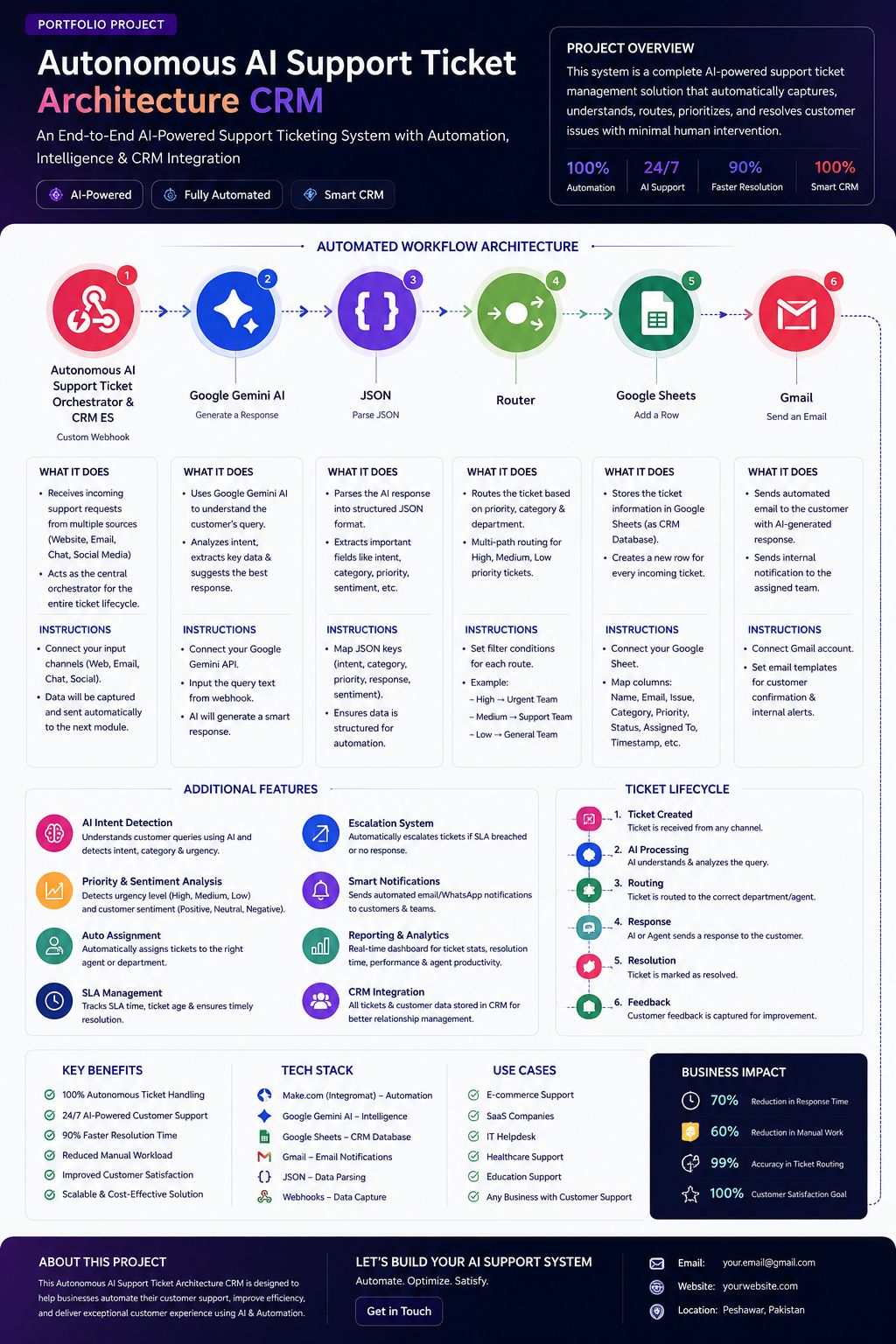
Autonomous AI Support Ticket Architecture CRM
A complete AI-powered support ticket management solution built on Make.com. Captures customer support requests from multiple channels (webhook), uses Gemini AI to understand intent and urgency, parses the response with JSON, routes tickets based on priority and category, logs everything to Google Sheets as a CRM database, and sends automated email replies to customers. Includes smart notifications, escalation system, SLA tracking, and real-time reporting dashboard.
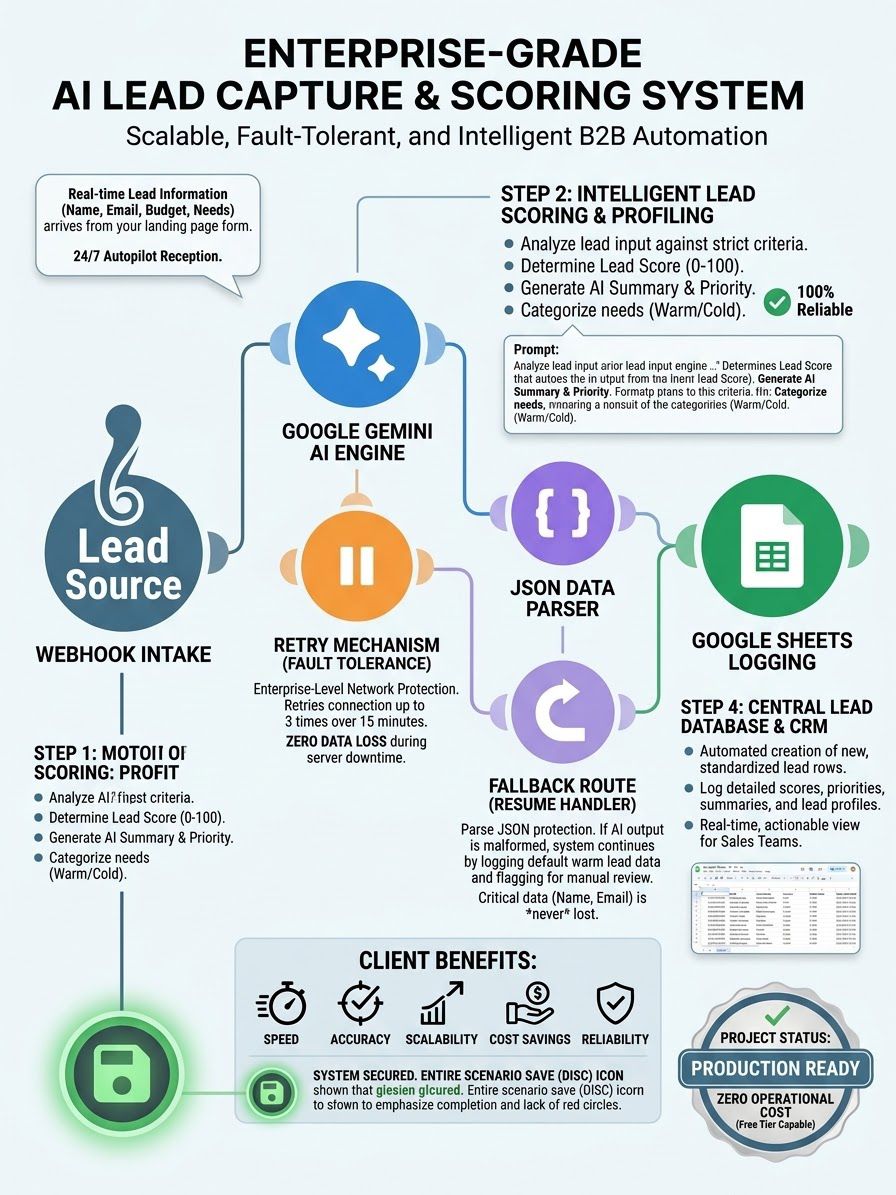
Enterprise-Grade AI Lead Capture & Scoring System
A scalable, fault-tolerant B2B automation system built on Make.com. Real-time lead data arrives via webhook, Gemini AI analyzes and scores each lead from 0-100 based on intent, budget, and engagement level, JSON Parser structures the response, and leads are categorized as Hot or Warm/Cold. Includes enterprise-grade retry mechanism (3 attempts over 15 minutes), fallback route with Resume handler for JSON protection, and Google Sheets CRM logging — ensuring zero data loss even during server downtime.
Zinns — Ready to Purchase Services (1)
Ready-made services available for immediate purchase — browse, buy, and get started right away.