Hire Workspace & Productivity Tool Specialists
The right workspace setup transforms how your team operates — replacing scattered spreadsheets, lost messages and forgotten tasks with a single system where projects are tracked, knowledge is organised, processes run automatically and nothing falls through the cracks. Whether you need a Notion workspace built from scratch, a ClickUp configuration for complex project management, a Monday.com setup for cross-team collaboration, or an Airtable base for operational data, the difference between a productivity tool your team actually uses and one that gets abandoned is how well it is designed for your specific workflows.
On Zinn Hub, experienced workspace specialists build Notion systems, ClickUp workspaces, Monday.com boards, Airtable bases, Asana configurations and multi-tool productivity systems designed around how your team actually works. These are consultants and builders who understand database architecture, workflow automation, team adoption and the specific strengths of each platform — not just how to create a board but how to design a system that scales with your business. Pay with crypto on every listing and your first $500 is commission-free.
Why Professional Workspace Setup Matters
Every productivity tool is easy to sign up for and hard to set up properly. The gap between a default workspace and a well-architected system is enormous — and it compounds over time. A poorly structured Notion workspace becomes a graveyard of abandoned pages that nobody can find anything in. A ClickUp configuration without proper hierarchy buries tasks in the wrong spaces and makes reporting meaningless. A Monday.com board without automations requires hours of manual status updates that could happen automatically. And any tool without proper onboarding gets resisted by team members who default back to email and spreadsheets within weeks. The cost of a bad workspace setup is not the subscription fee — it is the invisible tax of wasted time, duplicated effort, missed deadlines and information that exists somewhere in the system but nobody can find. Professional workspace setup eliminates this by designing systems where the structure matches your workflows, the automations handle repetitive tasks, the views give each team member exactly the information they need, and the onboarding materials ensure everyone knows how to use it. Teams that invest in professional workspace setup consistently report saving five to fifteen hours per person per week in administrative overhead, meeting reduction and information retrieval time.
Workspace & Productivity Tool Services on Zinn Hub
- Notion Workspace Setup — Custom databases, project trackers, wikis, dashboards, CRM systems, content calendars, client portals and team knowledge bases. Relational databases with formulas, rollups, linked views and templates tailored to your exact workflow.
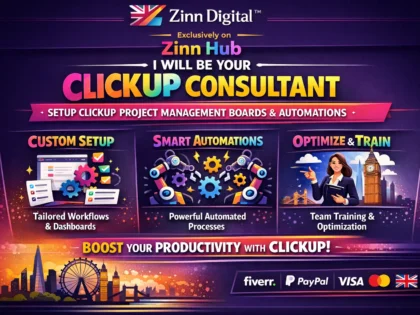
- ClickUp Workspace Configuration — Space, folder and list architecture designed for your team structure. Custom fields, automations, dashboards, time tracking, goal tracking, sprint planning and views configured for project management at any scale.
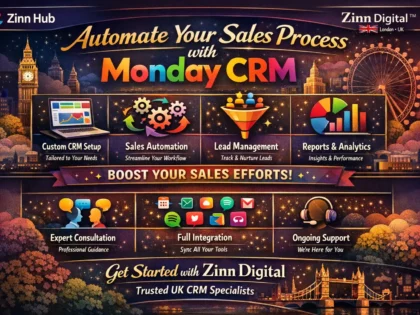
- Monday.com Board Setup — Workflow boards with automations, integrations, dashboards, reporting and team structure. Visually intuitive configurations designed for rapid team adoption across departments.
- Airtable Base Design — Relational databases with custom views, automations, scripts, interfaces and integrations. Built for project management, inventory tracking, CRM, content planning, recruitment pipelines and operational workflows.
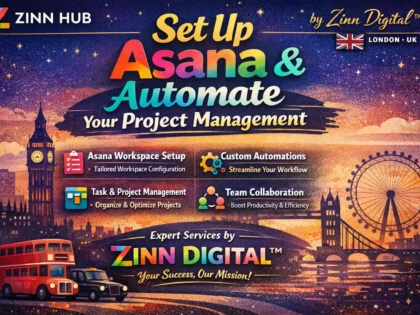
- Asana Workspace Organisation — Project structures, custom fields, rules, automations, portfolios, workload management and reporting dashboards. Process-oriented configurations for teams managing multiple projects with clear accountability.
- Productivity System Design — Custom workflow frameworks combining multiple tools into cohesive systems. Task management, knowledge management, communication protocols, project tracking and reporting unified across platforms.
- Workspace Migration — Moving your team between platforms with data migration, structure recreation, workflow redesign, team training and managed transition. Minimal disruption to your daily operations during the switch.
- Automation & Integration Setup — Connecting your productivity tools with CRM, email, invoicing, communication and other business applications using Zapier, Make, native integrations and API connections.
- Template & System Creation — Reusable Notion templates, ClickUp templates, Airtable bases and Monday.com boards designed for specific industries, workflows and use cases. Ready to duplicate and customise.
- Team Training & Documentation — Onboarding guides, video walkthroughs, SOPs, FAQ resources and live training sessions. Everything your team needs to adopt and consistently use your new workspace.
Workspace Setup vs Software Development
Workspace and productivity tool services focus on configuring and customising existing platforms — Notion, ClickUp, Monday.com, Asana, Airtable — using their built-in features, databases, automations and integrations. This is distinct from custom software development which builds applications from code. Workspace specialists work within platform capabilities to design systems that solve business problems without custom development. For custom business applications built from scratch, browse website development or software development.
Related Services
Workspace and productivity tool services connect with other business and technology services on Zinn Hub. For CRM setup and management beyond Notion-based systems, browse software management. For business process automation using Zapier, Make and custom integrations, explore automation services. For virtual assistance and operational support using these tools, browse virtual assistant services. For project management consulting beyond tool configuration, see project management. For custom software and web application development, explore software development. For business consulting on operations and strategy, browse business consulting. For the full range of business services, browse the Business parent category.
Are you an experienced workspace and productivity tool specialist? Start selling workspace setup services on Zinn Hub and connect with teams and businesses worldwide that need expert Notion, ClickUp, Monday.com and Airtable configuration. Register as a Zinner for free and start listing today.
How to Hire a Workspace & Productivity Tool Specialist
Identify Your Platform and Workflow Needs Determine which platform fits your team — Notion, ClickUp, Monday.com, Asana, Airtable or a combination. Document your current workflows, pain points, team size and what you want the system to achieve.
Choose a Workspace Specialist Browse workspace and productivity tool services on Zinn Hub. Review portfolios for builds similar to yours in platform, scope and industry. Check buyer reviews for system usability and team adoption. Message specialists to discuss your workflows before ordering.
Collaborate on Design and Build Work through a discovery process to map workflows, define database structures, plan views and dashboards, and specify automations. Provide workspace access, share existing documents and review the build at key milestones.
Test, Train and Launch Test the completed workspace with real scenarios. Receive documentation and training materials. Onboard your team with guided sessions. Run a parallel period before fully transitioning. Refine the system based on real-world usage.
Frequently Asked Questions About Workspace & Productivity Tools
What workspace and productivity tool services can I buy on Zinn Hub?+
Zinn Hub offers a comprehensive range of workspace and productivity tool services from experienced consultants, system builders and automation specialists. You can buy Notion workspace setup — custom databases, project trackers, wikis, dashboards, CRM systems, content calendars, client portals and team knowledge bases built in Notion with relational databases, formulas, templates and views tailored to your workflow. ClickUp workspace configuration — space, folder and list architecture, custom fields, automations, dashboards, time tracking setup, goal tracking, sprint planning and team onboarding for ClickUp. Monday.com board setup — workflow boards, automations, integrations, dashboards, reporting and team structure configuration for Monday.com. Airtable base design — relational databases, custom views, automations, scripts, interfaces and integrations built in Airtable for project management, inventory tracking, CRM, content planning and operational workflows. Asana workspace organisation — project structures, custom fields, rules and automations, portfolios, workload management, reporting dashboards and team workflow design in Asana. Productivity system design — custom workflow frameworks combining multiple tools into cohesive productivity systems including task management, knowledge management, communication protocols and project tracking. Workspace migration — moving your team from one platform to another with data migration, structure recreation, team training and transition planning. Automation and integration setup — connecting your productivity tools with other business applications using Zapier, Make, native integrations and API connections. Template and system creation — reusable Notion templates, ClickUp templates, Airtable bases and Monday.com board templates designed for specific industries and use cases. And team training and documentation — onboarding guides, video walkthroughs, SOPs and training sessions to ensure your team adopts and uses your workspace effectively.
How much do workspace and productivity tool services cost on Zinn Hub?+
Costs depend on the platform, complexity of the build and number of workflows involved. A basic Notion workspace setup with a project tracker, wiki and three to five connected databases costs $100-400. A comprehensive Notion system with CRM, project management, content calendar, client portal and team dashboard with relational databases and formulas costs $300-1200. ClickUp workspace configuration with space architecture, custom fields, automations and dashboards costs $200-800. Monday.com board setup with workflow automations, integrations and reporting costs $150-600. Airtable base design with relational databases, custom views, automations and interfaces costs $200-800. A full productivity system design combining multiple tools with integrations and automation costs $400-1500. Workspace migration from one platform to another including data transfer, structure recreation and team training costs $300-1200 depending on data volume and complexity. Automation and integration setup connecting your workspace tools with email, CRM, invoicing or other business applications costs $100-500 per integration workflow. Custom template creation for reusable workspace systems costs $100-400 per template. Team training including documentation, video walkthroughs and live training sessions costs $200-800. Ongoing workspace management and optimisation retainers for maintaining, updating and improving your systems typically range from $200-1000 per month.
What is the difference between Notion, ClickUp, Monday.com and Asana?+
Each platform has distinct strengths and is best suited to different team sizes, work styles and use cases. Notion is the most flexible and customisable — it combines documents, databases, wikis and project management into a single workspace where you can build virtually anything. Notion excels as a knowledge base, wiki, documentation hub, CRM, content calendar and personal productivity system. Its relational databases and flexible page structure make it ideal for teams that want a custom-built system rather than a prescribed workflow. Notion is strongest for small to medium teams, solo professionals and companies that value documentation and knowledge management alongside project tracking. ClickUp is the most feature-rich project management platform — it includes task management, docs, goals, time tracking, whiteboards, chat and dashboards in a single application. ClickUp excels at complex project management with multiple views, custom fields, automations, sprint planning and workload management. It is strongest for teams that need comprehensive project management with deep customisation and want everything in one tool. Monday.com is the most visually intuitive and accessible — its colourful board interface is easy for non-technical teams to adopt quickly. Monday.com excels at workflow management, team collaboration and cross-departmental visibility. It is strongest for marketing teams, operations teams and organisations where ease of adoption across diverse team members is the priority. Asana is the most structured and process-oriented — it excels at task management, project timelines, portfolios and workload management with a clean interface. Asana is strongest for teams that run repeatable processes, manage multiple projects simultaneously and need clear accountability and deadline tracking. The right choice depends on your team size, technical comfort level, primary use case and how much customisation you need.
Why should I hire a specialist instead of setting up tools myself?+
Most productivity tools are easy to start using but difficult to set up well. The difference between a workspace you configure yourself and one built by a specialist is the difference between a system your team actually uses consistently and one that becomes cluttered, confusing and eventually abandoned. Specialists bring three things you typically lack when setting up tools yourself. First, architectural expertise — they understand how to structure spaces, databases, projects and views so that information flows logically, nothing falls through the cracks, and the system scales as your team and workload grow. A common mistake is building a flat structure that works for five projects but becomes unmanageable at fifty. Second, platform-specific knowledge — every tool has features, capabilities and limitations that are not obvious from the documentation. A Notion specialist knows how to use relational databases, rollups, formulas and linked views to create powerful systems that basic users never discover. A ClickUp specialist knows which automations save hours per week and which custom field types solve specific tracking problems. This depth of platform knowledge comes from building hundreds of workspaces, not from reading help articles. Third, workflow design experience — specialists have seen how different teams and industries organise their work and can apply proven patterns to your situation rather than you reinventing the wheel. They anticipate scaling problems, team adoption challenges and integration needs that you would only discover months into using a poorly designed system. The cost of hiring a specialist is almost always less than the cost of the time your team wastes working around a poorly structured workspace.
Can Notion replace multiple business tools?+
Notion can consolidate many standalone tools into a single workspace, though whether it should depends on your specific needs and team size. Notion can effectively replace standalone wikis and knowledge bases like Confluence or Guru, basic project management tools for task tracking and project status, simple CRM systems for small sales teams or freelancers tracking leads and clients, content calendars and editorial planning tools, meeting notes and documentation repositories, onboarding guides and employee handbooks, personal productivity systems and second brain setups, client portals for sharing project updates and deliverables, basic inventory or asset tracking systems, and standard operating procedure libraries. Notion works best as a replacement for these tools when your team is small to medium-sized, when you value having everything in one place over having specialised features, and when the workflows being replaced are relatively straightforward. Where Notion reaches its limits is in specialised functionality — it cannot replace a full-featured CRM like Salesforce or HubSpot for complex sales pipelines with extensive reporting, it lacks the time tracking depth of dedicated tools like Toggl or Harvest, it does not have native Gantt charts or resource management as robust as dedicated project management platforms, and it does not offer the communication features of tools like Slack or Teams. The most effective approach is using Notion as your central hub and knowledge base while integrating specialised tools where their depth is genuinely needed — connecting them through Zapier, Make or native integrations so information flows between systems automatically. Freelancers on Zinn Hub help you determine which tools Notion can replace in your specific situation and build the workspace to handle those functions.
What automations can I set up in productivity tools?+
Automations in productivity tools eliminate repetitive manual tasks and ensure consistent processes across your team. The specific automations available vary by platform but the most impactful categories are common across all major tools. Status-based automations trigger actions when a task or item changes status — for example, when a task moves to "In Review" it automatically assigns it to a reviewer, sends a Slack notification and updates a dashboard. Due date automations create reminders, escalation notifications and overdue alerts — ensuring nothing falls through the cracks without anyone manually checking. Creation automations apply templates, assign team members, set due dates and add subtasks whenever a new item is created — standardising how work enters your system. Recurring task automations generate regular tasks on schedules you define — weekly reports, monthly reviews, quarterly planning tasks — so routine work is never forgotten. Integration automations connect your workspace to external tools — new form submissions create tasks, completed tasks update CRM records, project milestones trigger invoice creation, Slack messages generate tasks. Cross-board or cross-database automations sync information between different areas of your workspace — a client project status change updates the client dashboard, a completed deliverable moves from production to the client review board. Notification automations alert the right people at the right time through email, Slack, in-app notifications or mobile push alerts based on specific triggers. Freelancers on Zinn Hub identify your highest-impact automation opportunities and build them into your workspace, often saving teams five to ten hours per week in manual administrative work.
How do I migrate from one productivity tool to another?+
Workspace migration requires careful planning to avoid data loss, workflow disruption and team resistance. The process typically follows five stages. First, audit your current system — document every workspace, board, database and workflow you currently use. Identify what is actively used versus abandoned, what works well versus what is broken, and what data needs to be preserved versus what can be archived or discarded. This audit often reveals that teams are only actively using a fraction of their current tool, which simplifies the migration significantly. Second, design the new workspace architecture — do not simply replicate your old structure in the new tool. Different platforms have different strengths, and migrating is an opportunity to redesign workflows based on the new platform's capabilities. A ClickUp workspace should not look like a copy of your Notion workspace because the tools work differently. Third, migrate the data — export data from your current platform and import it into the new one. Most platforms support CSV exports and imports, but relational data, attachments, comments and activity history may require manual handling or custom scripting. Critical data should be verified after import to ensure nothing was lost or corrupted. Fourth, build and test — configure automations, views, dashboards, integrations and permissions in the new workspace. Test every workflow with real scenarios before rolling out to the full team. Fifth, train and transition — provide documentation, video walkthroughs and hands-on training for your team. Run both systems in parallel for a transition period before fully decommissioning the old platform. Freelancers on Zinn Hub manage this entire migration process and handle the technical complexity while minimising disruption to your team.
What is a Notion CRM and how does it work?+
A Notion CRM is a customer relationship management system built inside Notion using its database functionality. Instead of paying for standalone CRM software, you create a relational database system in Notion that tracks your contacts, companies, deals, communications and pipeline stages — all within the same workspace where you manage projects, documentation and team knowledge. A well-built Notion CRM typically includes a contacts database storing individual people with their details, role, company, communication history and relationship status. A companies database linked to contacts that tracks organisation-level information, deal history and account status. A deals or opportunities database that tracks your sales pipeline with stages, values, expected close dates, associated contacts and next actions. A communications log that records meetings, emails, calls and notes linked to the relevant contact and deal. Multiple views of the same data — a Kanban board showing deals by pipeline stage, a table view for filtering and sorting, a calendar view showing follow-up dates, and a gallery view showing contact cards. Formulas and rollups that calculate pipeline value, days since last contact, deal velocity and other metrics. And filtered views for different team members showing only their assigned accounts or deals. The advantage of a Notion CRM over standalone tools is that it lives inside your broader workspace — linked to project management, meeting notes, proposals and documentation without switching between applications. The limitation is that it lacks the advanced features of dedicated CRMs — email integration, call tracking, lead scoring, marketing automation and enterprise-level reporting. Notion CRMs work best for freelancers, small teams and businesses with straightforward sales processes. Freelancers on Zinn Hub build custom Notion CRM systems tailored to your specific sales process and team structure.
How do I get my team to actually use the productivity tools we set up?+
Team adoption is the biggest challenge in any workspace implementation and it fails most often because of poor design, insufficient training and lack of clear value for individual users. The most effective adoption strategies address all three. First, design for the user, not the manager — the people entering data and using the system daily must find it faster and easier than their current method. If your new system adds friction to someone's day — more clicks, more fields to fill, more complexity to navigate — they will resist or work around it regardless of how useful the data is to management. Every workflow should be designed from the perspective of the person doing the work, not the person reviewing the reports. Second, start simple and expand — launch with the minimum viable workspace that delivers immediate value and add complexity gradually as the team becomes comfortable. A workspace that tries to track everything from day one overwhelms users and creates resistance. Third, provide proper training — not just a walkthrough of where things are, but training on why the system works the way it does, how it makes each person's job easier, and what the expected behaviour is. Written documentation, video walkthroughs and a dedicated FAQ channel for questions reduce the friction of learning a new system. Fourth, lead by example — if leadership does not use the system consistently, the team will not either. Managers should create tasks, update statuses and reference dashboards in meetings to reinforce that the system is the single source of truth. Fifth, enforce gently but consistently — when someone bypasses the system by sending a Slack message instead of creating a task, redirect them to the tool. Adoption requires sustained reinforcement during the first thirty to sixty days. Freelancers on Zinn Hub who build workspace systems also create training materials, onboarding documentation and adoption plans to maximise the chance your team actually uses what is built.
How do I choose a workspace and productivity tool specialist on Zinn Hub?+
When choosing a workspace and productivity tool specialist on Zinn Hub, start by identifying your primary platform — Notion, ClickUp, Monday.com, Asana, Airtable or a multi-tool setup — and look for specialists with deep experience in that specific platform. Platform expertise matters because each tool has distinct architecture, capabilities and best practices that generalists may not understand at the depth needed to build effective systems. Review their portfolio for workspace builds similar to yours in scope and industry — a CRM built for a marketing agency has different requirements from an operations dashboard for a manufacturing company, and a content calendar for a media team differs from a project tracker for a development team. Check whether they show the actual systems they have built rather than just describing them — screenshots, video walkthroughs or live demos of previous work give you the best indication of their design quality and functional depth. Read buyer reviews for feedback on system usability, team adoption rates, communication during the build process and post-delivery support. Ask about their process — how they gather requirements, how many revision rounds are included, whether they provide documentation and training, and what ongoing support looks like after delivery. For complex builds, ask whether they conduct a discovery call to understand your workflows before quoting — specialists who skip this step often deliver generic systems that do not fit your actual processes. Check whether they offer post-launch support for adjustments once your team starts using the system — real-world usage always reveals refinements that were not anticipated during the build. Message specialists before ordering to discuss your team size, current tools, pain points and what you want the new system to achieve.


 ✓
✓ ✓
✓ ✓
✓ ✓
✓ ✓
✓ ✓
✓ ✓
✓