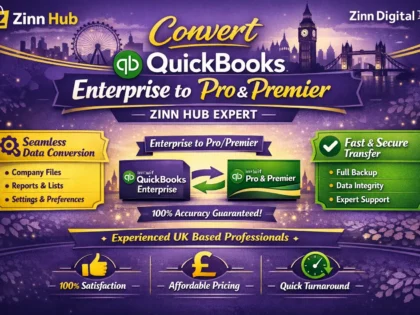

Switch from QuickBooks Enterprise to Pro or Premier without losing your accounting data. Expert migration service handling customers, vendors, transactions, chart of accounts, and full history — accurately and efficiently.

I Will Convert Your QuickBooks Enterprise File to Pro or Premier
Enterprise to Pro/Premier migration for company files up to 30 MB (non-inventory).
- QuickBooks Enterprise file up to 30 MB
- Non-inventory items only
- Customers, Vendors, Chart of Accounts migrated
- Invoices, Bills, Payments, Cheques & Journal Entries migrated
- Complete transaction history transferred
- Delivered as Pro/Premier compatible company file
Enterprise to Pro/Premier migration for medium company files up to 60 MB.
- QuickBooks Enterprise file up to 60 MB
- Includes inventory and non-inventory items
- Customers, Vendors, Employees & Chart of Accounts migrated
- Invoices, Bills, Payments, Cheques & Journal Entries migrated
- Complete transaction history transferred
- Delivered as Pro/Premier compatible company file
Enterprise to Pro/Premier migration for larger, more complex company files up to 100 MB.
- QuickBooks Enterprise file up to 100 MB
- Inventory and non-inventory items supported
- Full data set: Customers, Vendors, Employees, Chart of Accounts
- All transaction types migrated including Journal Entries
- Complete transaction history transferred
- Delivered as Pro/Premier compatible company file
Request a Custom Offer
Log In to Request a Custom Offer
Create a free account or log in to request a personalised offer from this Zinner.
Log In / RegisterAsk a Pre-Sale Question
Log In to Ask a Question
To reduce platform spam, pre-sale messages can only be sent by logged-in users.
Create a free account or log in to message this Zinner directly.
Log In / RegisterAt a Glance
Key details about this service to help you decide. Generated by Zinn Hub, not the seller.
Value Position
File Size Limit
Data Migrated
Known Limitations
Turnaround
What You'll Receive
Full Description
If you are paying for QuickBooks Enterprise but only need the core functionality of Pro or Premier, a professional file migration can save your business a significant amount every year — without sacrificing the accounting data that matters.
Zinn Digital specialises exclusively in migrating and downgrading QuickBooks Enterprise company files to Pro or Premier. Based in London, England, this is a focused, technical service carried out with care and precision, so your business can make the switch with confidence.
**What gets migrated**
Every migration covers the essential data your business runs on:
- Customers and Vendors
- Items and Chart of Accounts
- Employees
- Invoices, Payments, Bills, Cheques and Journal Entries
- Complete transaction history
**Important limitations to be aware of**
QuickBooks Enterprise has features that simply do not exist in Pro or Premier. An honest migration service tells you upfront what cannot travel across:
- Payroll data: paycheques are moved as non-payroll cheques — no year-to-date figures or liabilities
- Sales Tax: transactions are converted to Journal Entries
- Enterprise-exclusive features are not supported in the destination version
- Estimates, Sales Orders and Purchase Orders may not link correctly after conversion
- Memorised reports, memorised transactions and file attachments are not migrated
These are platform constraints, not service limitations — and knowing them in advance means no surprises after delivery.
**How it works**
Once your order is placed, share your QuickBooks Enterprise company file securely via the order manager. The file is assessed, converted, and returned to you as a Pro or Premier compatible file ready to open and use. If anything requires clarification during the process, you will be contacted directly through the order chat.
**Who this is for**
Small and medium-sized businesses currently on QuickBooks Enterprise who want to reduce software costs without losing their accounting records. This service is particularly well suited to businesses with non-inventory item structures and company files up to 100 MB. For files larger than 100 MB, please get in touch via the order inbox before purchasing so the scope can be confirmed.
**Why Zinn Digital**
This is not a general bookkeeping or accounting service — it is a specialist QuickBooks migration service operated from the UK, with a clear process, transparent limitations, and a structured tiered offering so you only pay for exactly what your file size and complexity requires.
Zinner Quality Guarantee
Every Zinner is reviewed and approved before joining the platform.
All services are backed by our quality assurance commitment.
Your payment is protected until you approve the delivered work.
Compare Packages
| Feature | Small File | Standard File | Large File |
|---|---|---|---|
| Delivery Time | 3 days | 5 days | 7 days |
| Revisions | 0 | 0 | 0 |
| QuickBooks Enterprise file up to 30 MB | ✓ | ✕ | ✕ |
| Non-inventory items only | ✓ | ✕ | ✕ |
| Customers, Vendors, Chart of Accounts migrated | ✓ | ✕ | ✕ |
| Invoices, Bills, Payments, Cheques & Journal Entries migrated | ✓ | ✓ | ✕ |
| Complete transaction history transferred | ✓ | ✓ | ✓ |
| Delivered as Pro/Premier compatible company file | ✓ | ✓ | ✓ |
| QuickBooks Enterprise file up to 60 MB | ✕ | ✓ | ✕ |
| Includes inventory and non-inventory items | ✕ | ✓ | ✕ |
| Customers, Vendors, Employees & Chart of Accounts migrated | ✕ | ✓ | ✕ |
| QuickBooks Enterprise file up to 100 MB | ✕ | ✕ | ✓ |
| Inventory and non-inventory items supported | ✕ | ✕ | ✓ |
| Full data set: Customers, Vendors, Employees, Chart of Accounts | ✕ | ✕ | ✓ |
| All transaction types migrated including Journal Entries | ✕ | ✕ | ✓ |
Portfolio
Examples of the seller's work related to this Zinn.

Convert Your QuickBooks Enterprise File to Pro or Premier


Convert Your QuickBooks Enterprise File to Pro or Premier

Extra Information
Why Choose Me
Perfect For
My Process
Frequently Asked Questions
In Windows, navigate to your QuickBooks company file (it ends in .QBW), right-click it and select Properties — the file size will be shown there. Select the tier that matches your file size, or message via the order inbox if you are unsure.
The vast majority of your core accounting data is migrated successfully. However, certain Enterprise-specific items cannot be carried across: payroll paycheques move as non-payroll cheques with no YTD data, Sales Tax transactions convert to Journal Entries, and memorised reports, memorised transactions and file attachments are not migrated. These are constraints of the QuickBooks platform itself, not of the conversion process.
Once your order is placed, you will be asked to share your QuickBooks Enterprise company file (.QBW) securely through the order manager. Please also let us know which version of QuickBooks Pro or Premier you would like the file converted to.
Files larger than 100 MB can potentially be handled, but the scope needs to be assessed first. Please send a message via the inbox before placing your order so the requirements can be reviewed and a suitable arrangement confirmed.
Please specify your target version when you place your order. Letting us know the exact year and edition (for example, Pro 2022 or Premier Accountant 2023) ensures the converted file is immediately usable on your system.
The migration itself is a technical conversion — once delivered, the data transferred is what was present in the source file. If there is a genuine error in the conversion output, please raise it via the order chat and it will be addressed promptly.
The completed company file is delivered securely through the order manager. You will receive a message when it is ready along with any relevant notes about the migration.
Customer Reviews
See what our customers say about this Zinn

amazing person

He is very professional. I would work with him again.

Fantastic experience! Neil did an outstanding job converting my QuickBooks Online files to QuickBooks Desktop Everything transferred smoothly with zero issues He was fast, professional, and kept me updated every step of the way. I couldn’t be happier with the results highly recommend him for any QuickBooks work!

Great price and great delivery, Neile. I have already recommended Neil Khan to someone else who is looking to migrate their QuickBooks data from 2024 Desktop Pro Plus to 2018 Desktop Pro.

Thank you for the quick turnaround.
Only logged in customers who have purchased this product may leave a review.
Categories
Zinner Policies
Related Zinns