Hire AI Video Generation Specialists
AI video generation has transformed what is possible in video production — scenes that would require film crews, locations, actors, sets and weeks of post-production can now be created from a text description in minutes. From product showcases and social media content to music videos and brand storytelling, AI-generated video gives businesses and creators access to cinematic visual content at a fraction of the cost and timeline of traditional production. The technology is advancing at extraordinary speed, and the creators who understand how to use these tools effectively are producing commercial-quality video that competes with traditionally produced content.
On Zinn Hub, experienced AI video creators and editors produce text-to-video content, image-to-video animations, AI avatar presentations, product videos, music videos and AI-enhanced edits using the latest generation tools including Sora, Runway, Kling, Pika, HeyGen and more. These are specialists who combine prompt engineering expertise with professional video editing and post-production skills — they do not just generate clips, they produce finished videos ready for publication. Pay with crypto on every listing and your first $500 is commission-free.
Why AI Video Generation Changes Everything
Traditional video production has three bottlenecks — cost, time and logistics. A sixty-second product video might require a studio, a camera operator, lighting, a director, a model, post-production editing, colour grading and sound design. The budget starts at thousands of pounds and the timeline stretches across weeks. For many businesses, this means video is reserved for major campaigns and product launches — the ongoing social media content, the weekly product highlights, the customer onboarding videos and the sales enablement content all default to static images or text because video production is too expensive and too slow. AI video generation removes these bottlenecks. A product video that took a full production crew can be created by a single AI video specialist in a day. Social media video content that would have been cost-prohibitive at scale becomes achievable as a regular output. Concept videos that previously required pre-production budgets just to explore an idea can be generated, reviewed and iterated in hours. And content that needs to exist in multiple languages can be produced with AI dubbing and lip sync rather than re-filming with different speakers. The quality of AI-generated video has reached the point where it is commercially viable for social media, advertising, product marketing, training content and creative projects — and it improves with every new model release.
AI Video Generation Services on Zinn Hub
- AI Text-to-Video Creation — Turning scripts, prompts and written briefs into AI-generated video using Sora, Runway, Kling, Pika, Minimax and other leading platforms. Includes prompt engineering, iterative generation, scene selection and post-production assembly.
- AI Image-to-Video Animation — Transforming still images, product photos, illustrations and artwork into animated video sequences with camera movement, parallax effects, character motion and environmental animation.
- AI Video Editing & Post-Production — AI-powered automated cuts, scene transitions, colour grading, audio syncing, background removal, object tracking and visual effects applied to existing footage or AI-generated clips.
- AI Avatar & Talking Head Videos — Realistic AI-generated presenters delivering scripted content using HeyGen, Synthesia and D-ID. Ideal for training, explainers, product demos, sales outreach and multilingual content.
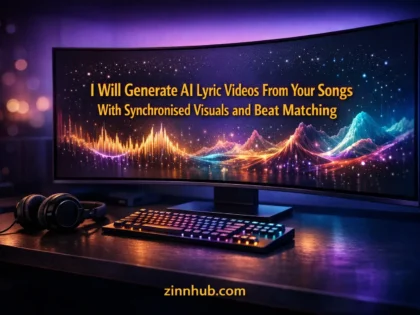
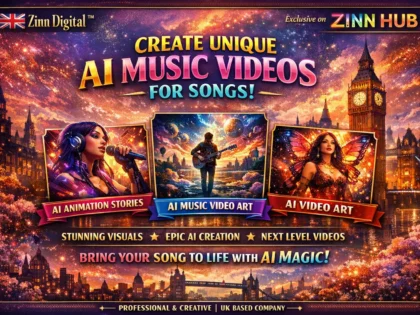
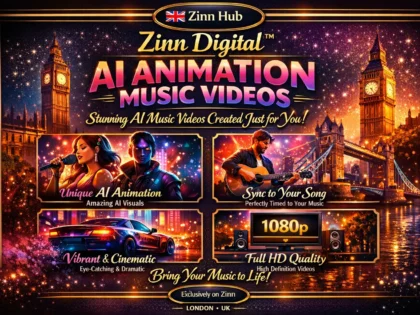
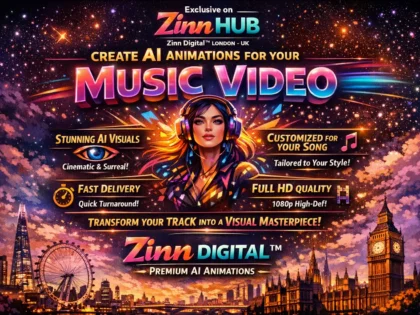
- AI Music Video Creation — AI-generated visuals synchronised to music with style-consistent scenes, creative transitions and effects driven by leading generation tools, edited into a complete music video.
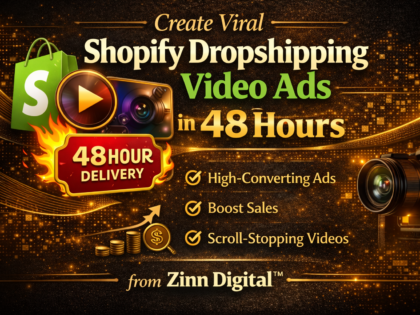
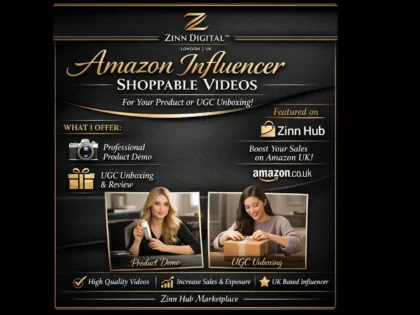
- AI Product Video & Advertisement — Product showcase videos, social media ads, promotional clips and marketing content combining AI generation with professional editing, text overlays, motion graphics and calls to action.
- AI Video Upscaling & Enhancement — Improving resolution, frame rate, stabilisation and visual quality of existing footage using AI enhancement tools for sharper, smoother and more polished output.
- AI Lip Sync & Dubbing — Matching AI-generated or recorded voiceovers to video footage with accurate lip synchronisation for multilingual content, voiceover replacement and dubbing projects.
- Prompt Engineering for AI Video — Expert prompt writing and iterative generation to achieve specific visual styles, camera movements, scene compositions and narrative sequences from AI video models.
- AI Video Workflow Consulting — Guidance on selecting AI video tools, building production pipelines, managing generation costs, training your team, and integrating AI into existing video production workflows.
AI Video Generation vs Traditional Production
AI video generation does not replace traditional production — it expands what is possible and makes video accessible for use cases where traditional production was never feasible. Short-form social media content, product visualisations, concept videos, training materials and supplementary footage are ideal for AI generation. Hero brand content, dialogue-driven narrative, testimonials and content requiring precise physical performances remain the domain of traditional production. The most effective video strategies use both — AI-generated content for volume and speed, traditional production for premium hero content, and hybrid approaches where AI enhances traditionally shot footage with effects, upscaling and additional visual elements.
Related Services
AI video generation connects with other video, animation and creative services. For AI-powered text-to-video conversion using specific platforms like Sora, Runway and Kling, browse text to video services. For AI-assisted editing, colour grading and post-production, explore AI video editing services. For traditional video editing and post-production, browse video editing services. For motion graphics and animated content, explore motion graphics services. For voiceover and narration to accompany your AI video, browse voice-over services. For the full range of video and animation services, browse the Video and Animation parent category.
Are you an experienced AI video creator or editor? Start selling AI video generation services on Zinn Hub and connect with businesses and creators worldwide that need expert AI video production, prompt engineering and post-production. Register as a Zinner for free and start listing today.
How to Hire an AI Video Generation Specialist
Define Your Video Concept and Requirements Outline the message, audience, tone, visual style and desired length. Gather reference videos or mood boards. Specify the delivery format, resolution and platform requirements.
Choose an AI Video Specialist on Zinn Hub Browse AI video generation services. Review portfolios for experience with your video type — product videos, social content, avatars, music videos or creative narratives. Check buyer reviews for quality and turnaround.
Provide Your Brief and Creative Assets Share your script or concept outline, reference videos, brand assets, voiceover audio, music tracks and any source images. Specify scenes or sequences that need particular attention.
Review, Revise and Receive Final Delivery Review initial output and provide feedback on scenes, motion, pacing and feel. The specialist refines prompts, regenerates scenes and applies post-production. Receive the final video in your specified format.
Frequently Asked Questions About AI Video Generation
What AI video generation services can I buy on Zinn Hub?+
Zinn Hub offers a comprehensive range of AI video generation services from experienced AI video creators and editors. You can buy AI text-to-video creation — turning scripts, prompts and written briefs into fully generated video content using tools like Sora, Runway, Kling, Pika, Minimax, Luma Dream Machine and other leading AI video platforms. AI image-to-video animation — transforming still images, illustrations, product photos and artwork into animated video sequences with camera movement, character motion and environmental effects. AI video editing and post-production — using AI-powered tools for automated cuts, scene transitions, colour grading, audio syncing, background removal, object tracking and visual effects that would take hours manually. AI avatar and talking head videos — creating realistic AI-generated presenters and spokespeople for explainer videos, training content, product demos and social media using platforms like HeyGen, Synthesia and D-ID. AI music video creation — generating visual content synchronised to music tracks with style-consistent scenes, transitions and effects driven by AI generation tools. AI product video and advertisement creation — producing product showcase videos, social media ads, promotional clips and marketing content using AI generation combined with professional editing and motion graphics. AI video upscaling and enhancement — improving resolution, frame rate, stabilisation and visual quality of existing footage using AI enhancement tools. AI lip sync and dubbing — matching AI-generated or recorded voiceovers to video footage with accurate lip synchronisation for multilingual content. Prompt engineering and creative direction for AI video — expert prompt writing and iterative generation to achieve specific visual styles, moods, camera movements and narrative sequences from AI video models. And AI video workflow consulting — guidance on selecting the right AI video tools, building production pipelines, managing costs and integrating AI generation into existing video production workflows.
How much do AI video generation services cost on Zinn Hub?+
Costs depend on the length of the final video, the complexity of the visual content, the number of AI-generated scenes and the amount of post-production editing required. A short AI-generated video clip of 15-30 seconds with a single scene or concept from a text prompt costs $50-200. A full AI-generated video of 60-90 seconds with multiple scenes, transitions, text overlays and background music costs $200-800. AI avatar and talking head videos with a script of up to five minutes using platforms like HeyGen or Synthesia cost $100-500. AI product videos and advertisements with multiple product shots, text overlays, transitions and a call to action cost $200-700. AI music video creation with style-consistent visuals synchronised to a full track costs $500-2,000 depending on length and complexity. AI image-to-video animation converting a set of still images into a cohesive video sequence with motion and transitions costs $100-400. AI video editing and post-production applying AI-powered colour grading, cuts, transitions and effects to existing footage costs $100-500 per minute of finished video. AI video upscaling and enhancement of existing footage costs $50-200 per minute depending on the level of enhancement. Comprehensive AI video production packages including scriptwriting, prompt engineering, AI generation, editing and final delivery typically cost $500-3,000. Ongoing monthly AI video content production retainers for regular social media or marketing content typically range from $500-2,000 per month.
What is AI video generation and how does it work?+
AI video generation uses machine learning models trained on vast datasets of video footage to create new video content from text descriptions, images or reference videos. The underlying technology is based on diffusion models and transformer architectures — the same foundational approaches used in AI image generation but extended to handle the temporal dimension of video, meaning the model generates not just individual frames but sequences of frames that are temporally coherent with consistent motion, lighting and physics. When you provide a text prompt like a description of a scene, the AI model generates video frames that match that description, handling camera movement, object motion, lighting changes and environmental effects. More advanced models like Sora, Runway Gen-3, Kling and Minimax produce increasingly realistic results with better motion consistency, longer durations, higher resolutions and more accurate physics simulation. The current state of AI video generation produces best results for specific use cases — short clips for social media, product visualisations, concept videos, music video visuals, abstract and artistic content, and supplementary footage for larger productions. The technology is advancing rapidly, with each new model generation producing noticeably better quality, longer clips and more controllable output. Professional AI video creators understand the strengths and limitations of each platform and use prompt engineering, iterative generation, model selection and post-production editing to achieve results that meet commercial production standards.
Which AI video generation tool is best for my project?+
The best tool depends on what you are creating and what aspects of the output matter most. Sora by OpenAI produces some of the highest quality AI-generated video with strong physical realism, coherent motion and cinematic quality, making it well suited for narrative content, concept visualisation and high-end creative projects. Runway Gen-3 Alpha is a production-focused platform with robust editing tools, camera control presets, and strong integration into professional workflows — it is popular with filmmakers, advertisers and content studios who need reliable output with fine-grained control. Kling by Kuaishou excels at longer video generation and character consistency, producing clips up to two minutes with good motion quality, making it suitable for narrative sequences and scenes requiring sustained action. Pika is accessible and fast, producing stylised and creative output that works well for social media content, short-form video and experimental visual styles. Minimax offers strong video generation with good text and motion handling at competitive pricing. Luma Dream Machine specialises in converting images to video with natural camera movements and is particularly effective for product visualisation and architectural walkthroughs. HeyGen and Synthesia specialise in AI avatar videos — realistic digital presenters that deliver scripted content, ideal for training videos, explainer content and multilingual localisation. D-ID focuses on animating still portraits and photos into speaking videos. For most projects, a specialist on Zinn Hub will use multiple tools — generating raw clips with the model best suited to each scene, then combining, editing and post-processing the output into a cohesive final video.
Can AI-generated video be used for commercial purposes?+
Yes, AI-generated video can be used commercially, but the licensing terms vary by platform and you need to understand the specific terms of the tool used. Most major AI video platforms — including Runway, Pika, Kling and Minimax — grant commercial usage rights for content generated on paid plans. Free tier generations may have restrictions on commercial use that paid plans remove. The key considerations for commercial use are the platform terms of service — each tool has specific licensing language that defines what you can and cannot do with generated content. Paid plans typically grant you ownership or a broad commercial licence for the output. Some platforms retain the right to use your generated content for training purposes unless you opt out. Content originality is another consideration — AI-generated video is created by the model, not copied from existing footage, but the visual style and elements may resemble training data. For most commercial applications including marketing videos, social media content, product demos and advertisements, this is not a practical concern. For broadcast, film distribution or high-profile campaigns, some organisations may want to verify that generated content does not closely resemble existing copyrighted material. If your project involves recognisable brand assets, real locations or identifiable people, additional clearance considerations apply regardless of whether the content is AI-generated. Freelancers on Zinn Hub clarify licensing and usage rights as part of the delivery and can advise on platform-specific terms for your commercial use case.
What is the difference between AI video generation and traditional video production?+
Traditional video production requires physical resources at every stage — cameras, lighting, locations, actors, sets, props, crew and post-production equipment. A thirty-second commercial might involve a full day of shooting with a crew of ten or more people, followed by days of editing, colour grading, sound design and visual effects. The budget for professional traditional production starts in the thousands and scales rapidly with complexity. AI video generation replaces the physical production stage entirely. Instead of filming scenes, you describe them in text prompts or provide reference images, and the AI model generates the visual content. There is no camera, no lighting rig, no location scouting and no actors to schedule. This makes AI video generation dramatically faster and cheaper for certain types of content — concept videos, social media clips, product visualisations, background footage and visual effects elements can be produced in hours instead of weeks. However, AI video generation is not a direct replacement for all traditional production. Current AI models produce best results at shorter durations — typically 5 to 30 seconds per generated clip. Precise control over specific actions, expressions, dialogue delivery and blocking is limited compared to directing live actors. Consistency across long sequences requires careful prompt engineering and post-production work. And photorealistic results with specific real-world products, locations or people still require traditional photography or videography. The most effective approach for many projects is hybrid production — using AI generation for establishing shots, background visuals, concept sequences and supplementary footage while using traditional production for hero shots, dialogue scenes and content requiring precise control.
How do I write effective prompts for AI video generation?+
Effective AI video prompts are structured differently from image generation prompts because video adds temporal and motion dimensions. A good video prompt specifies the scene composition including the setting, subjects, lighting and atmosphere. It describes the motion and action — what moves, how it moves, the speed and direction of movement. It defines the camera behaviour — static, panning, tracking, dolly, crane, handheld or drone-style movement. And it sets the visual style — cinematic, documentary, animation, stylised, photorealistic, film stock or specific artistic references. Structure your prompt with the most important elements first. The AI model weighs earlier words more heavily than later ones. Start with the subject and action, then the setting, then the camera and style. Be specific about motion — instead of writing something vague about a person walking, describe the direction, speed, environment and camera angle precisely. Specify the camera lens and movement type when it matters — a wide-angle tracking shot creates a very different feel from a close-up static shot of the same scene. Include lighting direction and quality — golden hour side-lighting versus overcast flat lighting versus dramatic rim lighting produces fundamentally different moods. Avoid contradictory instructions — requesting both fast action and slow motion in the same prompt, or both close-up and wide-angle perspectives, will confuse the model. Use negative prompts when available to exclude unwanted elements. And iterate — professional AI video creators typically generate multiple versions of each shot with varied prompts and select the best results, rather than expecting a perfect output from a single prompt.
Can AI generate longer videos or is it limited to short clips?+
Current AI video generation models produce individual clips ranging from approximately 4 seconds to 2 minutes depending on the platform and settings. Sora generates clips up to 60 seconds. Runway Gen-3 Alpha produces clips of approximately 10 seconds per generation. Kling can generate clips up to approximately 2 minutes. Pika generates clips of approximately 4-10 seconds. These individual clip lengths are a technical limitation of the current generation of models, not a hard limit on the final video length. Professional AI video creators produce longer videos by generating multiple individual clips and editing them together in post-production. This involves planning the sequence of scenes in advance, generating each scene as a separate clip with consistent style and visual language, then assembling the clips with transitions, adding voiceover or music, inserting text overlays and titles, and colour grading the combined footage for visual consistency. A three-minute product video, for example, might be assembled from fifteen to twenty individual AI-generated clips, each capturing a different aspect or angle of the product, combined with text overlays, a voiceover script and background music. The editing and assembly is where professional skill makes the biggest difference — the raw AI output is the starting material, and the final video quality depends on how those clips are selected, sequenced, timed and polished. Each new model generation is extending the maximum clip duration and improving consistency across longer sequences, so these limits are expanding rapidly.
What is an AI avatar video and when should I use one?+
An AI avatar video features a digitally generated presenter — a realistic-looking person who delivers a scripted message by speaking directly to camera. Platforms like HeyGen, Synthesia and D-ID generate these videos from a text script and a selected avatar, producing a video of the avatar speaking with natural lip synchronisation, facial expressions, gestures and head movements. The avatar is not a real person being recorded — it is entirely AI-generated from the script you provide. AI avatar videos are most effective for training and onboarding content — delivering standardised information to employees or customers where the visual presentation of a speaking person improves engagement and comprehension compared to text or slides alone. Product demos and explainers — walking users through features, processes or instructions with a consistent presenter. Multilingual content — the same avatar can deliver the same script in dozens of languages with matching lip synchronisation, eliminating the need to re-film with different speakers or dub awkwardly over existing footage. Internal communications — company updates, policy announcements and team messages where a speaking presenter adds a personal touch without the scheduling and production overhead of filming a real person. Sales outreach and personalised video messages — creating individualised video messages at scale with the recipient's name and company referenced in the script. AI avatars are less effective when authenticity and personal connection are critical — CEO messages, brand storytelling and content where viewers expect a real human presence. For those use cases, traditional video with a real presenter is typically the better choice.
How do I choose an AI video generation specialist on Zinn Hub?+
When choosing an AI video generation specialist on Zinn Hub, look for experience with the specific type of video you need and the AI platforms best suited to your project. An AI video creator who specialises in product videos has different skills than one who creates music videos, social media content or avatar-based training materials. Review their portfolio for quality of output — pay attention to motion consistency, visual coherence between scenes, colour grading, timing and how well the AI-generated footage integrates with any traditionally produced elements. Read buyer reviews for feedback on creative quality, communication, revision handling, turnaround time and final delivery format. Ask about their prompt engineering process — experienced AI video creators have developed systematic approaches to achieving specific visual styles, camera movements and scene compositions, rather than relying on generic prompts and hoping for good results. Ask which AI platforms they use and why — a specialist should be able to explain why they recommend Sora over Runway or Kling over Pika for your specific project based on the strengths of each platform. Ask about their post-production workflow — raw AI-generated clips almost always need editing, colour correction, audio integration, text overlays and assembly into a final video. The editing and post-production quality is often what separates amateur AI video from professional output. Confirm the delivery format and resolution — you should receive the final video in your required format and resolution along with any project files or assets. Message specialists before ordering to share your brief, reference videos or mood boards, and discuss the scope and timeline.



 ✓
✓ ✓
✓ ✓
✓ ✓
✓ ✓
✓ ✓
✓ ✓
✓