
Table of Contents
Freelancing requires knowing who you are working with as much as it does producing excellent work. Whether you’re applying for a Zinn or preparing for a discovery call, researching a potential client gives you a powerful edge. Here’s how to go in prepared and confident, with 10 smart ways to research a company before your interview or meeting.
1. Start With Their Website
The company’s website is your first stop. Look at their:
- About Page: Understand their mission, values, and background.
- Services or Products: Find out what they provide and how your work fits in.
- Blog or News Section: See what they’ve been focusing on lately.
Mirror their tone and reference these points in your pitch to make an immediate connection.

2. Investigate Their Social Media Profile
Social channels give you real-time insights. Are they formal or casual? Do they prioritise community, design, or education? Using their audience, what tone do they adopt? This lets you fit their vibe with your approach.
3. Look up Significant Persons
Research the person you’ll be talking to, or the team you’ll be working with. LinkedIn is ideal for this. You will be more aware of their background and communication style and might even find common interests or relationships.

4. Read Reviews and Press Mentions
Google the company to find customer reviews, media features, or Zinn Hub ratings. Though they should be taken with a grain of salt, reviews provide a window into public opinion, corporate culture, and customer satisfaction.
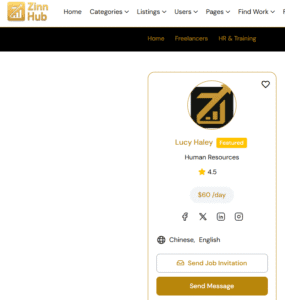
5. Look over Their Zinn Hub Profile
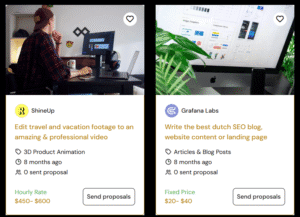
If they post zinns on Zinn Hub, explore their freelancer listings. What types of projects do they usually hire for? Have they gotten reviews from other freelancers? This is unique insight you won’t find elsewhere and it’s directly relevant to how they work with people like you.
6. Analyse Their Branding and Visuals
Especially if you’re a designer or brand specialist, review their logo, colors, website layout, and social posts. Are they cohesive or inconsistent? Trendy or traditional? This reveals a lot about their taste and allows you to gently offer changes during the interview.
7. Know Their Field of Work
Look at market trends or rivals of the company. Knowing your position in their field of work will enable you to more sensibly discuss their prospects and difficulties. Bonus points if you offer original ideas for how they might stand out.
8. Find Podcast Appearances or Interviews
Look up the company’s founders or leaders on YouTube or podcast platforms. Many business owners speak at events or appear on industry podcasts. These interviews often reveal mindset, goals, and long-term vision—perfect for understanding their future direction.
9. Look at Their Job Listings
Even if you’re freelancing, job listings can reveal a lot. Check if they’re hiring internally and for what roles. The language in these listings shows what kind of team culture they promote and what skills they prioritise.
10. Set Up Google Alerts
This one’s a pro tip: create a Google Alert for the company name. That way, you’ll get notified anytime they’re mentioned in news or blogs. This keeps you in the loop and gives you real-time nuggets to reference if your interview gets rescheduled or postponed.
You don’t need to spend hours digging! But doing this kind of prep transforms you from a “freelancer for hire” into a potential company to work with. It demonstrates you care, that you’re proactive, and that you already think like someone invested in their success.
With every interaction, Zinn Hub freelancers have the opportunity to leave a lasting impression. Use these 10 tips to ensure your next interview is your best one yet!