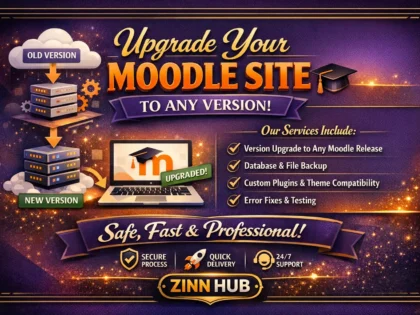
Includes 2 step upgrade. | Delivering High Quality Service For You

upgrade your moodle site from to any version
Request a Custom Offer
Log In to Request a Custom Offer
Create a free account or log in to request a personalised offer from this Zinner.
Log In / RegisterAsk a Pre-Sale Question
Log In to Ask a Question
To reduce platform spam, pre-sale messages can only be sent by logged-in users.
Create a free account or log in to message this Zinner directly.
Log In / RegisterAt a Glance
Key details about this service to help you decide. Generated by Zinn Hub, not the seller.
Value Position
Upgrade Method
Data Limit
What's Included
Delivery Timeline
Full Description
I will upgrade your Moodle from any version to any version.
Listed price is for 1 standard upgrade and includes:
-2 step upgrade: to your current latest version and to next version.
-max total size: 50GB
-full previous backup
-plugin compatibility check
-final full setup, functional check and monitoring
Price £250
*** WHAT IS 2 STEP UPGRADE? ****
For example, your current Moodle version is 4.2.1
Step 1: upgrade first to 4.2-latest (recommended to avoid further issues)
Step 2: upgrade to 5-latest
This Zinn Will Include (Standard upgrade)
Includes 2 step upgrade.
Delivery: 14 days
Revisions: None
Includes:
• Website backup
Zinner Quality Guarantee
Every Zinner is reviewed and approved before joining the platform.
All services are backed by our quality assurance commitment.
Your payment is protected until you approve the delivered work.
Extra Information
Chat With Us
Frequently Asked Questions
-we login to your hosting account and check your installation -we login to moodle and enable maintenance mode -perform a full moodle backup -check additional plugins installed -download new moodle files -download plugin updates -apply update -check moodle after update -disable maintenance mode
Customer Reviews
See what our customers say about this Zinn

Guillermo provides an excellent service and supports our Moodle site very well. Very glad to have found him.

Excellent communication and delivery

I always use it because of its speed and quality.

Excellent work. Very professional in developing your services. Recommended.

Thank you for your assistance with our LMS.
Only logged in customers who have purchased this product may leave a review.