Table of Contents
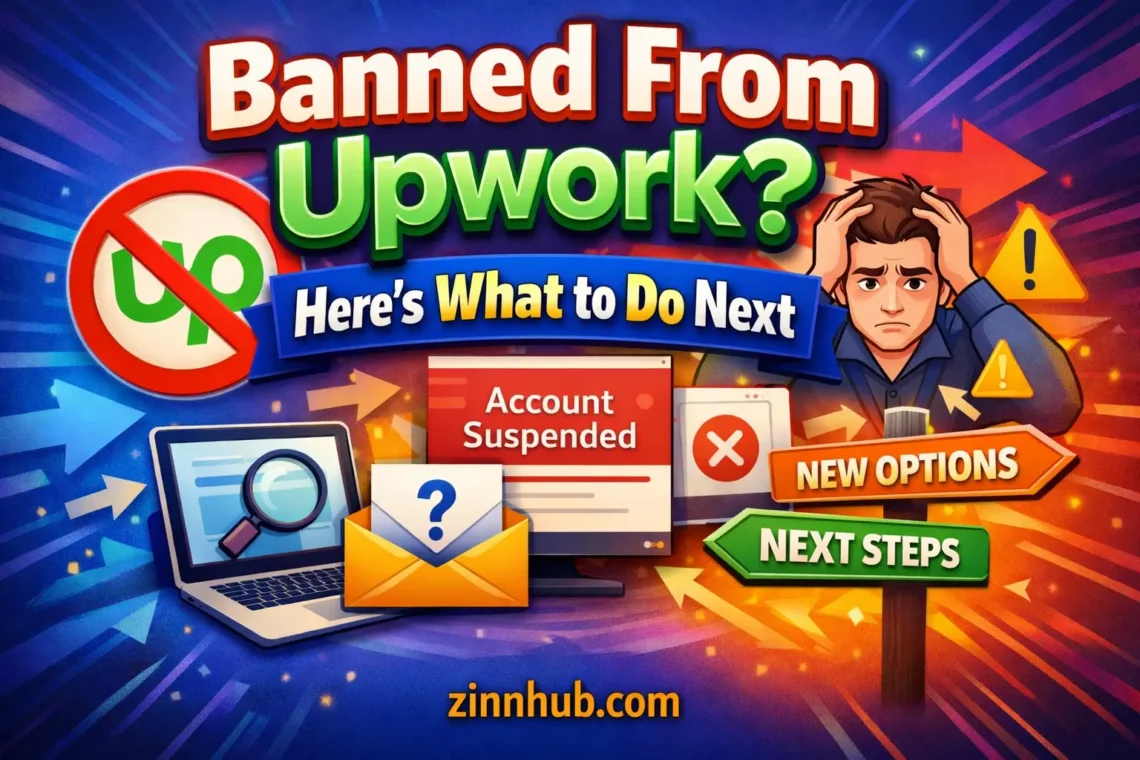
Getting suspended from Upwork can derail your freelance career overnight. Your active contracts are disrupted, your Connects are gone, your Job Success Score becomes meaningless, and the client relationships you built through the platform are severed. Whether you received a warning first or woke up to a suspension notice, the situation is stressful — and figuring out what to do next is urgent.
This guide covers why Upwork suspends accounts, how the appeal process actually works, and how to continue freelancing without missing a beat.
Why Upwork Suspends Accounts
Upwork’s suspension system is notoriously opaque. The platform rarely gives specific reasons, citing “Terms of Service violations” in generic notification emails. Based on what freelancers consistently report, the most common triggers are:
Circumventing the Platform
- Taking clients off-platform — The biggest trigger. Sharing personal email, phone numbers, or suggesting payment outside Upwork in messages. Upwork’s system monitors all communications
- Using third-party payment methods — Any attempt to receive payment outside Upwork’s escrow system for work found on the platform
- Direct contracts with Upwork clients — Working with a client you found on Upwork without going through the platform, even if the client initiates it
Profile and Identity Issues
- Multiple accounts — Upwork allows only one account per person. Creating a second account for any reason is grounds for permanent suspension of both
- Inaccurate profile information — Misrepresenting your skills, experience, location, or identity
- Using someone else’s work in your portfolio — Presenting work you didn’t do as your own
Quality and Conduct Issues
- Low Job Success Score — A JSS below 75% can trigger profile restrictions and eventual suspension
- Repeated contract disputes — Frequent mediation requests or refund demands from clients
- Harassment or unprofessional behaviour — Abusive messages, threatening language, or inappropriate conduct
- Delivering AI-generated work without disclosure — Upwork has updated policies around AI-generated deliverables
Automated System Errors
Like all platforms that use automated moderation, Upwork’s systems produce false positives. Freelancers have reported suspensions triggered by:
- Logging in from a new location or using a VPN
- Device or IP address overlap with a previously suspended account (shared office spaces, co-working environments)
- Messages misinterpreted by automated content scanning
- Sudden changes in activity patterns flagged as suspicious
How Upwork’s Appeal Process Works
When your account is suspended, you can submit an appeal through Upwork’s support system. Here’s what to expect:
- Initial response: 3-7 business days — Upwork acknowledges your appeal but rarely provides a detailed timeline
- Review process: 1-4 weeks — Someone reviews your case, but you have no visibility into the process or who is reviewing it
- Outcome notification — You receive either a reinstatement or a final denial, usually with minimal explanation either way
Making Your Appeal Stronger
- Don’t send emotional messages. Be professional, factual, and concise
- If you know what triggered the suspension, address it directly and explain the context
- Reference your track record: total earnings, Job Success Score, client feedback, years on the platform
- If it was a genuine mistake, acknowledge it and explain what you’ll do differently
- If you believe it was an automated error, explain the circumstances that may have triggered the false positive
While waiting for your appeal, don’t put your freelance career on hold. Start building on an alternative platform immediately so you have income regardless of the appeal outcome.
What You Lose When Upwork Suspends You
- Active contracts — Ongoing work is disrupted. Clients need to find new freelancers mid-project
- Pending earnings — Funds in escrow may be held or released to clients. Available balance may be frozen for an extended period
- Job Success Score — Your JSS, which took months or years to build, is no longer visible or useful
- Connects and proposals — Purchased Connects are lost. Outstanding proposals are cancelled
- Client relationships — You can no longer message clients through the platform. If all communication was on Upwork, those relationships are effectively severed
- Search history and reputation — Your entire professional presence on the platform disappears
How to Continue Freelancing After an Upwork Ban
Don’t Create a New Upwork Account
Upwork actively detects duplicate accounts using IP addresses, device fingerprints, payment information, and even writing style analysis. A new account will be suspended quickly and may eliminate any chance of your original account being reinstated.
Move to a Marketplace Built for Freelancers
Upwork’s model is fundamentally designed around the client experience. Freelancers pay for Connects to bid on jobs, compete in a race to the bottom on pricing, and depend on an opaque algorithm for visibility. There are better models.
Zinn Hub flips this dynamic. Instead of bidding against dozens of other freelancers for each job, you create service listings that buyers browse and purchase directly — similar to Fiverr’s model but with critical improvements:
- No bidding, no Connects — List your services once and let buyers come to you
- Fair visibility — Rotation-based recommendation emails ensure every seller gets exposure, not just top-rated veterans
- AI-powered listing creation — The Creation Wizard helps you build optimised listings quickly
- Crypto payments — Accept USDT, USDC, and other cryptocurrencies alongside traditional payments
- Lower fees — More of each payment goes to you, not the platform
Migrate Your Professional History
Zinn Hub’s free migration service can transfer your existing service descriptions, reviews, and FAQs from Upwork to your new profile. You don’t have to rebuild your reputation from nothing.
Rebuild Strategically
Use this transition as an opportunity to improve your positioning:
- Refine your service offerings based on what actually sold well on Upwork
- Update your portfolio with your strongest recent work
- Price based on value, not on Upwork’s race-to-the-bottom marketplace dynamics
- Use the income calculator to set pricing that meets your income targets
- Plan your growth with the earnings planner
Diversify from Day One
The most important lesson: never again depend on a single platform. List on Zinn Hub, maintain a personal portfolio site, build an email list of clients, and ensure no single platform cancellation can eliminate your income.
Why Zinn Hub Is the Best Upwork Alternative for Banned Sellers
- No bidding system — Create listings once instead of writing proposals for every single job
- Guaranteed visibility — Rotation-based emails mean you’ll appear in buyer recommendations regardless of how new your account is
- Free migration — Bring your Upwork reviews and listings with you at no cost
- Crypto payments — Payment flexibility Upwork doesn’t offer
- Seller tools — AI image generator, video call platform, and guided service creation
- Browse, don’t bid — Buyers browse service categories and marketplace pages to find you
Take the Next Step
An Upwork suspension doesn’t mean your freelance career is over. It means you need a new platform — and this might be the push you needed to find a better one.
- Create your free Zinn Hub account
- Migrate your Upwork listings and reviews for free
- Build optimised service listings with AI-powered guidance
- Start earning again with fair visibility, lower fees, and crypto payment options
For a full platform comparison, see our Zinn Hub vs Upwork breakdown. For a guided transition, read the complete switch-from-Upwork guide. And if you weren’t banned but are simply struggling to win work on Upwork, that guide explains why and what to do about it.