Ali Imran
Chuyên gia Microsoft Excel | Chuyển đổi PDF sang Excel
Khám phá các liên kết và phần còn lại của hồ sơ này để biết họ là ai. Zinn Hub giữ cho hồ sơ của mỗi Zinner luôn mở và minh bạch — để bạn có thể xây dựng lòng tin và tự tin thuê người.
Kỹ năng được xác minh bởi Zinn Hub
Zinner đã xác minhAli Imran đã chứng minh kỹ năng của họ với Zinn Hub và cung cấp bằng chứng về công việc của họ. Mọi Zinner đã được xác minh đều vượt qua đánh giá đảm bảo chất lượng thực tế — vì vậy bạn có thể thuê một cách tự tin.
🛡️ Đã xác minh từ August 2026
Giới thiệu
"I am a Microsoft Excel specialist offering PDF to Excel conversion, data entry, and spreadsheet fixing services. I have experience in manually converting PDF files, scanned documents, and handwritten forms into clean, editable Excel spreadsheets.
I do all my work manually to ensure 100% accuracy. Unlike OCR software that often makes errors in numbers and formatting, I type every character myself. This guarantees that your data is error-free and professionally formatted. I understand that businesses rely on accurate data for reporting, analysis, and decision-making, so I take extra care to ensure every detail is correct.
I offer 24-hour delivery on all projects. I understand that businesses often need data urgently, so I work quickly without compromising on quality. If you have a large project, I can still deliver within 24 hours because I am fully dedicated to my work.
My services include:
- PDF to Excel Conversion (manual typing, no OCR errors)
- Data Entry & Typing from scanned images and handwritten documents
- Data Cleaning & Formatting (removing duplicates, fixing errors)
- Spreadsheet Organization (sorting, filtering, structuring data)
- Google Sheets & Excel Work (formulas, tables, formatting)
I am committed to delivering high-quality work and ensuring client satisfaction. I provide free revisions if you are not 100% satisfied with the result. Your satisfaction is my priority.
If you have a large project or custom requirements, please message me before placing an order so I can provide a customized quote. I am happy to discuss your project in detail and offer the best solution for your needs.
I am available to work on projects of all sizes — from small data entry tasks to large multi-page document conversions. I am reliable, responsive, and dedicated to meeting your deadlines. I respond to messages within 1 hour and keep you updated throughout the project.
Let’s work together to get your data organized perfectly. Message me and I will respond within 1 hour."
Kỹ năng
Công nghệ và chuyên môn mà freelancer này chuyên về.
Danh mục
Các khu vực dịch vụ mà freelancer này có sẵn.
Danh mục đầu tư
Mẫu chuyển đổi PDF sang Excel
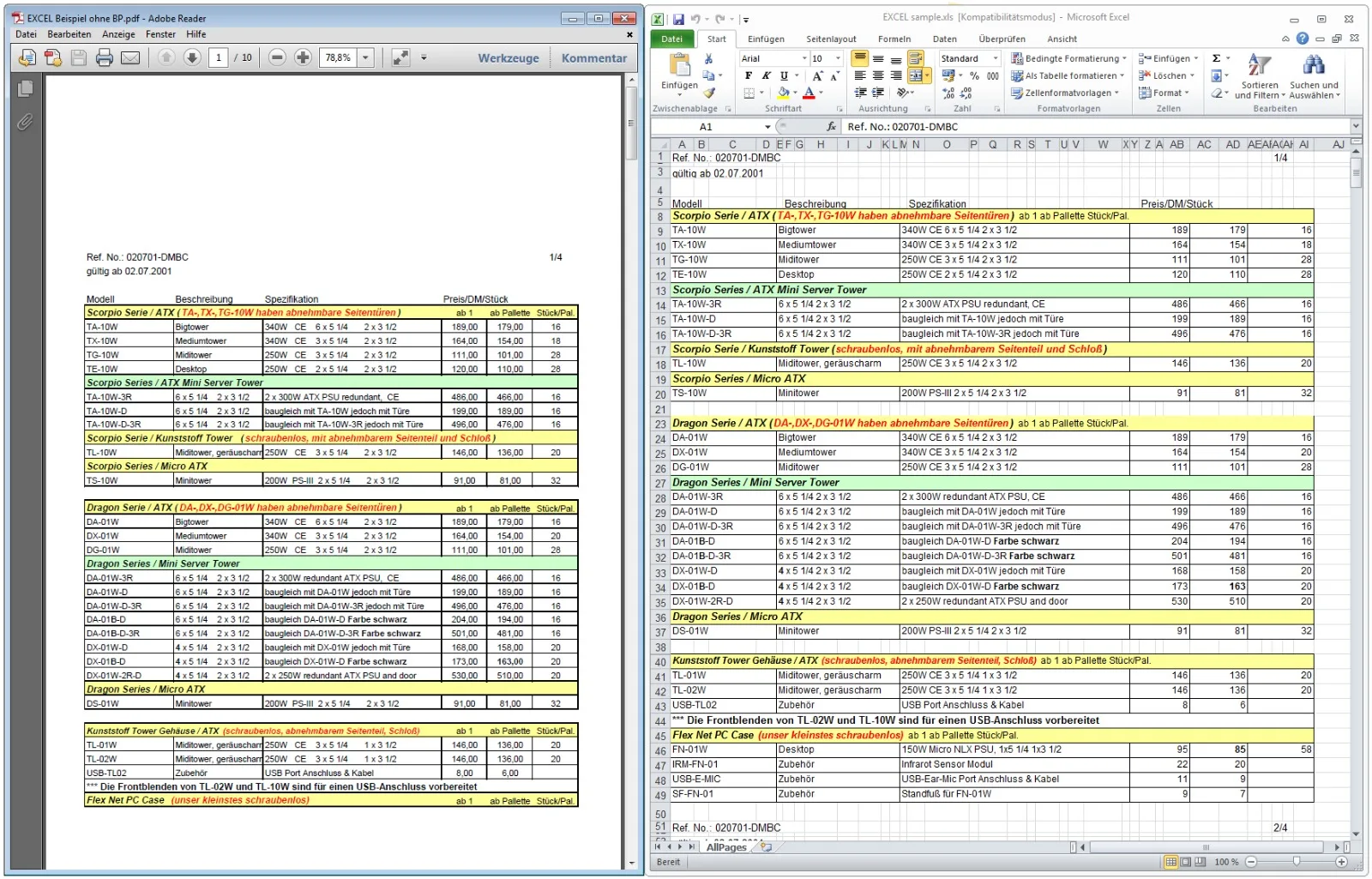
I converted a 5-page PDF invoice into a clean Excel spreadsheet. All data was manually typed with 100% accuracy, formatted professionally, and delivered within 24 hours.
Mẫu chuyển đổi PDF sang Excel
I converted a 5-page PDF invoice into a clean Excel spreadsheet. All data was manually typed with 100% accuracy, formatted professionally, and delivered within 24 hours.
Mẫu chuyển đổi PDF sang Excel
I converted a 5-page PDF invoice into a clean Excel spreadsheet. All data was manually typed with 100% accuracy, formatted professionally, and delivered within 24 hours.
Zinns — Sẵn sàng mua dịch vụ (1)
Các dịch vụ có sẵn để mua ngay lập tức — duyệt, mua và bắt đầu ngay.