

Shahan Ismayilov
UI/UX Designer | Figma Expert | Mobile & Web Apps | Clean Modern Design
彼らのリンクやこのプロフィールの残りの部分を探索して、彼らが誰であるかを知ってください。Zinn HubはすべてのZinnerのプロフィールを公開し、透明性を保っています。これにより、信頼を築き、自信を持って雇用することができます。
Zinn Hubで検証されたスキル
認証済みZinnerShahan IsmayilovはZinn Hubにそのスキルセットを証明し、実績を提出しました。すべての認証済みZinnerは実践的な品質保証レビューに合格しているため、安心して採用できます。
🛡️ 認証済み: November 2026
について
# About Me – UI/UX Designer
I am a UI/UX Designer specializing in creating modern, clean, and user-friendly digital experiences for web and mobile applications. My goal is to transform ideas into visually appealing, intuitive, and functional interfaces that provide a smooth experience for users.
I work primarily with Figma, focusing on both User Interface (UI) and User Experience (UX) design. I believe that good design is not only about appearance but also about usability, consistency, and understanding user needs. I pay close attention to layout, typography, colors, spacing, visual hierarchy, and interactive elements to create balanced and professional designs.
### My Design Expertise
My design experience includes mobile applications, desktop websites, e-commerce platforms, dashboards, landing pages, educational platforms, and AI-based applications. I enjoy exploring different design styles and creating interfaces that match each project's purpose, brand identity, and target audience.
I use Figma features such as Auto Layout, Components, and Variants to build organized and reusable design systems. I also create interactive prototypes to demonstrate navigation, screen transitions, and the overall user experience.
### My Portfolio
I have published three UI/UX design projects on Behance:
- **TechZone:** A 6-page desktop e-commerce website focused on product presentation and shopping experience.
- **Neura AI:** A mobile application concept featuring 50 screens, including 30 Dark Mode and 20 Light Mode screens, with a complete user flow and interactive prototype.
- **Abituriyent:** A 7-page desktop education platform designed for student admissions and educational services.
These projects demonstrate my ability to work on different digital products and create consistent interfaces across multiple screens and pages.
### My Approach
Every project has its own goals and requirements. I take time to understand the project concept, visual direction, brand identity, and expected results before starting the design process.
I focus on creating custom designs from scratch rather than simply reusing ready-made templates. My priority is to deliver interfaces that are visually consistent, easy to navigate, and structured for future development.
I work exclusively with Figma and provide organized source files with properly structured layers, Auto Layout, and reusable components. I can also provide JPG and PNG exports when needed.
I value clear communication, attention to detail, and professional collaboration. I aim to respond to messages within 24 hours and keep clients informed throughout the project.
If you are looking for a designer who can turn your ideas into modern and functional web or mobile interfaces, I would be happy to work with you.
**Let's create something great together!**
スキル
このフリーランサーが専門とするテクノロジーと専門知識。
カテゴリー
このフリーランサーが利用可能なサービス領域。
ポートフォリオ
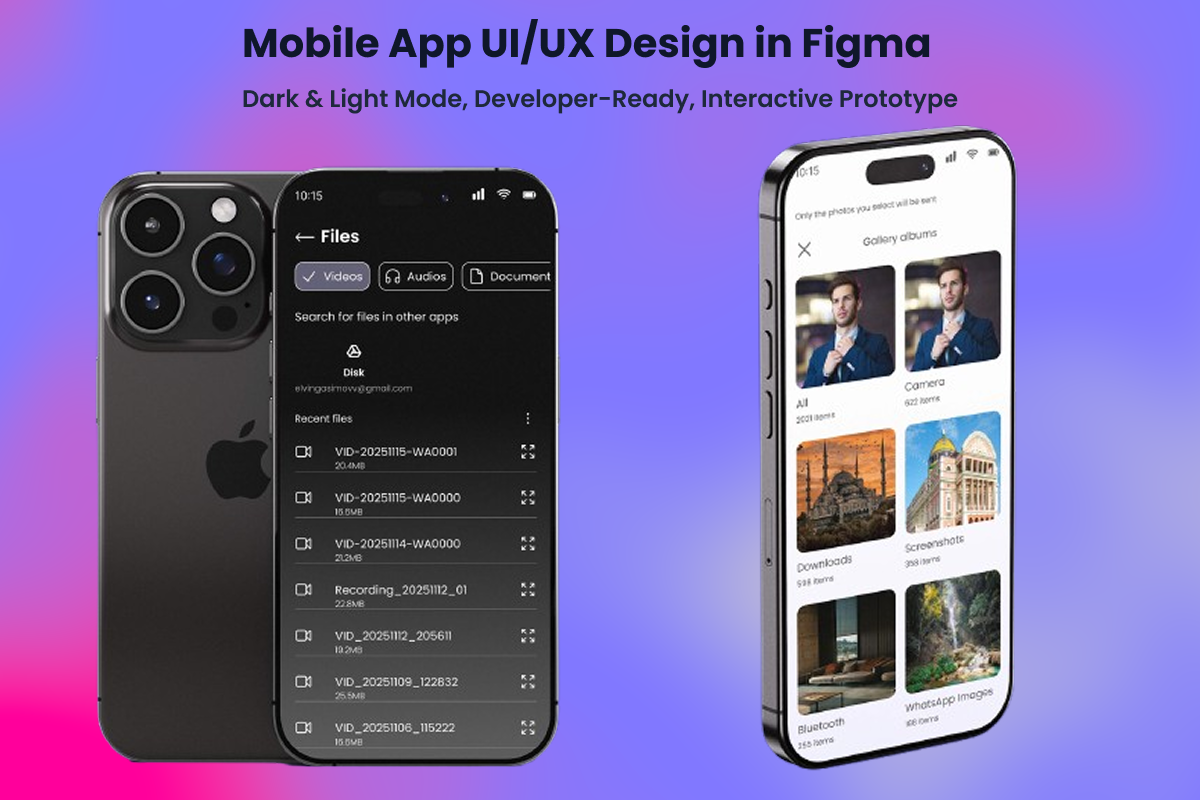
Neura AI - 50 Screens Mobile App - Figma - Dark & Light
Neura AI mobile app UI/UX - 50 screens (30 dark, 20 light) designed in Figma. Includes onboarding, dashboard, AI chat, user flow, interactive prototype, Auto Layout, Components, Variants. Modern clean design for AI platform.
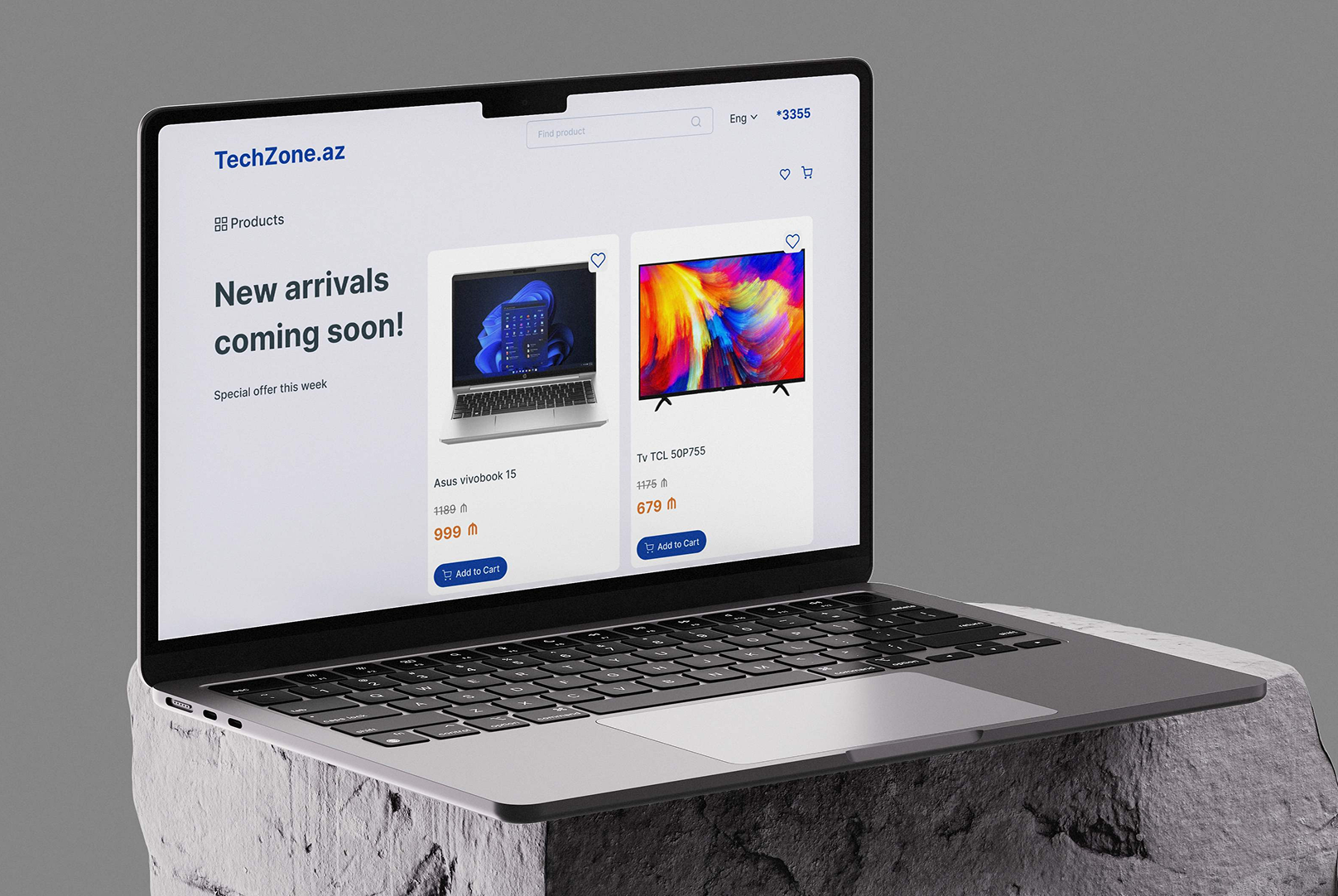
TechZone - 6 Page E-commerce Desktop - Figma
TechZone desktop e-commerce UI/UX designed in Figma. 6 pages: 1 homepage, 2 product pages (listing + detail), 1 cart, 1 favorites, 1 checkout.
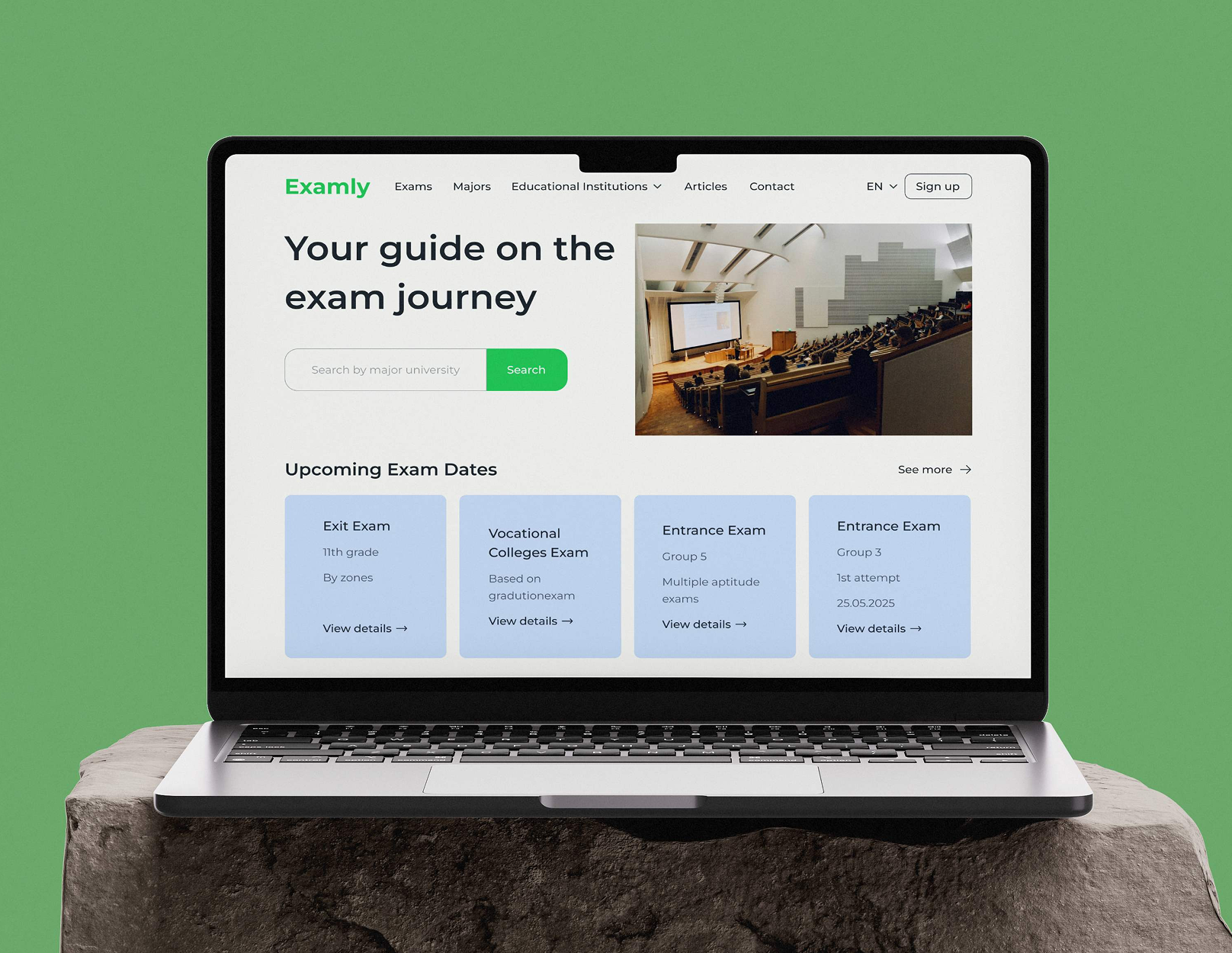
Examly / Abituriyent - 7 Page Education Desktop - Figma
Examly (Abituriyent) education platform desktop UI/UX designed in Figma. 7 pages: homepage, exams, majors, universities, university detail, contact, sign up. Clean, modern, user-friendly design for students. Auto Layout, Components, Variants, responsive.
資格と認定
Zinns — 購入準備完了サービス (1)
すぐに購入できる既製サービス。閲覧、購入、すぐに開始してください。