


Md Nahid Zaman
Shopify Developer | Store Design, Theme Customization, Landing Pages, CRO, AI Product SEO & Email Marketing
探索他们的链接和此个人资料的其余部分,以了解他们是谁。Zinn Hub 保持每个 Zinner 的个人资料公开透明——因此您可以建立信任并放心地雇用。
由 Zinn Hub 验证的技能
认证 ZinnerMd Nahid Zaman已向 Zinn Hub 证明了他们的技能,并提供了他们的工作证据。每位经过验证的 Zinner 都通过了实际操作的质量保证审查 — 因此您可以放心地雇用。
🛡️ 自 October 2026 起已验证
关于
Shopify Developer | Store Design, Theme Customization, CRO, AI Product SEO & Email Marketing
Hi,
I'm Nahid! I focus on helping e-commerce businesses create professional, user-friendly, and mobile-responsive Shopify stores.
I can help with Shopify store design, theme customization, landing pages, conversion rate optimization (CRO), AI-assisted product SEO, and e-commerce email marketing.
My goal is to create a smooth shopping experience with clean design, clear product information, and consistent branding.
🛍️ Shopify Store Design & Theme Customization
I have hands-on practice with Shopify themes through demo stores and personal projects.
服务包括:
- Shopify store setup and basic configuration
- Theme customization and store redesign
- Homepage, product page, and collection page design
- Mobile-responsive layouts
- Product uploads and organization
- Shopify app installation and configuration
- Basic HTML, CSS, and Shopify Liquid customization
- Theme section and block customization
Themes I've practiced with:
-Dawn
-Ella
-Avone
-Showcase.
My portfolio includes a self-created Shopify demo store built with the Dawn theme.
🎨 Shopify Landing Page Design
I create structured, product-focused landing page layouts designed to communicate product value clearly.
我能提供什么帮助:
- Shopify product landing pages
- GemPages customization
- Product features and benefits sections
- Clear calls to action (CTAs)
- Responsive layouts for mobile, tablet, and desktop
- Consistent branding and page structure
📈 Conversion Rate Optimization (CRO)
A successful store needs more than attractive design. It should also be easy to navigate, understand, and trust.
My focus areas include:
- Clear product page layouts
- Better product information presentation
- Easy-to-find calls to action
- User-friendly navigation
- Mobile shopping usability
- Consistent store design and layout
I apply these principles across practice and demo projects, with a focus on usability and clear design rather than guaranteed sales or conversion outcomes.
🔎 AI-Assisted Product SEO
I use SEO best practices and AI-assisted workflows to help organize and improve Shopify product content.
服务包括:
- SEO-friendly product titles
- Product description writing and optimization
- Keyword research and placement
- Meta titles and meta descriptions
- Product image alt text suggestions
- Clear product features and benefits
- Readable, customer-focused product content
📧 Email Marketing
My email marketing background includes hands-on learning and practice projects. I use Canva and Adobe Photoshop for visual design and email layout work.
My areas of focus include:
- Account setup and basic configuration
- Welcome email sequences
- Abandoned cart and checkout emails
- Browse abandonment emails
- Post-purchase email sequences
- Review request and win-back email concepts
- E-commerce email template design
- Email content and layout improvements
I focus on clear messaging, consistent branding, and customer-friendly email experiences.
🧰 Tools & Skills
- E-commerce: Shopify
- Page builders: GemPages
- Email marketing: Klaviyo, Mailchimp, Brevo
- Design: Canva, Adobe Photoshop
- Customization: Basic HTML, CSS, Shopify Liquid
- SEO: Product content, keywords
- AI tools: AI-assisted product content
🤝 您可以期待什么
- Clear and professional communication
- Attention to detail
- Responsive and user-friendly design
- A focus on your project requirements
- Realistic expectations and timelines
- A commitment to continuous learning and improvement
Project timelines vary depending on scope, complexity, and functionality. I'll review your requirements and confirm a realistic delivery estimate before we begin.
🚀 Let's Work Together
Need help with Shopify store customization, a landing page, product SEO, or e-commerce email design?
Send me a message to discuss your project. Let's work toward a professional, user-friendly online store that fits your brand and business goals.
Note: My current portfolio showcases self-created demo and practice projects. I am actively seeking initial client projects to build on this foundation.
技能
此自由职业者专门从事的技术和专业知识。
分类
此自由职业者可用的服务区域。
作品集
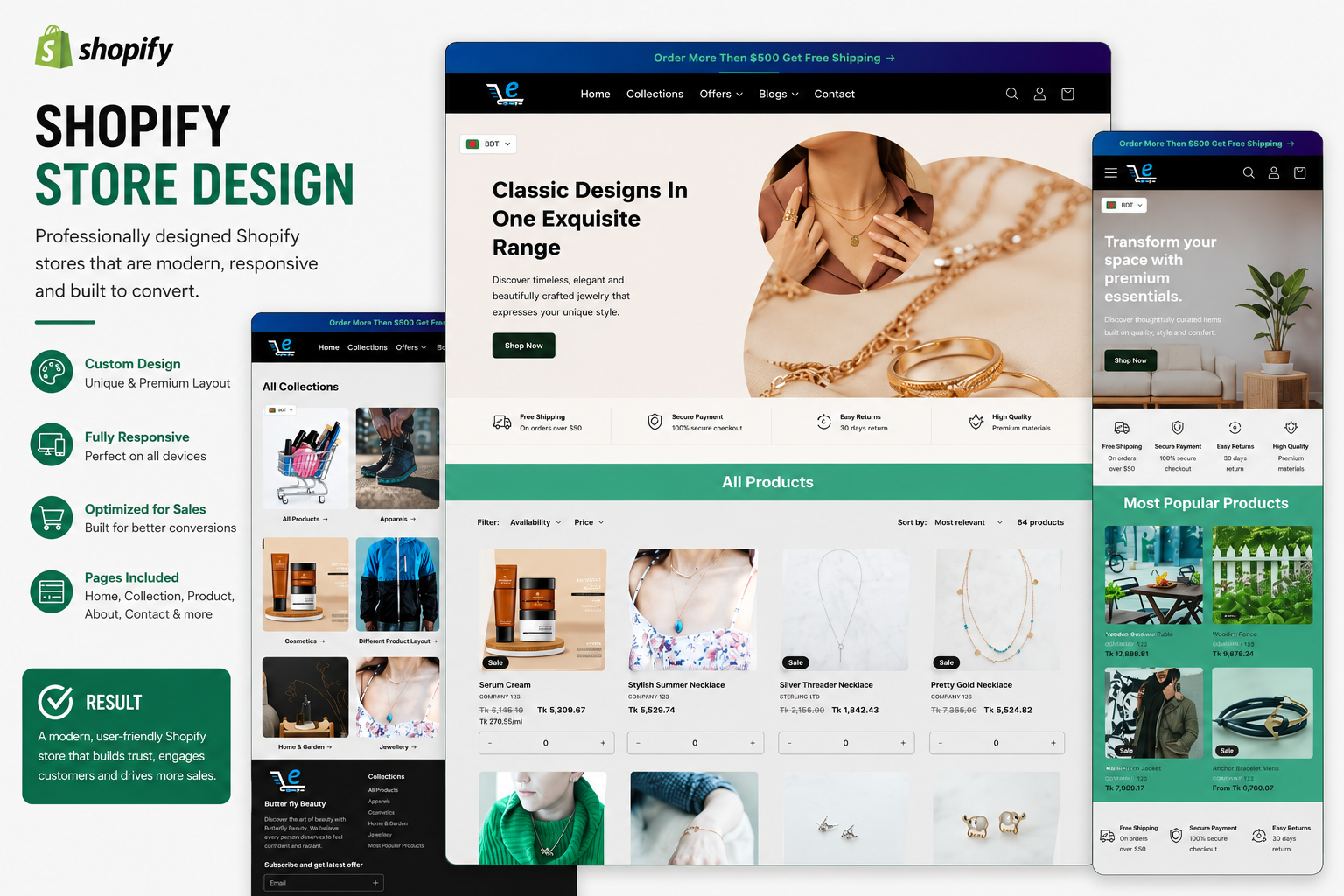
Shopify 商店设计
**Shopify 演示商店设计与主题定制** 这是一个我创建的 Shopify 演示商店,作为实践项目,旨在展示我在 Shopify 商店设计和主题定制方面的技能。我使用 **Dawn 主题** 构建了一个简洁、现代且用户友好的店面。该项目展示了我在产品页面布局、商店结构、响应式设计以及在不同设备上创建流畅购物体验方面的技能。此商店是为演示和作品集目的而创建的,并非为真实客户服务。
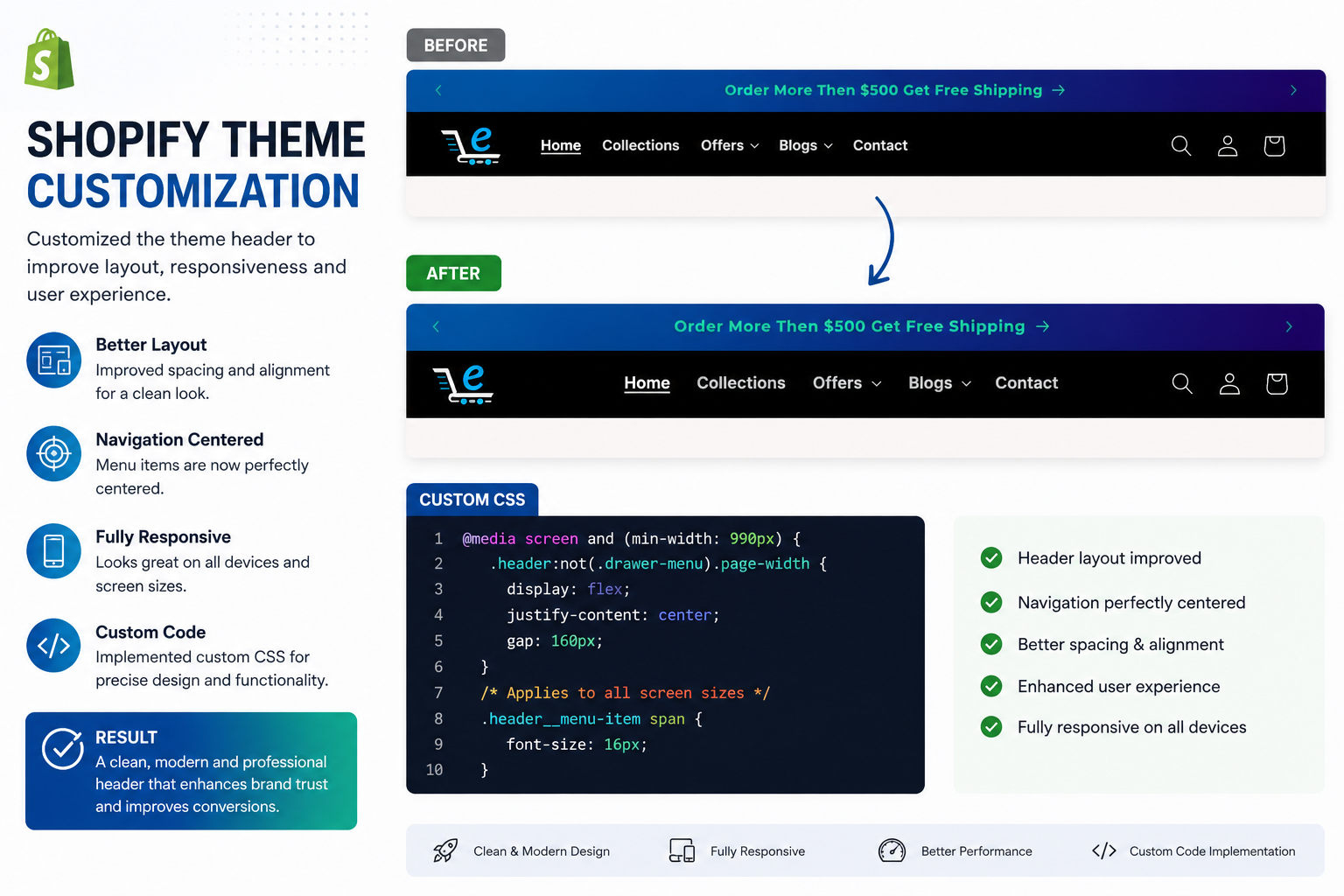
Shopify 主题定制
**Shopify 主题定制 – 演示项目** 这是一个我创建的 Shopify 演示项目,旨在练习和展示我在 Shopify 主题定制和店面设计方面的技能。我使用 Dawn 主题构建了一个简洁、现代且响应式的商店布局。**主要亮点:** - Shopify Dawn 主题定制 - 商店布局和版块组织 - 主页和产品页面设计 - 适用于手机、平板电脑和桌面的响应式设计 - 用户友好的导航和产品展示 - 基本店面样式和设计改进 该项目的目标是创建一个外观专业的 Shopify 店面,并提供流畅且用户友好的购物体验。此演示展示了我在 Shopify 商店设计和主题定制方面的实践学习和开发技能。**注意:** 这是一个为练习和作品集目的而自行创建的演示项目,并非为真实客户完成的工作。
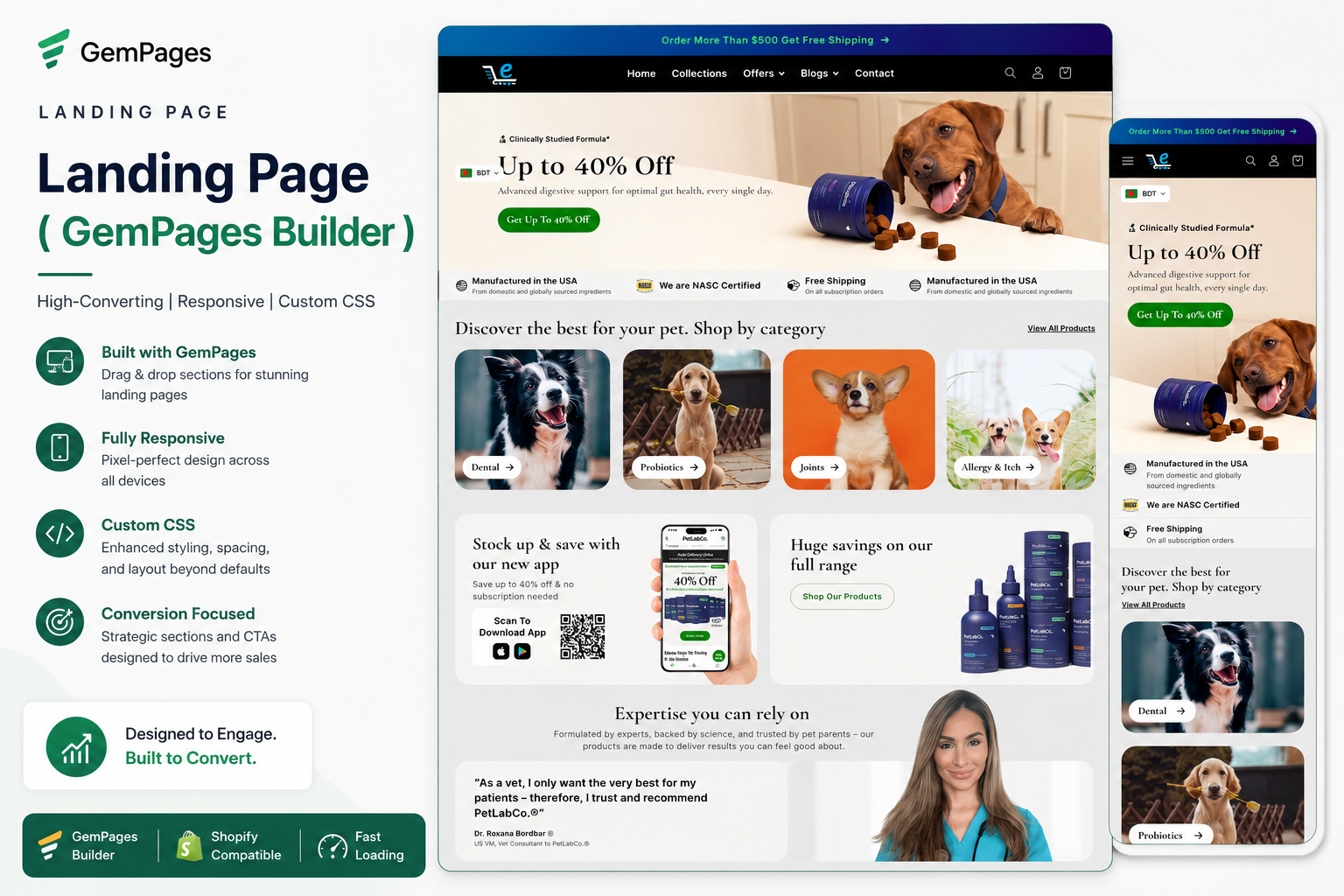
着陆页 ( GemPages Builder )
**使用 GemPages 设计 Shopify 着陆页 – 演示项目** 这是一个为开发和展示我使用 GemPages 页面构建器设计 Shopify 着陆页的技能而创建的实践项目。目标是创建一个视觉吸引力强、结构良好且移动响应的着陆页,清晰地呈现产品信息并提供流畅的用户体验。**主要亮点:** - 使用 GemPages 设计 Shopify 着陆页 - 简洁有序的页面布局 - 产品特性和优势展示 - 清晰的行动号召 (CTA) 位置 - 适用于手机、平板电脑和桌面的响应式设计 - 专注于可读性和可用性的内容结构 - 基于 CRO 原理的基本着陆页优化 我专注于创建与品牌视觉形象一致、传达产品价值并方便访客浏览页面的着陆页。此项目展示了我在 Shopify 着陆页设计和页面构建器定制方面的实践学习和技能。**注意:** 这是一个为作品集目的而自行创建的实践/演示项目,并非为真实客户完成的项目。
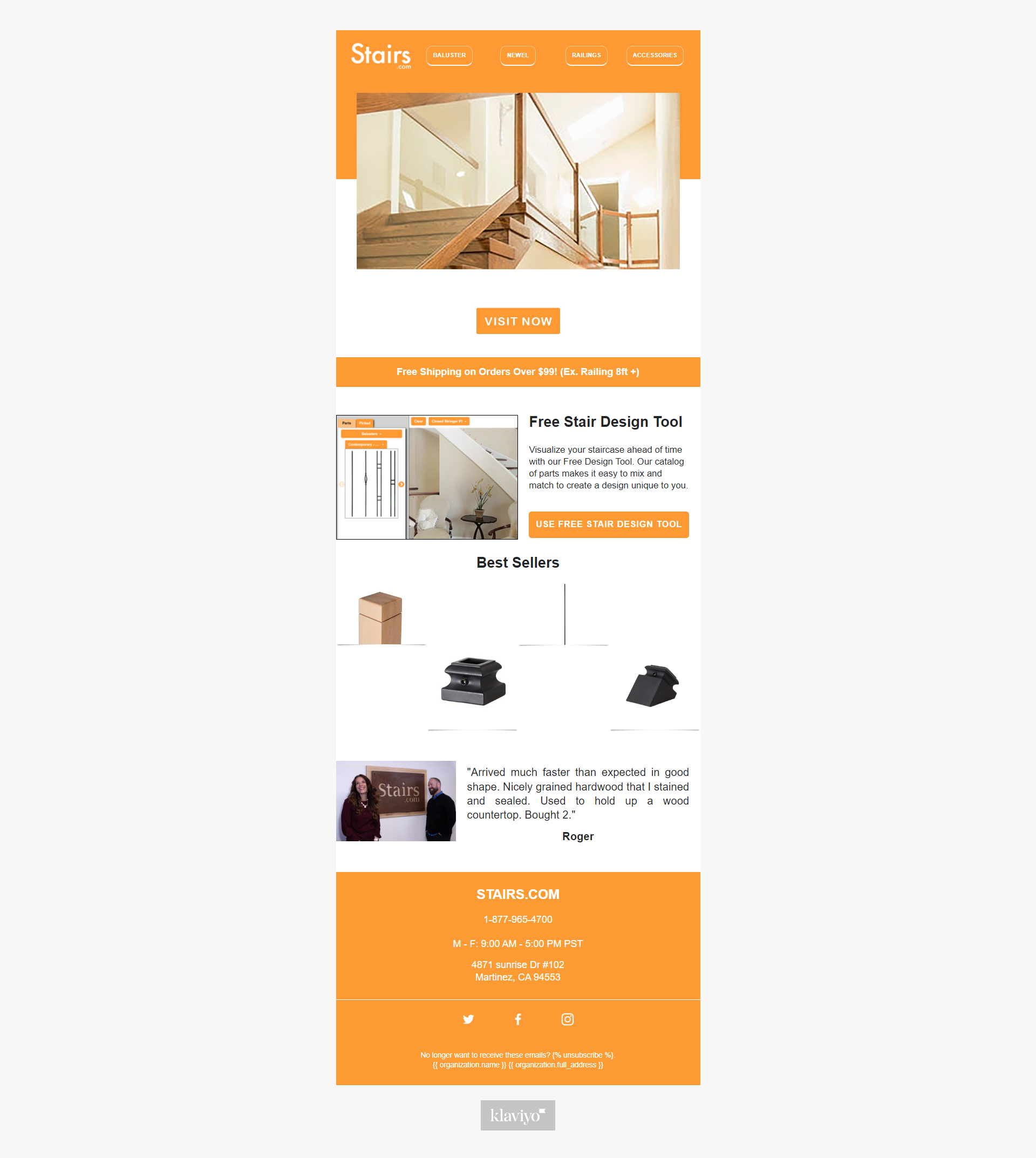
Klaviyo 电子邮件模板设计
在 Klaviyo 中设计了响应式、品牌化的电子邮件模板,以帮助企业吸引客户并提高转化率。该项目专注于创建具有视觉吸引力、移动友好、品牌一致、行动号召清晰且布局优化的电子邮件模板,用于促销活动、新闻通讯和自动化电子邮件流程。
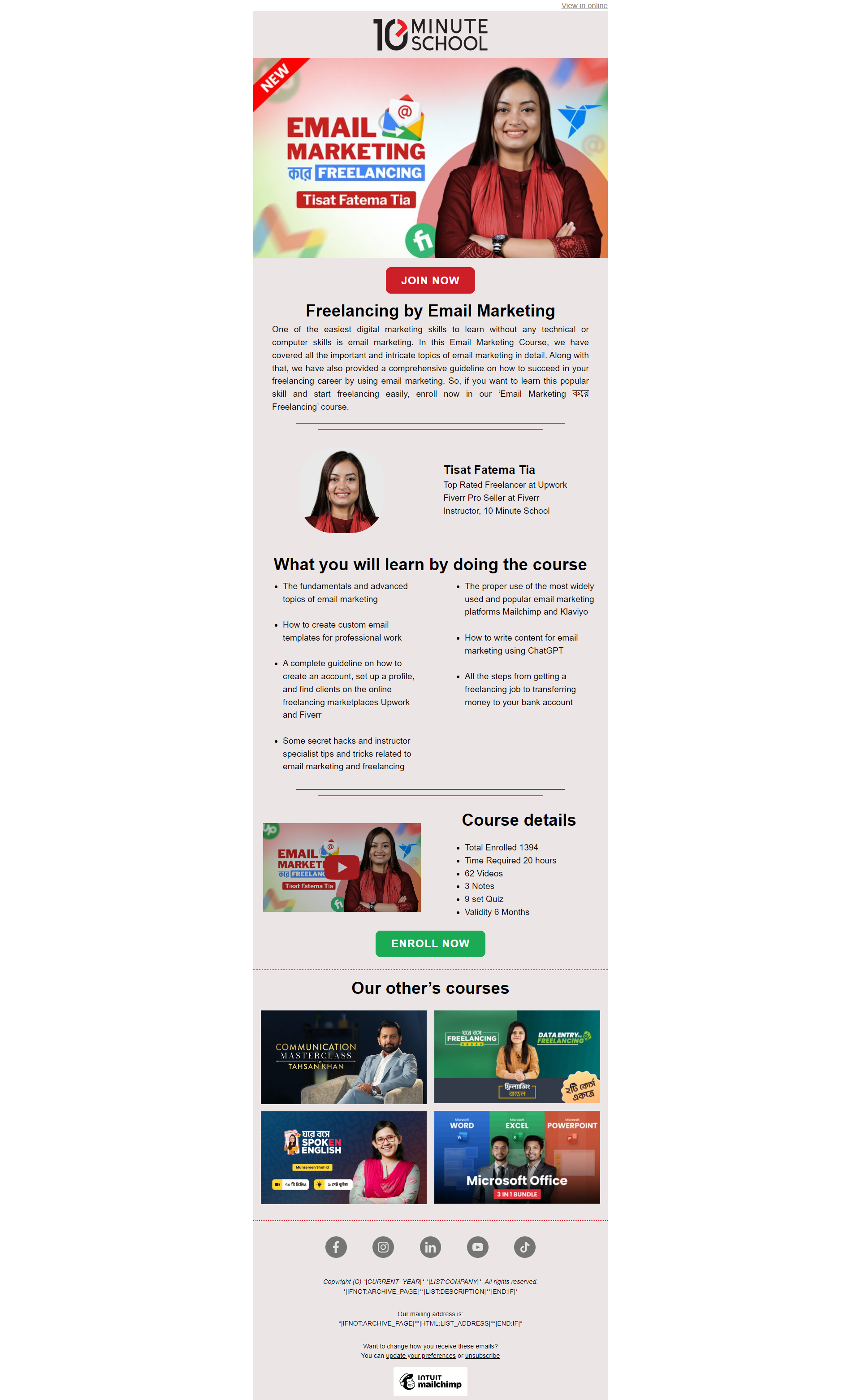
Mailchimp template design.
This project showcases my Mailchimp email template design skills for eCommerce and business marketing. I designed responsive, visually appealing, and brand-aligned email templates optimized for both desktop and mobile devices. The templates were created to support promotional campaigns, newsletters, product announcements, and customer engagement strategies. Special attention was given to clean design, user experience, readability, and conversion-focused layouts to help businesses communicate effectively with their audience.
