
Mrinmoy Mistri
AI ဒေတာထုတ်ယူခြင်းနှင့် အလိုအလျောက်စနစ်ကျွမ်းကျင်သူ
၎င်းတို့၏ လင့်ခ်များနှင့် ဤပရိုဖိုင်၏ ကျန်အပိုင်းများကို ကြည့်ရှုခြင်းဖြင့် ၎င်းတို့ မည်သူဖြစ်သည်ကို သိရှိနိုင်ပါသည်။ Zinn Hub သည် Zinner တိုင်း၏ ပရိုဖိုင်ကို ပွင့်လင်းမြင်သာစွာ ထားရှိသည် — ထို့ကြောင့် သင်သည် ယုံကြည်မှုတည်ဆောက်ပြီး ယုံကြည်စိတ်ချစွာ ငှားရမ်းနိုင်ပါသည်။
Zinn Hub မှ ကျွမ်းကျင်မှုများကို အတည်ပြုပြီး
အတည်ပြုပြီးသော ZinnerMrinmoy Mistri သည် ၎င်းတို့၏ ကျွမ်းကျင်မှုများကို Zinn Hub သို့ သက်သေပြခဲ့ပြီး ၎င်းတို့၏ လုပ်ငန်းအထောက်အထားများကို ပေးအပ်ခဲ့သည်။ အတည်ပြုပြီးသော Zinner တိုင်းသည် လက်တွေ့ကျသော အရည်အသွေး အာမခံချက် ပြန်လည်သုံးသပ်မှုကို အောင်မြင်ပြီး — ထို့ကြောင့် သင်သည် ယုံကြည်စိတ်ချစွာ ငှားရမ်းနိုင်ပါသည်။
🛡️ November 2026 မှစ၍ အတည်ပြုပြီးပါပြီ။
အကြောင်း
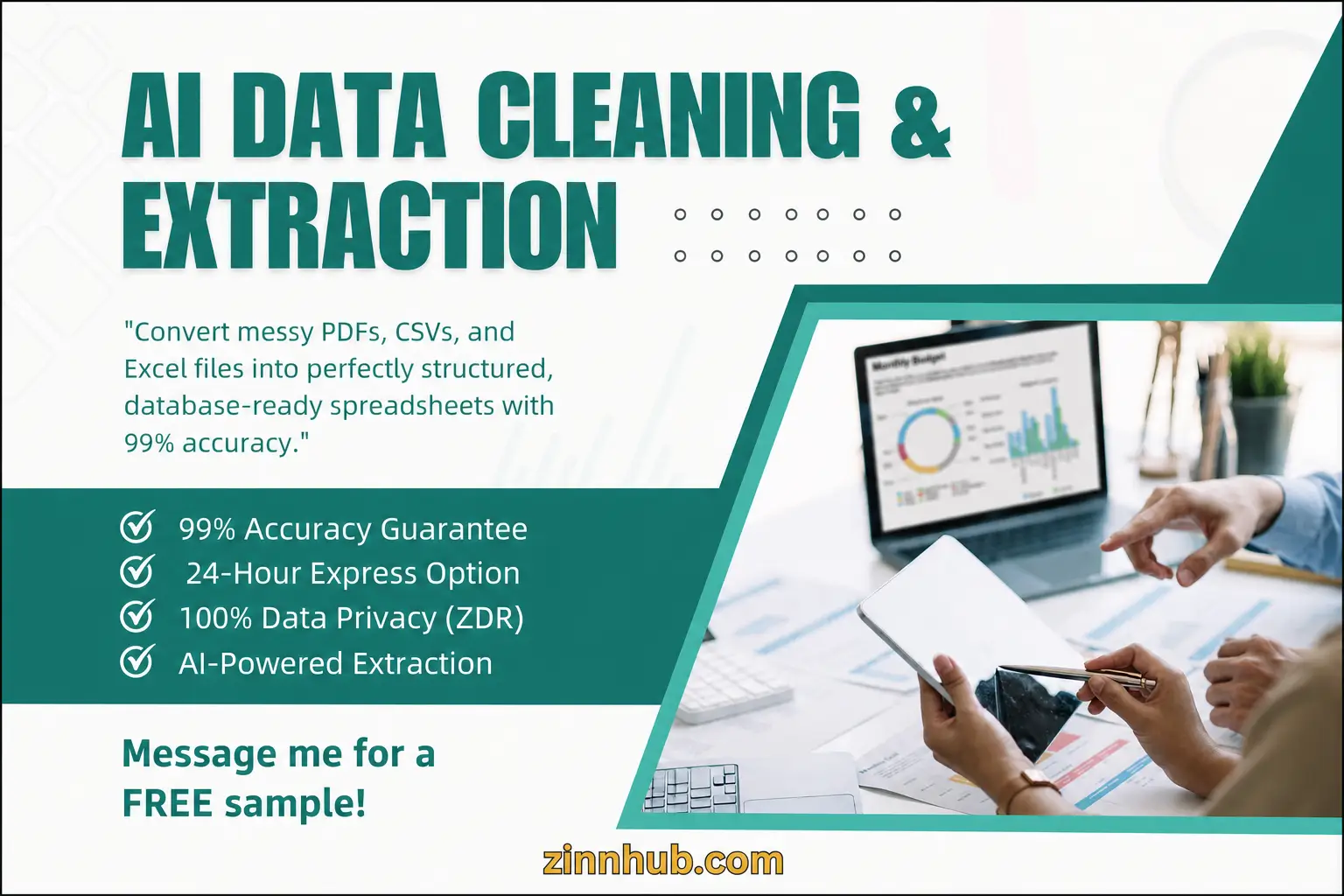
Hi, I'm Mrinmoy. I am a BCA student and developer specializing in AI-powered data automation. I help small business owners, accountants, and researchers eliminate tedious manual data entry by converting messy PDF, CSV, and Excel files into clean, structured spreadsheets.
What I Can Do For You:
I handle a variety of data challenges. Whether you have a scanned PDF full of financial tables, a CSV with broken columns, or a dataset that needs to be unpivoted for your CRM, I can help. I extract specific fields, format dates automatically, remove duplicates, and ensure the final output is ready for import. I am comfortable handling large datasets, including financial reports, customer lists, and inventory sheets.
How My AI Pipeline Works:
I use a multi-agent AI architecture. First, an extraction model (MiMo Pro) reads your document and pulls out the data. Then, a completely independent verification model (DeepSeek) checks the extracted data against the original text to catch errors. This cross-verification ensures a high level of accuracy before I deliver the final Excel or CSV file.
Technical Background:
I am a 2nd-year Bachelor of Computer Applications (BCA) student with a strong foundation in Python programming, database management, and API integration. I built my own AI data factory from scratch, meaning I understand the underlying code and can troubleshoot complex file formats that other freelancers might struggle with.
Data Privacy and Security:
I understand that your data is sensitive. I use enterprise-grade APIs with strict Zero-Data-Retention (ZDR) policies. Your files are processed securely in memory, are never stored on my personal computer, and are never used to train public AI models.
ပြီးစီးချိန်များ-
Small files (up to 100 rows): 24 hours
Medium files (100-500 rows): 2-3 days
Large files (500+ rows): Custom quote
Try Before You Buy:
If you have a file that is giving you a headache, message me. I am always happy to process your first 5 rows for free so you can see the quality of my work before you hire me.
ကျွမ်းကျင်မှုများ
ဤ freelancer အထူးပြုသည့် နည်းပညာများနှင့် ကျွမ်းကျင်မှုများ။
အမျိုးအစားများ
ဤအလွတ်တန်းသမား ရရှိနိုင်သော ဝန်ဆောင်မှုဧရိယာများ။
အစုစု
AI Data Cleaning & Extraction
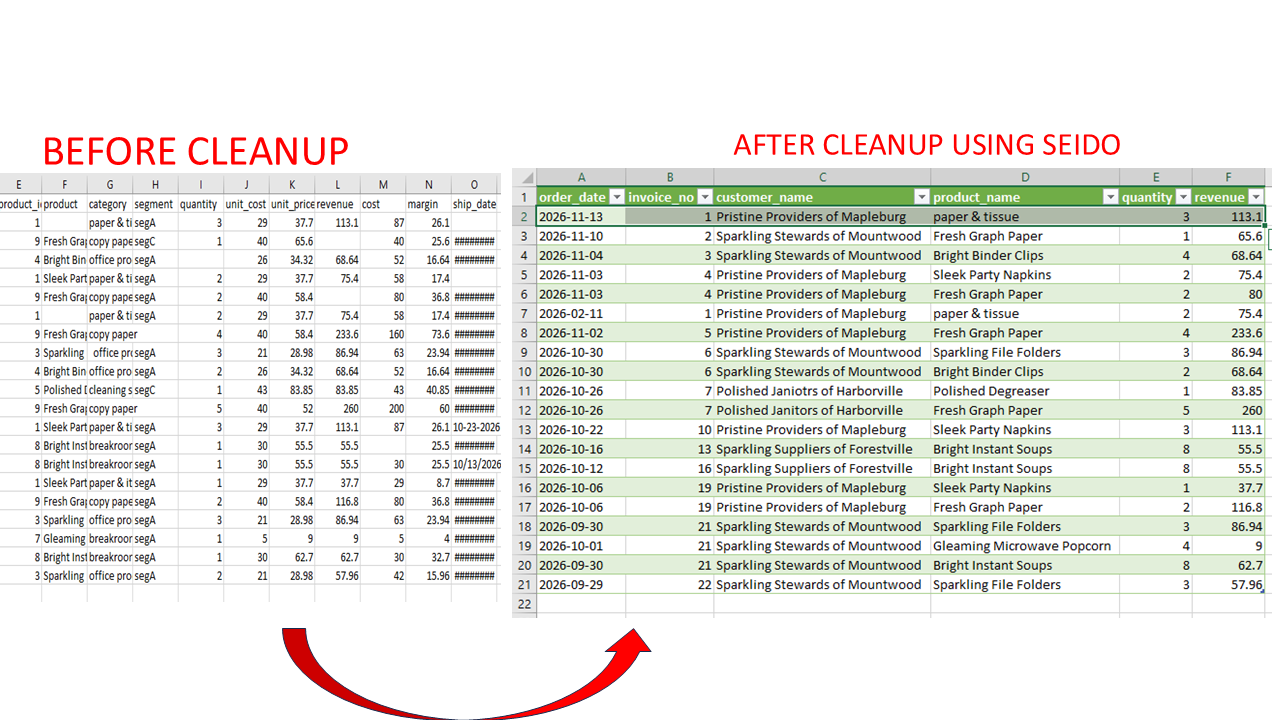
Demonstration of my custom AI pipeline. The image shows a raw, messy CSV file with broken columns (left) and the exact same data automatically extracted and formatted into a clean, database-ready table with 99% accuracy (right).
Zinns — ဝန်ဆောင်မှုများ ဝယ်ယူရန် အသင့်ရှိပါပြီ (1)
ချက်ချင်းဝယ်ယူနိုင်သော အသင့်လုပ်ဝန်ဆောင်မှုများ — ရှာဖွေပါ၊ ဝယ်ယူပါ၊ ချက်ချင်းစတင်လိုက်ပါ။